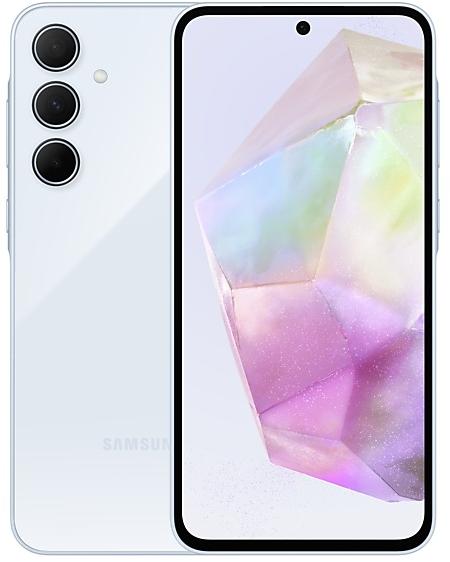
Samsung Galaxy A14 5G A146MUBS2CXC2 Firmware
Samsung Galaxy A14 5G A146MUBS2CXC2 is an Android 14 firmware for Mexico (IUS, MXO, TCE, TMM). It is the same firmware configured per region and carrier (CSC). Find your country below, verify the file and download for free. Compared with the previous build A146MUBS2CXC1 https://samfirm.shop/build/A146MUBS2CXC1, Android and the bootloader binary are unchanged, so you can switch between the two in both directions. A newer build for SM-A146M is available: A146MUBSFDZI1 https://samfirm.shop/build/A146MUBSFDZI1.
Bootloader binary 2. Flashing firmware with a lower binary is usually blocked by Samsung anti-rollback.
All regional downloads
Pick your region (CSC) to download the matching firmware package.
How to flash A146MUBS2CXC2
- Install Samsung USB Drivers:Download Official Drivers
- Download Odin Flash Tool:
- A146MUBS2CXC2 has bootloader binary 2. Your device must run binary 2 or lower: it is the 5th character from the end of your current build number.
- CSC: Use CSC for a clean install, to change the region (CSC code), to downgrade or to repair a device that does not boot.
- HOME_CSC: Use HOME_CSC to update the same model and region while keeping your data. Back up anyway: a failed update can still require a reset.
- The Download Mode key combo depends on the model: see all combos.
What's new in A146MUBS2CXC2
· Device stability improvements, bug fixes.
· New and / or enhanced features.
· Further improvements to performance.
Security patch: March 2024
SMR Mar-2024 fixes 43 vulnerabilities, 2 of them critical. Android Security Bulletin: 36, Samsung-specific issues (SVE): 7.
Rollout of A146MUBS2CXC2 by region
- First release
- March 22, 2024
- Last region
- March 23, 2024
- Duration
- 2 days
- Regions
- 4
- Day 1 · · 1 regionMexicoTCE
- Day 2 · · 3 regionsMexicoIUSMXOTMM
Device specifications
- Display diagonal16.8 cm (6.6")
- Display resolution1080 x 2408 pixels
- RAM4 GB
- Rear camera resolution50 MP
- Rear camera typeTriple camera
- Battery capacity5000 mAh
- Weight205 g
Specifications of SM-A146P, a regional variant of the same device. Chipset and SIM lines are left out: they can differ by region.
Frequently Asked Questions
Other builds and changelog for Samsung Galaxy A14 5G
• Security
The device is protected with improved security.
These changes may vary depending on the model, country, or network operator of the customer environment.
• Stability and reliability
Device behavior has been improved.
• Security
The device is protected with improved security.
These changes may vary depending on the model, country, or network operator of the customer environment.
• Security
The device is protected with improved security.
These changes may vary depending on the model, country, or network operator of the customer environment.
- A146MUBSDDZE1Jun 1, 2026
- A146MUBSCDZB2Mar 12, 2026
• Stability and reliability
Device behavior has been improved.
• Security
The device is protected with improved security.
These changes may vary depending on the model, country, or network operator of the customer environment.
• Circle to Search
Circle to Search with Google lets you easily learn more about anything shown on your screen without switching apps. Just touch and hold the Home button or navigation handle, then circle anything on the screen to start a Google search.
• Press and hold the Side button to access Google Gemini
The Side button is a new way to access Google Gemini or other digital assistant app quickly instead of using the corner swipe. You can change what the Side button does in Settings.
• Securi...
Show 14 older builds
• Security
The device is protected with improved security.
These changes may vary depending on the model, country, or network operator of the customer environment.
New button layout
The quick panel has a new layout that makes it easier to access the features you use most. Wi-Fi and Bluetooth now have their own dedicated buttons at the top of the screen, while visual features, like Dark mode and Eye comfort shield have been moved to the bottom. Other quick settings buttons appear in a customizable area in the middle.
Instantly access the full quick panel
By default, a compact quick panel with notifications appears when yo...
• The security of your device has been improved.
- A146MUBS8CYB1Feb 28, 2025
- A146MUBU8CXL3Jan 8, 2025
- A146MUBS8CXL1Dec 26, 2024
- A146MUBS7CXJ1Oct 30, 2024
- A146MUBS6CXI1Oct 7, 2024
New wallpaper editing features
Decorate your wallpaper however you like. When you select an image to use as your wallpaper, you can now apply frames and effects.
More widgets for your Lock screen
Additional widgets are available for your Lock screen so you can quickly check useful information without unlocking your phone. The new widgets include Weather, Samsung Health, Battery, Reminder, Calendar, and Clock.
Customize alarm alerts
Use an image, vid...
• The security of your device has been improved.
- A146MUBS6CXG3Aug 26, 2024
- A146MUBS6CXG2Aug 26, 2024
- A146MUBS6CXG1Aug 22, 2024
· Device stability improvements, bug fixes.
· New and / or enhanced features.
· Further improvements to performance.
- A146MUBS5CXF3Jun 26, 2024
- A146MUBS5CXF2Jun 27, 2024
- A146MUBS5CXF1Jun 27, 2024