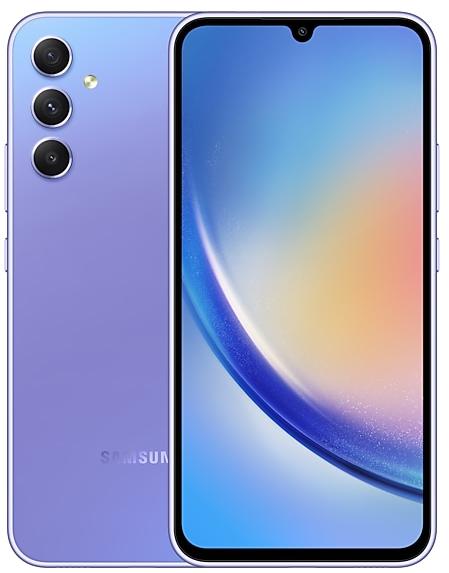
Samsung Galaxy A34 5G A346BXXUFFZE6 Firmware
Samsung Galaxy A34 5G A346BXXUFFZE6 is an Android 16 firmware for 16 countries, 20 CSC codes. It is the same firmware configured per region and carrier (CSC). Find your country below, verify the file and download for free. Compared with the previous build A346BXXSFEZC7: security patch 2026-05-05 instead of 2026-04-05. A newer build for SM-A346B is available: A346BXXSGFZG4.
Bootloader binary F (15). Flashing firmware with a lower binary is usually blocked by Samsung anti-rollback.
All regional downloads
Pick your region (CSC) to download the matching firmware package.
No matching downloads
Device specifications
- Launched withAndroid 13
- Display diagonal16.8 cm (6.6")
- Display resolution1080 x 2340 pixels
- Processor frequency2 GHz
- Processor familyMediaTek
- Processor modelDimensity 1080
- RAM8 GB
- Rear camera resolution48 MP
- Rear camera typeTriple camera
- SIM cardsHybrid dual SIM
- Battery capacity5000 mAh
- Weight199 g
What's new in A346BXXUFFZE6
Fresh new look
One UI seamlessly integrates into your daily routine by combining immersive visuals with meaningful personalization for a more refined and sophisticated design. Transparent blur effects add depth and make content easier to navigate, while floating elements react organically to your workflow for a more focused experience. Through familiar and intuitive data visualization, One UI delivers a design that feels both personal and relatable, helping you focus on what matters.
Smarter device control
Talk to Bixby in your own words. Bixby is now better at finding the setting or feature you need, even if you don’t use exact commands or feature names. Just say what you need and let Bixby do the rest.
Ask anything, anytime
Whether you need a quick answer or detailed information, just ask Bixby for an instant response. There's no need to spend time on multiple searches or switching between apps.
Conversation history
Looking back at past conversations with Bixby is easier than ever. You can now access your conversation history from the side panel in the Bixby app.
New filters
Three new filters are available to add vibrant film-like effects to your pictures.
Automatic Lock screen layout
Wallpapers with pictures of people or pets now fit perfectly every time. When you choose a photo for your Lock screen, the photo will automatically be adjusted to best fit your clock and widget layout.
New downloadable wallpapers
Discover new wallpapers featuring interactive elements. Wallpapers are downloadable so they don’t use up your storage space when not in use.
More customizable clock fonts
Personalize your Lock screen clock. You can now adjust the thickness of more font styles to match your preferred look.
Enhanced weather widget
Quickly check upcoming precipitation in the Weather widget on your Home screen. The widget now shows a graph if precipitation is expected in the next few hours.
Pollen index
Check how much pollen is in the air to help manage your allergies. You can check pollen levels for trees, grass, and ragweed.
Direct voicemail
Can't answer right now? Let callers record a voice message directly on your phone that you can listen to later. The message will appear on your screen as it’s being recorded so you can answer at any time.
Weather alarm backgrounds
Wake up to an alarm that gets you ready for the day’s weather. Your alarm screen can now show the current weather conditions as a background when it rings.
Time zone converter
Compare time zones at a glance. The new slider in the Clock app makes it easy to check the time difference between places around the world.
Storage Share
Access your files anywhere. Files from your other Samsung phones, tablets, and PCs are available in the My Files app on your phone. You can also access your phone's files on other Samsung devices, even your TV.
Quickly connect to Smart View devices
Connect to your favorite display faster. You can now add a shortcut on your Home screen to instantly mirror your phone’s screen to a TV or other display device.
Avoid unwanted sharing requests
You can now set Quick Share to only receive files from other devices signed in to your Samsung account or Google account.
Upgraded sharing experience
Share your workouts your way. Mix and match your exercise stats with photos from your workout to create the perfect social media post.
Start meditations from your watch
Find calm right from your wrist. You can now start favorite or recommended meditations directly on your Galaxy Watch without picking up your phone.
Antioxidant measurements from your watch
Check your antioxidant levels anytime. Measure directly from your Galaxy Watch, even if it’s not connected to your phone. Works with Galaxy Watch8 and Galaxy Watch Ultra.
Revamped battery info
See your battery use more clearly. The redesigned Battery settings screen makes it easier to check remaining time, charging status, and daily usage over the past week.
Improved Power saving
Use Power saving to make your battery last longer without charging. Choose Standard for moderate savings and customizable limits, or choose Maximum to turn off all non-essential features and make your battery last as long as possible.
Theft protection
Keep your phone and data safe in case it is lost or stolen. Turn on Failed authentication lock to automatically lock the screen in case there are too many failed attempts to verify your identity using your fingerprints, PIN, pattern, or password. Identity check also protects even more settings than before.
Turn off Auto blocker temporarily
If you need to temporarily disable Auto blocker's security protection, a new option lets you turn it on automatically 30 minutes later so you don't forget.
Check the security status of your devices
Keep all your devices protected. Knox Matrix now shows when any of the supported devices signed in to your Samsung account need a software update for the latest security protections.
Control magnification with mouse or keyboard
Keep what you need magnified in view with these new options. You can make the magnified area follow the cursor as you type or move when you change focus using the keyboard. When using a mouse, you can make the magnified area shift as you move the pointer to the edge of the screen.
Dwell action and Corner actions
The Auto action after pointer stops feature has been divided into 2 features. Dwell action lets you set custom actions when your mouse stops moving for a certain amount of time. Corner actions let you set a different action for each corner of the screen.
More customizable quick panel
Arrange your quick settings just the way you like them. You can now add, remove, reorder, and reorganize controls in the quick panel.
Early alerts for reminders
Get alerts before reminders are due to make sure you don’t forget important tasks. You can choose how far in advance to get an alert for each reminder.
Insert tables in Samsung Notes
Organize information in your notes with tables. You can adjust column widths, colors, and border designs while the auto calculation feature helps you stay productive and save time.
Redesigned New tab page
The page that appears when you open a new tab in Samsung Browser has been redesigned to help you quickly access the websites and features you need the most. The New tab page now shows the current security status as well as open tabs from Samsung Browser on other devices.
Partial screen recording
Include only what you need in your screen recordings. You can now select only the part of the screen that you want to record.
Calculator nudges
Save time on calculations. Numbers and formulas copied to your clipboard will be suggested when you open Calculator so you can enter them with a quick tap.
How to flash A346BXXUFFZE6
- Install Samsung USB Drivers:Download Official Drivers
- Download Odin Flash Tool:
- A346BXXUFFZE6 has bootloader binary F (15). Your device must run binary F (15) or lower: it is the 5th character from the end of your current build number.
- CSC: Use CSC for a clean install, to change the region (CSC code), to downgrade or to repair a device that does not boot.
- HOME_CSC: Use HOME_CSC to update the same model and region while keeping your data. Back up anyway: a failed update can still require a reset.
- The Download Mode key combo depends on the model: see all combos.
Frequently Asked Questions
Other builds and changelog for Samsung Galaxy A34 5G
• Security
The device is protected with improved security.
These changes may vary depending on the model, country, or network operator of the customer environment.
Fresh new look
One UI seamlessly integrates into your daily routine by combining immersive visuals with meaningful personalization for a more refined and sophisticated design. Transparent blur effects add depth and make content easier to navigate, while floating elements react organically to your workflow for a more focused experience. Through familiar and intuitive data visualization, One UI delivers a design that feels both personal and relatable, helping you focus...
• Security
The device is protected with improved security.
These changes may vary depending on the model, country, or network operator of the customer environment.
• Security
The device is protected with improved security.
These changes may vary depending on the model, country, or network operator of the customer environment.
• Security
The device is protected with improved security.
These changes may vary depending on the model, country, or network operator of the customer environment.
Show 15 older builds
• Security
The device is protected with improved security.
These changes may vary depending on the model, country, or network operator of the customer environment.
Check stock prices without unlocking
Stocks you follow on Google Finance with big price changes will appear on your Now bar at the end of the trading day.
Easier file sharing with Quick Share
It's never been easier to send and receive files. Tap the Quick Share button in quick settings to get started. You can receive files while the Quick Share screen is open and send files to others directly from Quick Share.
Sticky notes
Add quick annotations on top o...
• Security
The device is protected with improved security.
These changes may vary depending on the model, country, or network operator of the customer environment.
• Security
The device is protected with improved security.
These changes may vary depending on the model, country, or network operator of the customer environment.
• Stability and reliability
Device behavior has been improved.
• Security
The device is protected with improved security.
These changes may vary depending on the model, country, or network operator of the customer environment.
Visual enhancements
Enjoy a more sophisticated and unique look. One UI 7 introduces a stunning redesign to key components including buttons, menus, notifications and control bars, providing a more consistent visual experience with curves and circles. Beautiful new colors, soft animations, and an innovative blur effect that's unique to One UI make information hierarchy clearer and help you focus on important information.
Reimagined Home screen
Fr...
• Stability and reliability
Device behavior has been improved.
• Security
The device is protected with improved security.
· Device stability improvements, bug fixes.
· New and / or enhanced features.
· Further improvements to performance.
• Circle to Search
Circle to Search with Google lets you easily learn more about anything shown on your screen without switching apps. Just touch and hold the Home button or navigation handle, then circle anything on the screen to start a Google search.
• Security
The device is protected with improved security.
※ After this update, the notification for choosing a search engine or a browser and search engine will appear in the notification panel. When you tap this notification, you can select the...
Copy and paste from one image to another
Add a missing element to your picture. Just clip an object from an image in Gallery, then go to the image where you want to paste it and choose Paste from clipboard in the More options menu.
More accurate image clipping
Get exactly the area you need to clip without any unwanted parts. When you clip an image in Gallery, you have the option of editing the selected area before you save it so you can get your selecti...