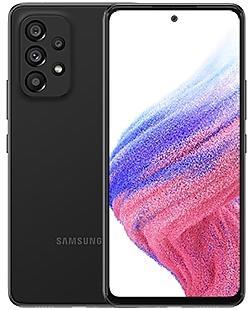
Samsung Galaxy A53 5G A5360ZCU9EXDC Firmware
Samsung Galaxy A53 5G A5360ZCU9EXDC is an Android 14 firmware for China (CHC). It is the same firmware configured per region and carrier (CSC). Find your country below, verify the file and download for free. Compared with the previous build A5360ZHU9EXDC, Android and the bootloader binary are unchanged, so you can switch between the two in both directions. A newer build for SM-A5360 is available: A5360ZHUOGZI4.
Bootloader binary 9. Flashing firmware with a lower binary is usually blocked by Samsung anti-rollback.
All regional downloads
Pick your region (CSC) to download the matching firmware package.
Device specifications
- Launched withAndroid 12
- Display diagonal16.5 cm (6.5")
- Display resolution2400 x 1080 pixels
- RAM8 GB
- Rear camera resolution64 MP
- Rear camera typeQuad camera
- Battery capacity5000 mAh
- Weight189 g
Specifications of SM-A536B, a regional variant of the same device. Chipset and SIM lines are left out: they can differ by region.
What's new in A5360ZCU9EXDC
Copy and paste from one image to another
Add a missing element to your picture. Just clip an object from an image in Gallery, then go to the image where you want to paste it and choose Paste from clipboard in the More options menu.
More accurate image clipping
Get exactly the area you need to clip without any unwanted parts. When you clip an image in Gallery, you have the option of editing the selected area before you save it so you can get your selection just right.
Improved Gallery search
The search screen has been redesigned to make it easier to use. Results are now categorized by type, such as people, places, albums, or stories.
Change playback speed
More videos now support changing the playback speed when you edit a video in Gallery. You can make your video play faster or slower in a specific section that you select or for the entire video.
Edit videos on multiple devices
You can now continue your edits on your phone, tablet, or PC. Export your Studio projects to a file that can be opened on other Galaxy devices.
New wallpaper editing features
Decorate your wallpaper however you like. When you select an image to use as your wallpaper, you can now apply frames and effects. When your wallpaper includes a person or animal, you can apply depth effects to make the subject stand out from the background.
More widgets for your Lock screen
Additional widgets are available for your Lock screen and Always On Display so you can quickly check useful information without unlocking your phone. The new widgets include Weather, Samsung Health, Battery, Reminder, Calendar, and Clock.
Customize alarm alerts
Use an image, video, or AR emoji to create your own custom alert screens for each alarm. You can even change the layout of where the alarm information appears on the screen.
More stickers to personalize your calendar
You can now add up to 2 stickers for each date on your calendar. Stickers for events are now shown next to the event name in Month view.
Revamped Calendar settings
Calendar settings have been reorganized to be more intuitive. You can also set background colors and images for full-screen calendar alerts.
Customize reminder alerts
Create the right background for each of your reminders. You can now set colors and background images for full-screen reminder alerts.
Do more with reminder categories
You can now choose a representative icon for each reminder category. You can also pin categories you use frequently to the top of the category list.
Turn modes on or off from the Home screen
Turn modes on and off more quickly than before. The new Mode widget lets you add modes directly to your Home screen.
Reorder your modes
You can now change the order that modes are listed on the Modes tab in Modes and Routines.
New routine conditions
You can now start a routine when an alarm of your choice starts ringing or when Smart View connects or disconnects.
Relumino outline
Turn on Relumino outline in Accessibility settings to highlight the outlines of objects in images and videos to make them easier to distinguish for people with low vision.
Enhanced exercise experience
Compete against your past running results in Samsung Health to try to beat your previous time. You can also crop exercises after you finish to remove any unnecessary time at the beginning or end.
More options for daily activity targets
You now have more options for setting your daily activity targets in Samsung Health. If a step goal doesn't work for you, you can change to floors climbed or active hours instead.
Improved cycle tracking
When you record your physical symptoms and moods, options you've used frequently in the past will appear at the top of the screen. You can also now set custom moods if the default options don't match how you're feeling.
Easier to access Video call effects
Video call effects will now appear in the quick panel during video calls. You can set a background color or image.
Open all minimized apps at once
A new button lets you reopen all of the minimized apps at once when you have more than one pop-up window minimized.
More ways to protect your battery
Choose from 3 different protection options to help extend your battery's lifespan. Basic protection keeps your charge between 95% and 100%. Adaptive protection pauses charging while you're asleep and finishes charging just before you wake up. You can also choose to limit the maximum charge to 80% for maximum protection.
※ Samsung Connect application name changed to SmartThings.
How to flash A5360ZCU9EXDC
- Install Samsung USB Drivers:Download Official Drivers
- Download Odin Flash Tool:
- A5360ZCU9EXDC has bootloader binary 9. Your device must run binary 9 or lower: it is the 5th character from the end of your current build number.
- CSC: Use CSC for a clean install, to change the region (CSC code), to downgrade or to repair a device that does not boot.
- HOME_CSC: Use HOME_CSC to update the same model and region while keeping your data. Back up anyway: a failed update can still require a reset.
- The Download Mode key combo depends on the model: see all combos.
Frequently Asked Questions
Other builds and changelog for Samsung Galaxy A53 5G
• Stability and reliability
Device behavior has been improved.
These changes may vary depending on the model, country, or network operator of the customer environment.
• Stability and reliability
Device behavior has been improved.
These changes may vary depending on the model, country, or network operator of the customer environment.
• Security
The device is protected with improved security.
These changes may vary depending on the model, country, or network operator of the customer environment.
• Security
The device is protected with improved security.
These changes may vary depending on the model, country, or network operator of the customer environment.
• Security
The device is protected with improved security.
These changes may vary depending on the model, country, or network operator of the customer environment.
Show 15 older builds
• Security
The device is protected with improved security.
These changes may vary depending on the model, country, or network operator of the customer environment.
• Security
The device is protected with improved security.
These changes may vary depending on the model, country, or network operator of the customer environment.
• Security
The device is protected with improved security.
These changes may vary depending on the model, country, or network operator of the customer environment.
• Security
The device is protected with improved security.
These changes may vary depending on the model, country, or network operator of the customer environment.
• Security
The device is protected with improved security.
These changes may vary depending on the model, country, or network operator of the customer environment.
• Security
The device is protected with improved security.
These changes may vary depending on the model, country, or network operator of the customer environment.
• Security
The device is protected with improved security.
These changes may vary depending on the model, country, or network operator of the customer environment.
• Security
The device is protected with improved security.
These changes may vary depending on the model, country, or network operator of the customer environment.
• Security
The device is protected with improved security.
These changes may vary depending on the model, country, or network operator of the customer environment.
• Security
The device is protected with improved security.
These changes may vary depending on the model, country, or network operator of the customer environment.
• Security
The device is protected with improved security.
These changes may vary depending on the model, country, or network operator of the customer environment.
• Security
The device is protected with improved security.
These changes may vary depending on the model, country, or network operator of the customer environment.
• Security
The device is protected with improved security.
These changes may vary depending on the model, country, or network operator of the customer environment.
• Security
The device is protected with improved security.
These changes may vary depending on the model, country, or network operator of the customer environment.