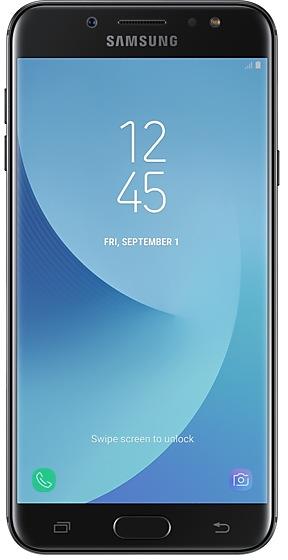
Samsung Galaxy J7+ C710FDXU2BSB1 Firmware
Samsung Galaxy J7+ C710FDXU2BSB1 is an Android 8.1.0 (Oreo) firmware for 8 countries, 11 CSC codes. It is the same firmware configured per region and carrier (CSC). Find your country below, verify the file and download for free. Compared with the previous build C710FDXU2ARJ1 https://samfirm.shop/build/C710FDXU2ARJ1: Android updated from Android 7.1.1 (Nougat) to Android 8.1.0 (Oreo). A newer build for SM-C710F is available: C710FDXU6BZC2 https://samfirm.shop/build/C710FDXU6BZC2.
Bootloader binary 2. Flashing firmware with a lower binary is usually blocked by Samsung anti-rollback.
All regional downloads
Pick your region (CSC) to download the matching firmware package.
No matching downloads
What's new in C710FDXU2BSB1
Samsung Experience 9.5 brings you Android Oreo, with exciting new features from Samsung and Google based on feedback from users like you.
We recommend that you back up your important data to keep it safe during the upgrade.
Some apps, including Samsung Internet, Samsung Notes, and Email, should be updated individually before you can update your OS.
Here’s what’s new.
Biometrics
To improve your security, features that use biometrics (face, fingerprints) are only available when you use a secure screen lock type (pattern, PIN, or password). When you switch to a non-secure screen lock type (Swipe or None), biometric authentication is suspended for unlocking and for verification in apps like Samsung Pass. If you're using biometrics now without a secure screen lock type, you'll be able to continue after the upgrade, but changing to a secure screen lock type is recommended.
Quick Panel
- Manage notifications for each app with notification categories (supported apps only).
- Icons will be shown at the bottom of the notification panel for notifications that aren't currently visible.
Home Screen
- Touch and hold an app to display shortcuts to common or recommended tasks within the app (supported apps only).
- Notification badges on app icons are linked with the notification panel. Clear a notification in one location, and it will also be cleared in the other location.
Samsung Keyboard
- The toolbar gives quick access to useful functions.
- The GIF keyboard lets you send GIFs.
- More high-contrast keyboards are available.
System Performance
- Background services are limited to improve performance and battery life.
- Currently running apps will always be shown in the notification panel.
Lock Screen and Always On Display
- New clock styles for the Lock screen and Always On Display.
- Adjust the transparency of notifications to get the look you want.
Smart View
- Let your phone's screen go dark when mirroring to another screen.
Samsung account
- Control your account settings and profile information for multiple apps.
- Tap your profile picture on the main Settings page to access your profile information and account settings.
Samsung Cloud
- View and manage photos and notes stored only in Samsung Cloud.
- Store any type of file in Samsung Cloud Drive.
- Select specific items to delete or restore from your backups.
- See how big each backup is and how many items it contains.
Samsung Dual Messenger
- Install a second copy of a messaging app so you can use two accounts at the same time. For apps that verify accounts using phone numbers, you'll need a different phone number for each account.
- Touch and hold a messaging app on the Home or Apps screen to install the second account or go to Settings - Advanced features - Dual Messenger.
Find My Mobile
- Back up Secure Folder remotely in Samsung Cloud when your phone is lost.
- Lock Samsung Pass using Find My Mobile.
Other improvements
- Bluetooth now supports high-quality audio codecs, including AAC and Sony LDAC.
- Video player includes auto repeat and 2x speed option.
- Voice Recorder provides smart tips to conveniently block calls while recording.
- Email lets you flag Microsoft Exchange ActiveSync emails.
- Samsung Health's new sticky notification lets you see your step count at a glance.
- Clock now includes a Landscape mode and timer sound options.
- The digital clock widget goes directly to the Clock app when you tap it.
- Samsung Pass added the ability to manage usernames and passwords in third-party apps.
How to flash C710FDXU2BSB1
- Install Samsung USB Drivers:Download Official Drivers
- Download Odin Flash Tool:
- C710FDXU2BSB1 has bootloader binary 2. Your device must run binary 2 or lower: it is the 5th character from the end of your current build number.
- CSC: Use CSC for a clean install, to change the region (CSC code), to downgrade or to repair a device that does not boot.
- HOME_CSC: Use HOME_CSC to update the same model and region while keeping your data. Back up anyway: a failed update can still require a reset.
- The Download Mode key combo depends on the model: see all combos.
Frequently Asked Questions
Other builds and changelog for Samsung Galaxy J7+
- The latest Android security patch has been applied.
ㆍDevice security has been further enhanced.
- The latest Android security patch has been applied.
ㆍDevice security has been further enhanced.
- The latest Android security patch has been applied.
ㆍDevice security has been further enhanced.
- The latest Android security patch has been applied.
ㆍDevice security has been further enhanced.
Show 14 older builds
- The latest Android security patch has been applied.
ㆍDevice security has been further enhanced.
· The security of your device has been improved.
Samsung Experience 9.5 brings you Android Oreo, with exciting new features from Samsung and Google based on feedback from users like you.
We recommend that you back up your important data to keep it safe during the upgrade.
Some apps, including Samsung Internet, Samsung Notes, and Email, should be updated individually before you can update your OS.
Here’s what’s new.
Biometrics
To improve your security, features that use biometrics (face, fing...
· The security of your device has been improved.
Samsung Experience 9.5 brings you Android Oreo, with exciting new features from Samsung and Google based on feedback from users like you.
We recommend that you back up your important data to keep it safe during the upgrade.
Some apps, including Samsung Internet, Samsung Notes, and Email, should be updated individually before you can update your OS.
Here’s what’s new.
Biometrics
To improve your security, features that use biometrics (face, fing...
- The latest Android security patch has been applied.
ㆍDevice security has been further enhanced.
- Added new feature
ㆍGT / CHT operator VoWiFi ( Voice over WiFi ) is supported.
- The latest Android security patch has been applied.
ㆍDevice security has been further enhanced.
- Other bug fixes
ㆍAfter installing the FET operator SIM, the problem that the network is not connected in the Taoyuan area is solved.
- The latest Android security patch has been applied.
ㆍDevice security has been further enhanced.
- Other bug fixes
ㆍFixed an issue that do not match search queries when searching contacts.
ㆍFixed an issue that Line app's camera function does not work.
- The latest Android security patch has been applied.
ㆍDevice security has been further enhanced.