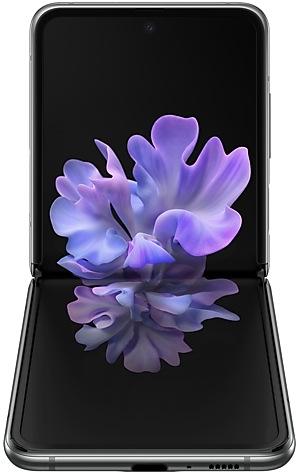
Samsung Galaxy Z Flip 5G F707BXXU8JWD1 Firmware
Samsung Galaxy Z Flip 5G F707BXXU8JWD1 is an Android 13 firmware for 20 countries, 20 CSC codes. It is the same firmware configured per region and carrier (CSC). Find your country below, verify the file and download for free. Compared with the previous build F707BXXS7JWB1: bootloader binary raised from 7 to 8, so after installing it there is no way back to older builds; security patch 2023-04-01 instead of 2023-03-01. A newer build for SM-F707B is available: F707BXXSFKXG1.
Bootloader binary 8. Flashing firmware with a lower binary is usually blocked by Samsung anti-rollback.
All regional downloads
Pick your region (CSC) to download the matching firmware package.
No matching downloads
Device specifications
- Launched withAndroid 10.0
- Display diagonal17 cm (6.7")
- Display resolution2636 x 1080 pixels
- Display typeDynamic AMOLED
- Processor frequency3.09 GHz
- RAM8 GB
- Rear camera resolution12 MP
- Rear camera typeDual camera
- Battery capacity3300 mAh
- Weight183 g
What's new in F707BXXU8JWD1
• The Camera and Gallery functions have been improved.
• Security
The device is protected with improved security.
How to flash F707BXXU8JWD1
- Install Samsung USB Drivers:Download Official Drivers
- Download Odin Flash Tool:
- F707BXXU8JWD1 has bootloader binary 8. Your device must run binary 8 or lower: it is the 5th character from the end of your current build number.
- CSC: Use CSC for a clean install, to change the region (CSC code), to downgrade or to repair a device that does not boot.
- HOME_CSC: Use HOME_CSC to update the same model and region while keeping your data. Back up anyway: a failed update can still require a reset.
- The Download Mode key combo depends on the model: see all combos.
Frequently Asked Questions
Other builds and changelog for Samsung Galaxy Z Flip 5G
Show 15 older builds
Better app previews on the Recents screen
The Recents screen now shows apps as they will appear after you open them. You can easily see if an app is opened in split screen, full screen, or as a pop-up.
Easily switch from pop-up view to split screen
Press and hold the handle at the top of the pop-up window, then drag the app to the side of the screen where you want it to be shown.
Restore pop-ups snapped to the edge of the screen
Drag an app in pop-up view t...
• The Camera and Gallery functions have been improved.
• Security
The device is protected with improved security.
One UI 5.1 takes your phone to the next level with new Gallery features as well as productivity and personalization enhancements.
Quickly change the color tone for selfies
It's easier to change the color tone of your selfies using the Effects button at the top of the screen.
More powerful search
You can now search your Gallery for more than one person or subject at the same time. You can even search for people without tagging their names just by tapping...
• Overall stability of your device has been improved.
• The security of your device has been improved.
One UI 5 brings you more powerful personalization and makes it easier to get things done across your Galaxy devices.
New app icons and illustrations
Icon symbols are larger for a bolder look that's easier to scan. Subtle background gradients and improved contrast give a fresher, more natural feel. New help illustrations have been created to give a consistent look to all apps.
Smoother than ever before
New animations and transition effects make swi...
• Overall stability of your device has been improved.
• The security of your device has been improved.
Touch pad navigation
Get PC-style touch control on the Flex mode panel when your phone is partially folded.
Extract text from any image or screen
Extract text using Samsung Keyboard, Internet, Gallery, or whenever you take a screenshot. Paste the result into a message, email, or document instead of typing.
Korean, English, French, Italian, German, Portuguese, Spanish, and Chinese text can be extracted.
Get suggestions ba...