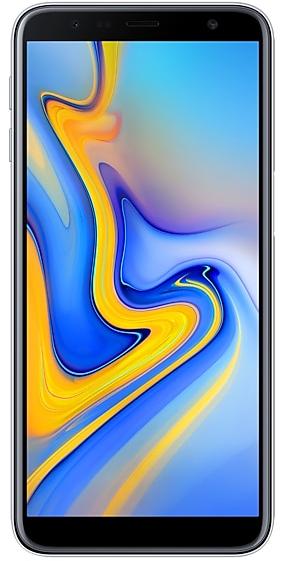
Samsung Galaxy J6+ J610FXXU1BSDF Firmware
Samsung Galaxy J6+ J610FXXU1BSDF is an Android 9 (Pie) firmware for 15 countries, 20 CSC codes. It is the same firmware configured per region and carrier (CSC). Find your country below, verify the file and download for free. Compared with the previous build J610FXXU1BSDE, Android and the bootloader binary are unchanged, so you can switch between the two in both directions. A newer build for SM-J610F is available: J610FXXU8CWH2.
Bootloader binary 1. Flashing firmware with a lower binary is usually blocked by Samsung anti-rollback.
All regional downloads
Pick your region (CSC) to download the matching firmware package.
No matching downloads
Device specifications
- Display diagonal15.2 cm (6")
- Display resolution1480 x 720 pixels
- Display typeTFT
- Processor frequency1.4 GHz
- Processor familyQualcomm Snapdragon
- RAM3 GB
- Rear camera resolution13 MP
- Rear camera typeDual camera
- SIM cardsDual SIM
- Battery capacity3300 mAh
- Weight178 g
What's new in J610FXXU1BSDF
Upgraded One UI for Android Pie
One UI brings you Android Pie, with exciting new features and a whole new look and feel based on feedback from users in Samsung and Google.
We recommend that you back up your important data to keep it safe before the upgrade.
Some apps, including Calculator, Samsung Internet, Samsung Health, Samsung Notes, and Samsung Members, need to be updated individually after you update your OS.
To use the Remote unlock function in Find My Mobile on an Android Pie device, the screen lock password (or PIN/pattern) backup process is required. So please make sure that you remember the screen lock password (or PIN/pattern) before starting the update process. If you've forgotten the password (or PIN/pattern), reset it before starting the update process.
Here’s what’s new.
One UI
- Content, settings, and other information have been reorganized to keep you focused on the task at hand.
- Interactive elements have been moved to the bottom of the screen so they're always within reach.
- New designs and features such as Night mode help keep your eyes comfortable.
Notifications
- You can reply to messages directly in the notification panel.
- Image thumbnails are included in message notifications.
- In an app's notification settings, tap the switch once to turn on or off all the notifications in a category.
Settings
- Menus have been reorganized to make settings easier to find.
- Added new feature. - Night mode, Font size and style - Bold font, Navigation bar - Full screen gestures
Phone
- You can now sort your call history by incoming and outgoing calls.
- Your call history can include up to 2000 entries (increased from 500 entries).
Contacts
- The new drawer menu makes it easier to manage contacts from various accounts.
Gallery
- Recycle bin feature was added to Gallery, so you can restore deleted photos using the Recycle bin.
- You can quickly access a range of content, such as "Videos", "Places", "Favourites", and "Suggested" by swiping down in the Pictures or Albums tabs.
How to flash J610FXXU1BSDF
- Install Samsung USB Drivers:Download Official Drivers
- Download Odin Flash Tool:
- J610FXXU1BSDF has bootloader binary 1. Your device must run binary 1 or lower: it is the 5th character from the end of your current build number.
- CSC: Use CSC for a clean install, to change the region (CSC code), to downgrade or to repair a device that does not boot.
- HOME_CSC: Use HOME_CSC to update the same model and region while keeping your data. Back up anyway: a failed update can still require a reset.
- The Download Mode key combo depends on the model: see all combos.
Frequently Asked Questions
Other builds and changelog for Samsung Galaxy J6+
• Overall stability of your device has been improved.
• The security of your device has been improved.
Show 15 older builds
• Overall stability of your device has been improved.
• The security of your device has been improved.
• Added new feature. - Google RCS(Rich Communication Service)
• The security of your device has been improved.
One UI 2 brings you Android 10, with exciting new features from Samsung and Google based on feedback from users like you.
We recommend that you back up your important data to keep it safe during the upgrade.
Some apps, including Calculator, Samsung Internet, Samsung Health and Samsung Notes, need to be updated individually after you update your OS.
Here's what's new.
Dark mode
- Enhanced image, text, and color adjustments for day and night environments.
- Dark...