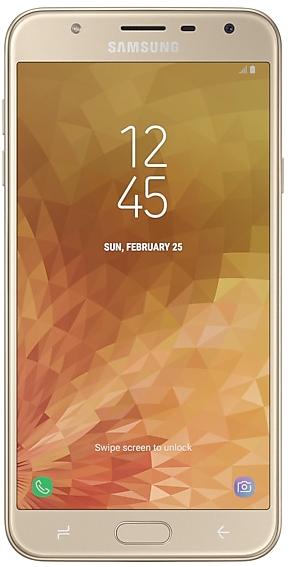
Samsung Galaxy J7 Duo J720MUBUACTG2 Firmware
Samsung Galaxy J7 Duo J720MUBUACTG2 is an Android 10 firmware for 5 countries, 7 CSC codes. It is the same firmware configured per region and carrier (CSC). Find your country below, verify the file and download for free. Compared with the previous build J720MUBUABTD2: Android updated from Android 8.0.0 to Android 10. A newer build for SM-J720M is available: J720MUBUBCUL1.
Bootloader binary A (10). Flashing firmware with a lower binary is usually blocked by Samsung anti-rollback.
All regional downloads
Pick your region (CSC) to download the matching firmware package.
No matching downloads
Device specifications
- Display diagonal14 cm (5.5")
- Display resolution1280 x 720 pixels
- Display typeSAMOLED
- RAM3 GB
- Rear camera resolution13 MP
- Rear camera typeDual camera
- Battery capacity3000 mAh
- Weight174 g
Specifications of SM-J720, a regional variant of the same device. Chipset and SIM lines are left out: they can differ by region.
What's new in J720MUBUACTG2
One UI 2 brings you Android 10, with exciting new features from Samsung and Google based on feedback from users like you.
We recommend that you back up your important data to keep it safe during the upgrade.
Some apps, including Calculator, Samsung Internet, Samsung Health and Samsung Notes, need to be updated individually after you update your OS.
Here's what's new.
Dark mode
- Enhanced image, text, and color adjustments for day and night environments.
- Darkened wallpapers, widgets, and alarms while Dark mode is on.
Icons and colors
- Clearer app icons and system colors.
- Improved layouts for titles and buttons to eliminate wasted screen space.
Smoother animations
- Enhanced animations with a playful touch.
Full screen gestures
- Added new navigation gestures.
Refined interactions
- Navigate more comfortably on large screens with minimal finger movement.
- Easily focus on what matters with clearly highlighted buttons.
One-handed mode
- New ways to access One-handed mode: double tap the Home button or swipe down in the center of the bottom of the screen.
- Settings moved to Settings > Advanced features > One-handed mode.
Accessibility
- High contrast keyboards and layouts for large text have been improved.
- Listen to live speech and display it as text.
Better text over wallpapers
- See text more clearly against wallpaper, as One UI automatically adjusts font colors based on light and dark areas and color contrast in the image below.
Media and devices
- Replaced the SmartThings panel with the Media and Devices.
- Media: Control music and videos playing on your phone as well as other devices.
- Devices: Check and control your SmartThings devices directly from the quick panel.
Biometrics
- Added options for showing the fingerprint icon when the screen is off. You can choose to show it whenever you tap or keep it visible when the Always On Display is shown.
Device care
- The battery usage graph now provides more detailed information.
- Added battery limit setting and other enhancements for Wireless PowerShare.
Digital wellbeing
- Set goals to keep your phone usage in check.
- Use Focus mode to help avoid distractions from your phone.
- Keep an eye on your kids with new parental controls.
Camera
- Added the ability to edit the modes that appear at the bottom of the screen.
- Provided a More tab so you can quickly access hidden modes from the preview screen.
- Improved the layout so you can focus on taking pictures without the settings getting in the way.
Internet
- Customize the quick menu to get instant access to the features you use the most.
- Get more information from the app bar.
- Install add-ons from the Galaxy Store to get even more features.
Samsung Contacts
- Added Trash feature for Contacts. Contacts that you delete will stay in the trash for 15 days before being deleted forever.
Calendar
- Stickers can be added to a date without creating an event.
- Ringtones can be used for event alerts.
Reminder
- More options are available for repeating reminders.
- Set location-based reminders for a specific period of time.
- Share reminders with your family group and other sharing groups.
- Set reminders for a specific date without an alert.
My Files
- Created a Trash feature so you can restore files if you delete something by mistake.
- Added more filters you can use while searching to help you find things quickly.
- You can now copy or move multiple files and folders to different destinations at the same time.
Calculator
- Added speed and time units to the unit converter.
Connected car
- Android Auto is now preloaded.
Tips
- Added tips to help you get the most from your Galaxy.
How to flash J720MUBUACTG2
- Install Samsung USB Drivers:Download Official Drivers
- Download Odin Flash Tool:
- J720MUBUACTG2 has bootloader binary A (10). Your device must run binary A (10) or lower: it is the 5th character from the end of your current build number.
- CSC: Use CSC for a clean install, to change the region (CSC code), to downgrade or to repair a device that does not boot.
- HOME_CSC: Use HOME_CSC to update the same model and region while keeping your data. Back up anyway: a failed update can still require a reset.
- The Download Mode key combo depends on the model: see all combos.
Frequently Asked Questions
Other builds and changelog for Samsung Galaxy J7 Duo
· Device stability improvements, bug fixes.
· New and / or enhanced features.
· Further improvements to performance.
• Added new feature. - Google RCS(Rich Communication Service)
• The security of your device has been improved.
• LGPD (General Personal Data Protection Law) has been applied.
• The security of your device has been improved.
Show 15 older builds
· Device stability improvements, bug fixes.
· New and / or enhanced features.
· Further improvements to performance.
One UI 2 brings you Android 10, with exciting new features from Samsung and Google based on feedback from users like you.
We recommend that you back up your important data to keep it safe during the upgrade.
Some apps, including Calculator, Samsung Internet, Samsung Health and Samsung Notes, need to be updated individually after you update your OS.
Here's what's new.
Dark mode
- Enhanced image, text, and color adjustments for day and night environments.
- Dark...
One UI 2 brings you Android 10, with exciting new features from Samsung and Google based on feedback from users like you.
We recommend that you back up your important data to keep it safe during the upgrade.
Some apps, including Calculator, Samsung Internet, Samsung Health and Samsung Notes, need to be updated individually after you update your OS.
Here's what's new.
Dark mode
- Enhanced image, text, and color adjustments for day and night environments.
- Dark...