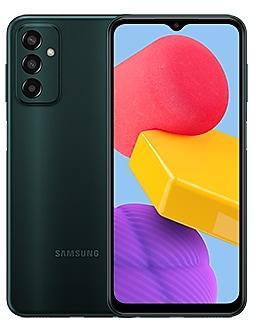
Samsung Galaxy M13 M135FXXU6EXG1 Firmware
Samsung Galaxy M13 M135FXXU6EXG1 is an Android 14 firmware for 8 countries, 9 CSC codes. It is the same firmware configured per region and carrier (CSC). Find your country below, verify the file and download for free. Compared with the previous build M135FXXU6EXF2 https://samfirm.shop/build/M135FXXU6EXF2, Android and the bootloader binary are unchanged, so you can switch between the two in both directions. A newer build for SM-M135F is available: M135FXXSEEZE2 https://samfirm.shop/build/M135FXXSEEZE2.
Bootloader binary 6. Flashing firmware with a lower binary is usually blocked by Samsung anti-rollback.
All regional downloads
Pick your region (CSC) to download the matching firmware package.
How to flash M135FXXU6EXG1
- Install Samsung USB Drivers:Download Official Drivers
- Download Odin Flash Tool:
- M135FXXU6EXG1 has bootloader binary 6. Your device must run binary 6 or lower: it is the 5th character from the end of your current build number.
- CSC: Use CSC for a clean install, to change the region (CSC code), to downgrade or to repair a device that does not boot.
- HOME_CSC: Use HOME_CSC to update the same model and region while keeping your data. Back up anyway: a failed update can still require a reset.
- The Download Mode key combo depends on the model: see all combos.
What's new in M135FXXU6EXG1
New wallpaper editing features
Decorate your wallpaper however you like. When you select an image to use as your wallpaper, you can now apply frames and effects.
More widgets for your Lock screen
Additional widgets are available for your Lock screen so you can quickly check useful information without unlocking your phone. The new widgets include Weather, Samsung Health, Battery, Reminder, Calendar, and Clock.
Customize alarm alerts
Use an image, video, or AR emoji to create your own custom alert screens for each alarm. You can even change the layout of where the alarm information appears on the screen.
More stickers to personalize your calendar
You can now add up to 2 stickers for each date on your calendar. Stickers for events are now shown next to the event name in Month view.
Revamped Calendar settings
Calendar settings have been reorganized to be more intuitive. You can also set background colors and images for full-screen calendar alerts.
Customize reminder alerts
Create the right background for each of your reminders. You can now set colors and background images for full-screen reminder alerts.
Do more with reminder categories
You can now choose a representative icon for each reminder category. You can also pin categories you use frequently to the top of the category list.
Turn modes on or off from the Home screen
Turn modes on and off more quickly than before. The new Mode widget lets you add modes directly to your Home screen.
Reorder your modes
You can now change the order that modes are listed on the Modes tab in Modes and Routines.
Share with more devices
Quick Share has merged with Google's Nearby Share. In addition to Galaxy devices, you can now share with other Android devices even without an internet connection.
Share your location with others
With Samsung Find, you can share your location with family, friends, or anyone that you trust. Share for a limited time or all the time. You're always in control of who can see your location.
Sync Internet tab groups with other devices
Easily pick up where you left off during your last browsing session no matter which device you were using. Tab groups that you create on one device will appear in Samsung Internet on other Galaxy devices signed in to your Samsung account.
Enhanced exercise experience
Compete against your past running results in Samsung Health to try to beat your previous time. You can also crop exercises after you finish to remove any unnecessary time at the beginning or end.
More options for daily activity targets
You now have more options for setting your daily activity targets in Samsung Health. If a step goal doesn't work for you, you can change to floors climbed or active hours instead.
Improved cycle tracking
When you record your physical symptoms and moods, options you've used frequently in the past will appear at the top of the screen. You can also now set custom moods if the default options don't match how you're feeling.
More information in the Weather widget
The weather widget will let you know when severe thunderstorms, snowfall, or other precipitation is on the forecast in your local area.
Voice input without leaving the keyboard
The keyboard now remains visible while using voice input so you can easily switch back to typing whenever you need to. Tap the mic button at the bottom of the screen to enter text using your voice at any time while using the keyboard.
Open all minimized apps at once
A new button lets you reopen all of the minimized apps at once when you have more than one pop-up window minimized.
Google search suggestions in Finder
When you search using Finder, you’ll also get suggested web searches from Google.
More ways to protect your battery
Choose from 3 different protection options to help extend your battery's lifespan. Basic protection keeps your charge between 95% and 100%. Adaptive protection pauses charging while you're asleep and finishes charging just before you wake up. You can also choose to limit the maximum charge to 80% for maximum protection.
Improved Gallery search
The search screen has been redesigned to make it easier to use. Results are now categorized by type, such as people, places, albums, or stories.
Security patch: June 2024
SMR Jun-2024 fixes 53 vulnerabilities, 1 of them critical. Android Security Bulletin: 36, Samsung Semiconductor: 4, Samsung-specific issues (SVE): 13.
Most severe Samsung fixes:
- critical Improper input validation vulnerability in chnactiv TA (CVE-2024-20881)
- high Improper access control vulnerability in SmartManagerCN (CVE-2024-20874)
- high Heap out-of-bound write vulnerability in parsing grid image header in libsavscmn.so (CVE-2024-20877)
Rollout of M135FXXU6EXG1 by region
- First release
- July 29, 2024
- Last region
- August 6, 2024
- Duration
- 9 days
- Regions
- 9
- Day 1 · · 2 regionsSaudi ArabiaKSAUnited Arab EmiratesXSG
- Day 9 · · 7 regionsEgyptEGYIraqMIDLibyaLYSMoroccoFWDMWDTunisiaTUNTurkeyTUR
Device specifications
- Display diagonal16.8 cm (6.6")
- Display resolution1080 x 2408 pixels
- Processor frequency2 GHz
- RAM4 GB
- Rear camera resolution50 MP
- Rear camera typeTriple camera
- SIM cardsDual SIM
- Battery capacity5000 mAh
- Weight192 g
Frequently Asked Questions
Other builds and changelog for Samsung Galaxy M13
• Security
The device is protected with improved security.
These changes may vary depending on the model, country, or network operator of the customer environment.
- M135FXXSEEZE2May 25, 2026
- M135FXXSEEZE1May 25, 2026
- M135FXXSDEZB2Mar 9, 2026
- M135FXXSDEZB1Mar 9, 2026
- M135FXXSCEYK2Dec 1, 2025
- M135FXXSCEYK1Dec 1, 2025
- M135FXXSBEYG2Sep 3, 2025
- M135FXXSBEYG1Aug 28, 2025
• Security
The device is protected with improved security.
- M135FXXSAEYE2May 29, 2025
- M135FXXSAEYE1May 29, 2025
• The security of your device has been improved.
- M135FXXS9EYB2Feb 24, 2025
- M135FXXS9EYB1Feb 18, 2025
• Security
The device is protected with improved security.
- M135FXXS9EXJ4Nov 26, 2024
- M135FXXS9EXJ3Nov 26, 2024
- M135FXXS8EXJ2Oct 24, 2024
- M135FXXS8EXJ1Oct 22, 2024
- M135FXXS7EXH2Sep 23, 2024
- M135FXXS7EXH1Sep 17, 2024
New wallpaper editing features
Decorate your wallpaper however you like. When you select an image to use as your wallpaper, you can now apply frames and effects.
More widgets for your Lock screen
Additional widgets are available for your Lock screen so you can quickly check useful information without unlocking your phone. The new widgets include Weather, Samsung Health, Battery, Reminder, Calendar, and Clock.
Customize alarm alerts
Use an image, vid...
- M135FXXU6EXG1Jul 29, 2024
- M135FXXU6EXF2Jul 15, 2024