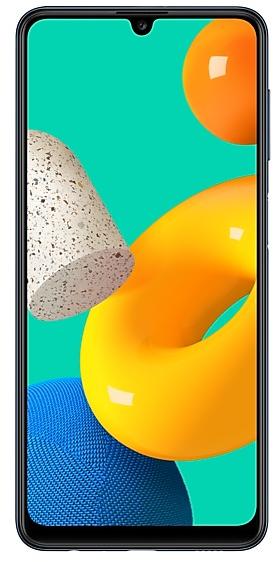
Samsung Galaxy M32 M325FVXXS4BVJ1 Firmware
Samsung Galaxy M32 M325FVXXS4BVJ1 is an Android 12 firmware for 12 countries, 12 CSC codes. It is the same firmware configured per region and carrier (CSC). Find your country below, verify the file and download for free. Compared with the previous build M325FVXXU4BVI2, Android and the bootloader binary are unchanged, so you can switch between the two in both directions. A newer build for SM-M325FV is available: M325FVXXSCDYD2.
Bootloader binary 4. Flashing firmware with a lower binary is usually blocked by Samsung anti-rollback.
All regional downloads
Pick your region (CSC) to download the matching firmware package.
No matching downloads
What's new in M325FVXXS4BVJ1
• The security of your device has been improved.
How to flash M325FVXXS4BVJ1
- Install Samsung USB Drivers:Download Official Drivers
- Download Odin Flash Tool:
- M325FVXXS4BVJ1 has bootloader binary 4. Your device must run binary 4 or lower: it is the 5th character from the end of your current build number.
- CSC: Use CSC for a clean install, to change the region (CSC code), to downgrade or to repair a device that does not boot.
- HOME_CSC: Use HOME_CSC to update the same model and region while keeping your data. Back up anyway: a failed update can still require a reset.
- The Download Mode key combo depends on the model: see all combos.
Frequently Asked Questions
Other builds and changelog for Samsung Galaxy M32
• Overall stability of your device has been improved.
• The security of your device has been improved.
Show 15 older builds
• Overall stability of your device has been improved.
• The security of your device has been improved.
• Overall stability of your device has been improved.
• The security of your device has been improved.
• Overall stability of your device has been improved.
• The security of your device has been improved.
• Stability and reliability
Device behavior has been improved.
• Security
The device is protected with improved security.
One UI 5.1 takes your phone to the next level with new Gallery features as well as productivity and personalization enhancements.
More powerful search
You can now search your Gallery for more than one person or subject at the same time. You can even search for people without tagging their names just by tapping their faces.
Enhanced image remastering
Remastering does more to make your pictures look great by removing shadows and reflections. You can also...
One UI 5.1 takes your phone to the next level with new Gallery features as well as productivity and personalization enhancements.
More powerful search
You can now search your Gallery for more than one person or subject at the same time. You can even search for people without tagging their names just by tapping their faces.
Create a shared family album
It's easier than ever to share pictures with your family. Gallery will recommend pictures to add to you...
• Overall stability of your device has been improved.
• The security of your device has been improved.
One UI 5 brings you more powerful personalization and makes it easier to get things done across your Galaxy devices.
New app icons and illustrations
Icon symbols are larger for a bolder look that's easier to scan. Subtle background gradients and improved contrast give a fresher, more natural feel. New help illustrations have been created to give a consistent look to all apps.
Smoother than ever before
New animations and transition effects make sw...
One UI 5 brings you more powerful personalization and makes it easier to get things done across your Galaxy devices.
New app icons and illustrations
Icon symbols are larger for a bolder look that's easier to scan. Subtle background gradients and improved contrast give a fresher, more natural feel. New help illustrations have been created to give a consistent look to all apps.
Smoother than ever before
New animations and transition effects make sw...
• The security of your device has been improved.