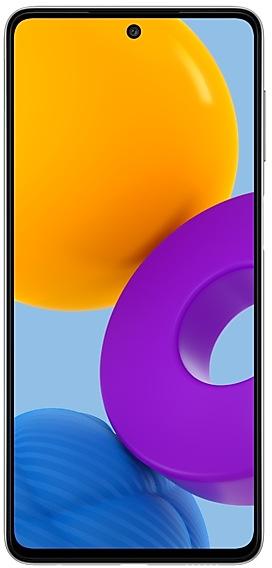
Samsung Galaxy M52 5G M526BPUU1BVC6 Firmware
Samsung Galaxy M52 5G M526BPUU1BVC6 is an Android 12 firmware for Russia (SER). It is the same firmware configured per region and carrier (CSC). Find your country below, verify the file and download for free. Compared with the previous build M526BXXU1BVC6 https://samfirm.shop/build/M526BXXU1BVC6, Android and the bootloader binary are unchanged, so you can switch between the two in both directions. A newer build for SM-M526B is available: M526BPUS7CYE1 https://samfirm.shop/build/M526BPUS7CYE1.
Bootloader binary 1. Flashing firmware with a lower binary is usually blocked by Samsung anti-rollback.
All regional downloads
Pick your region (CSC) to download the matching firmware package.
What's new in M526BPUU1BVC6
One UI 4.1 brings you a wide array of new features and enhancements for your Galaxy devices. More intuitive, more fun, more secure, and easier than ever.
Check out the changes below.
Customize your phone with unique colors based on your wallpaper. Your colors will be applied to menus, buttons, backgrounds, and apps throughout your phone.
One UI 4.1 offers strong privacy protection to make sure your personal information doesn’t fall into the wrong hands.
Permission info at a glance
See when each app accesses sensitive permissions such as Location, Camera, or Microphone in Permission usage. You can deny permissions for any apps you don’t feel comfortable with.
Camera and microphone indicators
Keep prying eyes and ears away. A green dot will appear in the upper right corner of the screen when any app is using the camera or microphone. You can also use quick panel controls to temporarily block all apps from using the camera or microphone.
Approximate location
Keep your exact location private. You can set apps that don't need to know exactly where you are to only have access your general area.
Clipboard protection
Keep your passwords, credit card numbers, and other sensitive information safe. You can choose to receive an alert whenever an app accesses content copied to the clipboard in another app.
More than just typing, Samsung Keyboard is all about expressing yourself and having fun.
Quick access to GIFs, emojis, and stickers
Self-expression is a tap away. Get to your emojis, GIFs, and stickers directly from the keyboard with a single button.
Animated emoji pairs
Can’t find the right emoji? Combine two emojis together, then add an animation to really get your feelings across.
Even more stickers
Spice up your conversations with a variety of new animated stickers available to download.
Writing assistant
Keep your grammar and spelling on point with the new Writing assistant, powered by Grammarly (English only).
It all starts on the Home screen, where your favorite apps and features are just a tap away. One UI 4.1 helps you keep your home screen looking its best all the time.
New widget design
Widgets have been redesigned to look better than ever, with info that’s easy to see at a glance and a more consistent style.
Easier widget selection
Having trouble finding the right widget? You can now quickly scroll through the widget list to see what’s available from each app. You’ll also get recommendations for useful widgets to try out.
Use widgets to handle quick tasks without unlocking your phone, whether it’s controlling your music, checking your schedule, or capturing your best ideas.
Listen where you want
Switch audio output from buds to speakers to your phone, all from the Lock screen.
Voice recording
Got a great idea? Record a voice memo without unlocking your phone.
Calendar and schedule at once
Check today’s schedule along with your calendar for the rest of the month on the Lock screen.
Enjoy a simpler layout while you take pictures and videos. The scene optimizer button only appears in Photo mode if there’s low light or you’re scanning a document. Portrait and Night mode settings are now tucked away and more intuitive.
Lens and zoom
Lens icons show the magnification level, so you know how much you’re zoomed in.
Video that never misses a moment
Recording starts immediately after you tap the Record button, instead of when you release it, so that you catch those precious moments before they’re gone. In Photo mode, you can touch and hold the Shutter button to start recording a quick video, then drag your finger to the Lock icon to continue recording without holding down the Shutter.
Pro photography
Stay in control with the redesigned Pro and Pro video mode settings. The cleaner look helps you focus on the shot, and the new level indicators added to the grid lines help you keep shots balanced.
Enhanced scanning
Scan documents, then tap the magnifying glass to zoom in and edit them immediately. You can also do more after scanning QR codes, like calling or emailing someone instead of just adding their contact info to your phone.
Whether you’ve got thousands of pictures and videos or just a few treasured moments, Gallery makes it easier to find what you need and keep your collection organized.
Enhanced stories
See your stories come to life with highlight videos that are created automatically. Just tap the preview at the top of each story to watch. You can also explore where the pictures in your stories were taken in the new Map view.
Easier albums
Sort through albums more easily—even if they’ve got tons of pictures. In fact, you can sort albums by how many pictures and videos they contain so that your favorite and most used albums are always at the top of the list. A cover image also appears at the top of the screen when you view an album to give you a better feel for what the album contains.
More control over information
Change or remove the date, time, and location of your pictures to correct it or keep it private. You can also select several pictures and edit their information at once.
Sometimes your photos and videos need a few tweaks. One UI’s Photo and Video editors are there to make your pictures look their best before you share them.
Emojis and stickers
Use an emoji to cover the face of a shy friend or add stickers to create fun pictures and videos.
Lighting control
Picture too dark because of bad lighting? The new Light balance feature helps you pull out all the details to make it look great.
Highlight reels
Easily turn a set of pictures and videos into a beautiful movie. Just choose a theme, and the AI will add the music and transitions automatically.
Never lose the original
Get bold with your editing! You can now revert both pictures and videos back to their original versions after they’re saved, or save them as copies to keep both the original and edited versions.
Use your own personal emojis to spice up your messages, make fun videos, and more. You can create a digital version of yourself, or try a different look. The possibilities are endless.
Jazz up your profile
Use an AR emoji as your profile picture in Contacts and Samsung account. You can choose from over 10 poses or create your own expressions.
Face stickers
Pretend to be your emoji with new stickers of your emoji’s face. Have fun decorating your photos and sharing them with your friends.
Dance the night away
Make cool dance videos with your AR emojis. Choose templates from 10 different categories including #Fun, #Cute, and #Party.
Design your own clothes
Ever wanted to be a fashion designer? You can now use your own drawings to create unique clothes for your AR emojis.
One UI helps you stay connected and share your experiences with others. Just tap the Share button in any app.
Make sharing your own. You can customize the list of apps that appear when you share content to keep the clutter away and focus only on the apps you use regularly.
Easier navigation
New layout and better navigation makes sharing a breeze. Swipe left or right to scroll through apps and contacts when you’re sharing.
Photo sharing
When you share a picture that doesn’t look quite right, whether it’s out of focus or not framed well, we’ll let you know and give you suggestions for fixing it.
One UI 4.1 makes it even easier to keep your busy life organized.
Check your schedule on the Home screen
A new widget shows your schedule for the day along with a full calendar for the month.
Quick add events
Need to add something to your calendar in a hurry? Just enter a title and you’re done.
More search options
You’ve got more ways than ever to find your calendar events. Choose from recent search keywords or filter by color or sticker.
Share with others
Sometimes you need to keep others in the loop. It’s now easier to share your calendars with other Galaxy users.
Easier date and time selection
Setting event details is a breeze with separate date and time options.
Recover deleted events
Events you delete will stay in the Trash for 30 days so you can get them back if you need them.
One UI’s fast and secure web browser now makes it even easier to find the webpages you’re looking for and protect your privacy.
Search suggestions
Get more search suggestions when you enter text in the address bar. Results will appear with an all new design.
Search from the Home screen
The new search widget helps you find what you’re looking for, right from the Home screen.
Start in Secret mode
To protect your privacy, Samsung Internet will automatically start in Secret mode if you were using Secret mode during your last browsing session.
See your phone’s performance, security, and battery life at a glance, solve problems quickly, and get deep diagnostics for more complex issues.
Battery and security at a glance
Battery and security issues will appear right on the main screen so you can solve problems more quickly.
Understand your phone’s overall status
Your phone’s overall status is shown as an emoji, so you can understand instantly.
Diagnostic checks
Now you can get right to Samsung Members diagnostics from Device Care. If something seems wrong with your phone, try the diagnostic tests to find out what the problem is and get suggestions for solving it.
One UI is designed for everyone. In One UI 4.1, you’ll get even more options to help you use your phone in the way that’s most comfortable for you.
Always there when you need it
Access accessibility features more quickly with a floating button that’s always available.
Mouse gestures
Perform actions more quickly by moving your mouse pointer to one of the 4 corners of the screen.
Adjust your screen at once
Adjust contrast and size at the same time with custom Display mode (High contrast or Large display).
Eye comfort
More visibility options are available to meet your needs. You can reduce transparency or blur.
Extra dim screen
If your screen is too bright, even at the lowest brightness setting, turn on Extra dim for more comfortable reading in the dark.
Customizable flash notifications
Make the screen flash when you receive a notification. You customize colors for each app so you can easily determine where a notification is coming from.
Easier magnification
Magnifier window has been merged with the new Magnification menu, giving you more options and more control for magnifying content on the screen.
Better Always On Display
Never miss a notification. You can now set Always On Display to turn on whenever you get a notification. New animated stickers are also available to keep your Always On Display looking fresh.
Enhanced Dark mode
To keep you comfortable in the dark, Dark mode now automatically dims wallpapers and icons. Illustrations in Samsung apps now have Dark mode versions with darker colors for a more consistent experience that’s easier on your eyes.
Charging info at a glance
When you start charging, different visual effects let you know your charging speed more intuitively.
Easier brightness control
A bigger brightness bar in the quick panel makes it easier to change screen brightness with a swipe.
Safety and emergency menu
The new Safety and emergency menu in Settings lets you manage your emergency contacts and safety information all in one place.
Settings search enhancements
Improved search features help you find the settings you need, when you need them. You’ll get suggestions for related features depending on what you search for.
Keep your eyes on the road
The new Driving monitor in Digital Wellbeing keeps track of when you use your phone while driving. You’ll get reports on how much you used your phone and which apps you used.
Skip an alarm just once
Feel like sleeping in? You can now turn off an alarm just for one occurrence. It will turn back on automatically after it’s skipped.
Day or night at a glance
Have a friend on the other side of the world? It’s easier to see if it’s a good time to contact them. The dual clock widget now shows different background colors for each city depending on whether it’s day or night.
Switch from texts to calls
Texting not cutting it? Tap the person’s name at the top of the conversation to see their details or start a voice or video call.
More search results in Messages
Now you can search your messages for photos, videos, web links, and more. The results are all filtered so you can jump right to what you’re looking for.
Easier search in My Files
Find the file you’re looking for, even if there’s a typo or the name doesn’t match exactly. The Recent files area has also been expanded to help you quickly locate files you’ve used or received recently.
Enhanced Edge panels
Keep your current app in view while using edge panels. Blurring has been removed to help you see more at once.
Resizable picture-in-picture
If a floating video is getting in the way, pinch your fingers together to make it smaller. Want to see more? Spread your fingers apart to make it bigger.
Quick access to pop-up window options
For easier multitasking, you can pin the window options menu to the top of the window to make it easier to access.
Some apps will need to be updated separately after the One UI 4.1 upgrade.
How to flash M526BPUU1BVC6
- Install Samsung USB Drivers:Download Official Drivers
- Download Odin Flash Tool:
- M526BPUU1BVC6 has bootloader binary 1. Your device must run binary 1 or lower: it is the 5th character from the end of your current build number.
- CSC: Use CSC for a clean install, to change the region (CSC code), to downgrade or to repair a device that does not boot.
- HOME_CSC: Use HOME_CSC to update the same model and region while keeping your data. Back up anyway: a failed update can still require a reset.
- The Download Mode key combo depends on the model: see all combos.
Frequently Asked Questions
Other builds and changelog for Samsung Galaxy M52 5G
• Security
The device is protected with improved security.
• Security
The device is protected with improved security.
• Overall stability of your device has been improved.
• The security of your device has been improved.
• The security of your device has been improved.
• Overall stability of your device has been improved.
• The security of your device has been improved.
Show 15 older builds
• Security
The device is protected with improved security.
• The security of your device has been improved.
• Security
The device is protected with improved security.
• The security of your device has been improved.
• Stability and reliability
Device behavior has been improved.
• Security
The device is protected with improved security.
• Stability and reliability
Device behavior has been improved.
• Security
The device is protected with improved security.
• Stability and reliability
Device behavior has been improved.
• Security
The device is protected with improved security.
• The security of your device has been improved.
• Stability and reliability
Device behavior has been improved.
• Security
The device is protected with improved security.
• Overall stability of functions improved.
• Stability and reliability
Device behavior has been improved.
• Security
The device is protected with improved security.
• Stability and reliability
Device behavior has been improved.
• Security
The device is protected with improved security.
• The security of your device has been improved.
• Overall stability of your device has been improved.
• The security of your device has been improved.