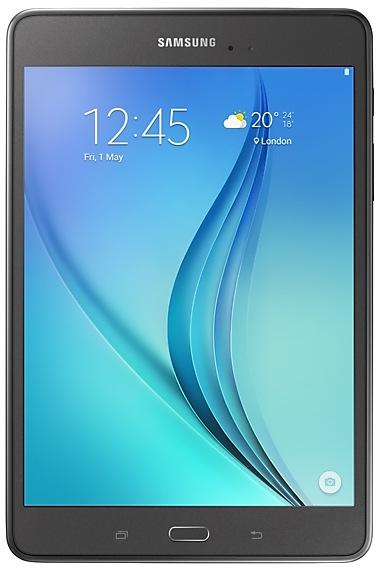
Samsung Galaxy Tab A 8.0 P350ZCU1AOF1 Firmware
Samsung Galaxy Tab A 8.0 P350ZCU1AOF1 is an Android 5.0.2 (Marshmallow) firmware for China (CHN). It is the same firmware configured per region and carrier (CSC). Find your country below, verify the file and download for free. Compared with the previous build P350ZSU1AOF1 https://samfirm.shop/build/P350ZSU1AOF1: Android updated from Android 5.0.2 (Lollipop) to Android 5.0.2 (Marshmallow). A newer build for SM-P350 is available: P350ZSS1BSC1 https://samfirm.shop/build/P350ZSS1BSC1.
Bootloader binary 1. Flashing firmware with a lower binary is usually blocked by Samsung anti-rollback.
All regional downloads
Pick your region (CSC) to download the matching firmware package.
Device specifications
- Launched withAndroid
- Display diagonal20.3 cm (8")
- Display resolution1024 x 768 pixels
- Rear camera resolution5 MP
- Rear camera typeSingle camera
- Front camera resolution2 MP
- Wi-Fi standardWi-Fi 4 (802.11n)
- Weight334 g
Specifications of SM-P350NZ, a regional variant of the same device. Chipset and SIM lines are left out: they can differ by region.
How to flash P350ZCU1AOF1
- Install Samsung USB Drivers:Download Official Drivers
- Download Odin Flash Tool:
- P350ZCU1AOF1 has bootloader binary 1. Your device must run binary 1 or lower: it is the 5th character from the end of your current build number.
- CSC: Use CSC for a clean install, to change the region (CSC code), to downgrade or to repair a device that does not boot.
- HOME_CSC: Use HOME_CSC to update the same model and region while keeping your data. Back up anyway: a failed update can still require a reset.
- The Download Mode key combo depends on the model: see all combos.
Frequently Asked Questions
Other builds and changelog for Samsung Galaxy Tab A 8.0
- Other bug fixes
ㆍFixed an issue that the device screen displays a dual clock widget.
- The latest Android security patch has been applied.
ㆍDevice security has been further enhanced.
- The Email app has been changed so that it is deletable. (Users can now uninstall the Email app.)
- Removed the Baidu Maps app.
- The latest Android security patch has been applied.
ㆍDevice security has been further enhanced.
Show 15 older builds
- The latest Android security patch has been applied.
ㆍDevice security has been further enhanced.
· OS upgrade - Android 6.0 Marshmallow
· The new TouchWiz provides enhanced usability and an updated visual design.
· Quick connect helps you easily find and connect to nearby devices by showing currently connected devices and previous connections.
· Settings for the following have been reset: Theme, Email, Icon/Widget
※ After upgrade, KidsTime, SamsungGalaxyLife are not supported again, which will be removed.
※ Android 6.0 Marshmallow does not support the Decrypt device function. If your mobile...
· OS upgrade - Android 6.0.1 Marshmallow
· Baidu search has been updated.
· Removed new application : GameBox.
· The new TouchWiz provides enhanced usability and an updated visual design.
· Quick connect helps you easily find and connect to nearby devices by showing currently connected devices and previous connections.
· Settings for the following have been reset: Email, Icon/Widget
※ Android 6.0 Marshmallow does not support the Decrypt device function. If your mobile device is encrypted, encryp...
- The latest Android security patch has been applied.
ㆍDevice security has been further enhanced.
- Improved performance with efficient memory management
ㆍOptimized closing unused applications
ㆍNotification of unstable applications
- Security Enhancements
- Improved the stability