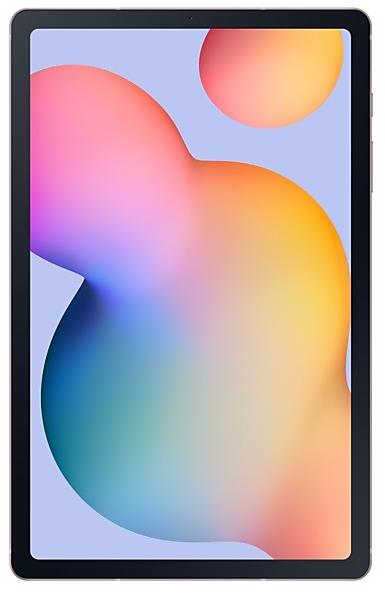
Samsung Galaxy Tab S6 Lite P613XXS4BWI1
SM-P613 49 countries Android 13

Samsung Galaxy Tab S6 Lite P613XXS4BWI1 Firmware

Samsung Galaxy Tab S6 Lite P613XXS4BWI1 is an Android 13 firmware for 49 countries, 50 CSC codes. It is the same firmware configured per region and carrier (CSC). Find your country below, verify the file and download for free. Compared with the previous build P613XXU4BWH3: security patch 2023-10-01 instead of 2023-07-01. A newer build for SM-P613 is available: P613XXS8CYE1.

9.0/10 (495)170,408 times
Android 13
OS Version
2023-10-11
First release
other regions until 2023-10-24
2023-10-01
Security patch
49
Countries
50
CSC codes
4
Bootloader binary

Bootloader binary 4. Flashing firmware with a lower binary is usually blocked by Samsung anti-rollback.

Newer builds of Samsung Galaxy Tab S6 Lite use bootloader binary 8 (latest: P613XXS8CYE1). If your device already runs binary 8, this build cannot be flashed.

All regional downloads

Pick your region (CSC) to download the matching firmware package.

Paste your current build number from Settings > About phone (About tablet) > Software information, or the output of *#1234#.
    Your CSC is in Settings → About phone (About tablet) → Software information, or dial *#1234#. The CSC sets your region's features and network bands. Download the firmware for your country.
    5
    MODEM/CP Version: P613XXS4BWI1
    ModelRegionCSC VersionBuild DateRelease dateSizeFile nameDownload
    SM-P613
    ARO Argentina
    CHO Chile
    COO Colombia
    GTO Guatemala
    +5 more countries
    MXO Mexico
    PEO Peru
    TPA Panama
    UPO, UYO Uruguay
    ZTO Brazil
    P613OWO4BWH3 2023-10-17 2023-10-11 4.929 GiB
    SM-P613_2_20230929232020_72zsl6x8eq_fac.zip
    SM-P613
    ATO Austria
    AUT Switzerland
    BGL Bulgaria
    BRI Taiwan
    +24 more countries
    BTU United Kingdom
    CAU Kazakhstan
    DBT Germany
    EUR Greece
    ITV Italy
    LUX Luxembourg
    NEE Nordic Europe
    ORX Slovakia
    PHE Spain
    PHN Netherlands
    ROM Romania
    SEB Baltic Europe
    SEE Serbia
    SEK Ukraine
    SER Russia
    SIO Slovenia
    TGY Hong Kong SAR China
    TPH Portugal
    XAC Canada
    XAR United States
    XEF France
    XEH Hungary
    XEO Poland
    XEZ Czechia
    P613OXM4BWI1 2023-10-24 2023-10-19 5.414 GiB
    SM-P613_2_20231003153740_r6gue1fa31_fac.zip
    SM-P613
    ILO Israel
    MID Iraq
    PAK Pakistan
    TUR Turkey
    +2 more countries
    XFA South Africa
    XSG United Arab Emirates
    P613OJM4BWI1 2023-10-24 2023-10-24 5.066 GiB
    SM-P613_2_20231003153600_2gi1wzf8bc_fac.zip
    SM-P613
    INU India
    P613ODM4BWH4 2023-10-17 2023-10-17 5.1 GiB
    SM-P613_2_20231005152510_csnvyde3ee_fac.zip
    SM-P613
    THL Thailand
    XME Malaysia
    XNZ New Zealand
    XSA Australia
    +1 more country
    XSP Singapore
    P613OLM4BWI1 2023-10-24 2023-10-24 5.092 GiB
    SM-P613_2_20231003142421_9p6s61v5gx_fac.zip

    No matching downloads

    Device specifications

    • Launched withAndroid 12
    • Display diagonal26.4 cm (10.4")
    • Display resolution2000 x 1200 pixels
    • Display technologyLCD
    • Processor frequency1.8 GHz
    • Processor familySnapdragon
    • Processor model720G
    • Rear camera resolution8 MP
    • Front camera resolution5 MP
    • Wi-Fi standardWi-Fi 5 (802.11ac)
    • Weight465 g

    What's new in P613XXS4BWI1

    · Device stability improvements, bug fixes.
    · New and / or enhanced features.
    · Further improvements to performance.

    How to flash P613XXS4BWI1

    • P613XXS4BWI1 has bootloader binary 4. Your device must run binary 4 or lower: it is the 5th character from the end of your current build number.
    • CSC: Use CSC for a clean install, to change the region (CSC code), to downgrade or to repair a device that does not boot.
    • HOME_CSC: Use HOME_CSC to update the same model and region while keeping your data. Back up anyway: a failed update can still require a reset.
    • The Download Mode key combo depends on the model: see all combos.
    Full flashing guide
    Beware: Manually flashing firmwares may brick your device. Use it at your own risk and follow our tutorial steps.

    Frequently Asked Questions

    P613XXS4BWI1 is Android 13 firmware for Samsung Galaxy Tab S6 Lite, released for 49 countries, 50 CSC codes. It includes the 2023-10-01 security patch. Samsung built it on 2023-10-11.

    No. A newer build for SM-P613 is available: P613XXS8CYE1. Install it instead of P613XXS4BWI1 unless you need this exact version. The previous build was P613XXU4BWH3.

    Download the package for your region (CSC) and unzip it. In Odin, load each file into the slot with the same name: BL, AP, CP (if the package has one) and CSC, or HOME_CSC to keep your data. Odin checks the built-in checksum of every .tar.md5 file before flashing. The Samsung Galaxy Tab S6 Lite must be on bootloader binary 4 or lower.

    This build uses bootloader binary 4. It can be flashed on a Samsung Galaxy Tab S6 Lite running binary 4 or lower; if the device already has a higher binary, Odin stops with "SW REV CHECK FAIL". 7 other builds of this model use the same binary, so you can switch between them in both directions.

    Other builds and changelog for Samsung Galaxy Tab S6 Lite

    • Security
    The device is protected with improved security.

    No changelog details available.

    • Security
    The device is protected with improved security.

    No changelog details available.
    No changelog details available.
    Show 15 older builds
    One UI 6.1 Upgrade
    Customize your Galaxy

    New wallpaper editing features
    Decorate your wallpaper however you like. When you select an image to use as your wallpaper, you can now apply frames and effects.

    Customize alarm alerts
    Use an image, video, or AR emoji to create your own custom alert screens for each alarm. You can even change the layout of where the alarm information appears on the screen.

    More stickers to personalize your calendar
    You can now add up to 2 stickers for each date on y...

    • The security of your device has been improved.

    • The security of your device has been improved.

    • Security
    The device is protected with improved security.

    No changelog details available.
    One UI 6.0 Upgrade (Android 14)
    Quick panel

    New button layout
    The quick panel has a new layout that makes it easier to access the features you use most. Wi-Fi and Bluetooth now have their own dedicated buttons at the top of the screen, while visual features, like Dark mode and Eye comfort shield have been moved to the bottom. Other quick settings buttons appear in a customizable area in the middle.

    Instantly access the full quick panel
    By default, a compact quick panel with notifications ap...

    No changelog details available.

    • The security of your device has been improved.

    · Device stability improvements, bug fixes.
    · New and / or enhanced features.
    · Further improvements to performance.

    One UI 5.1.1 Update
    Multitasking

    Better app previews on the Recents screen
    The Recents screen now shows apps as they will appear after you open them. You can easily see if an app is opened in split screen, full screen, or as a pop-up.

    Easily switch from pop-up view to split screen
    Press and hold the handle at the top of the pop-up window, then drag the app to the side of the screen where you want it to be shown.

    Restore pop-ups snapped to the edge of the screen
    Drag an app in pop-up view t...

    No changelog details available.

    • The latest Android security patch has been applied.
    - Device security has been further enhanced.

    • Security
    The device is protected with improved security.

    No changelog details available.

    · Device stability improvements, bug fixes.
    · New and / or enhanced features.
    · Further improvements to performance.