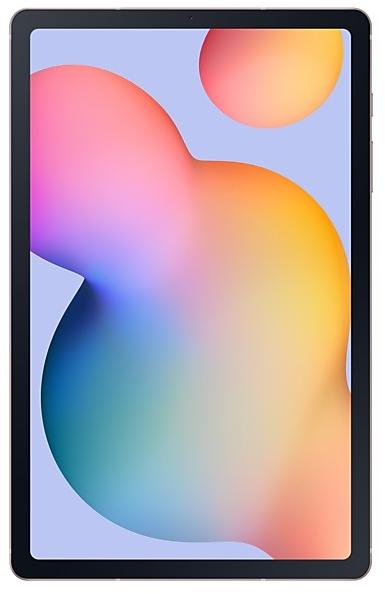
Samsung Galaxy Tab S6 Lite P615CZCU3FWA5 Firmware
Samsung Galaxy Tab S6 Lite P615CZCU3FWA5 is an Android 13 firmware for China (CHC). It is the same firmware configured per region and carrier (CSC). Find your country below, verify the file and download for free. Compared with the previous build P615CZCU3EVJ2: Android updated from Android 12 to Android 13; security patch 2022-12-01 instead of 2022-06-01. A newer build for SM-P615C is available: P615CZCS7FYD1.
Bootloader binary 3. Flashing firmware with a lower binary is usually blocked by Samsung anti-rollback.
All regional downloads
Pick your region (CSC) to download the matching firmware package.
Device specifications
- Launched withAndroid 10
- Display diagonal26.4 cm (10.4")
- Display resolution2000 x 1200 pixels
- Rear camera resolution8 MP
- Rear camera typeSingle camera
- Front camera resolution5 MP
- Wi-Fi standardWi-Fi 5 (802.11ac)
- Weight467 g
Specifications of SM-P615, a regional variant of the same device. Chipset and SIM lines are left out: they can differ by region.
What's new in P615CZCU3FWA5
One UI 5 brings you more powerful personalization and makes it easier to get things done across your Galaxy devices.
New app icons and illustrations
Icon symbols are larger for a bolder look that's easier to scan. Subtle background gradients and improved contrast give a fresher, more natural feel. New help illustrations have been created to give a consistent look to all apps.
Smoother than ever before
New animations and transition effects make switching between screens feel more natural. Animations and other visual feedback appear instantly when you touch the screen, making interactions more intuitive. Scrolling speed has also been enhanced to make scrolling feel smoother throughout One UI.
Enhanced blur effects and colors
Background blur effects on the quick panel, Home screen, and throughout One UI have been improved with brighter colors for a clearer and more consistent experience. Simplified app color schemes help you avoid distractions and focus on your current task.
Customize your Lock screen
Just touch and hold the Lock screen to edit. What could be simpler? Customize your wallpaper, clock style, notification settings, and more, with live preview, all in one place.
More wallpaper choices
Wallpaper settings have been redesigned making it easier to find the perfect wallpaper for your Home and Lock screens. There are more images, videos, colors, and filters to choose from than ever before.
More options for your color palette
It's easier to find the colors that are right for you. Choose from up to 16 color themes based on your wallpaper as well as preset color themes that are designed to look great.
Easily see who’s calling
Set a different call background for each contact so you easily see who's calling with just a quick glance.
Choose modes based on your activity
Choose a mode based on what you're doing, such as exercising, working, or relaxing, then choose what you want your phone to do in each situation. For example, turn on Do not disturb when you're relaxing or play music when you're driving.
Bedtime mode is now Sleep mode
Sleep mode lets you automate more actions when it's time for bed, like turning on Dark mode and changing the sound mode.
Easier to discover preset routines
A simplified layout makes it easier to find routines that are useful for you.
Check running routines quickly
Routines that are currently running are now shown at the top of the Routines screen so you can understand what's happening and make changes if necessary.
More actions and conditions for your routines
Automatically start routines when you use Airplane mode or Mobile Hotspot. Routines can now open app pairs and adjust the left/right sound balance.
Stack widgets on your Home screen
Combine several widgets of the same size into a single widget to save space on your Home screen. Just drag a widget onto another widget to create a stack, then swipe to switch between widgets. You can add more widgets to your stack at any time by dragging and dropping.
Do more with your connected devices
The Connected devices menu has been added to Settings, making it quicker and easier to access features that work with other devices, like S Share, Smart View, and Samsung DeX.
Hide notifications on your TV
When viewing content from your tablet on your TV with Smart View, you can choose to hide notifications on your TV to prevent others from seeing your personal information.
Get help with Pro mode
A help icon will appear in Pro and Pro video modes. Tap the icon to get tips and guidance for using the various lenses, options, and controls.
Add watermarks to your pictures
Automatically add a watermark to each picture containing the date and time a picture was taken, your tablet's model name, or other custom information.
Choose filters more easily
The filter selection menu has been streamlined in Camera, Photo Editor, and Video Editor. All filters are available in one list, making it easier to find the perfect filter for your picture or video.
Customize albums in Gallery
Merge albums that have the same name and create albums that automatically update to include pictures of people you select. Your shared albums will now appear together with your other albums.
All-new look for Stories
Stories that are automatically created in your Gallery have been revamped with an interactive slideshow view. Just tap or swipe to move between pictures and videos in your story.
Create stickers from any picture
Create reusable stickers from any picture in your gallery. Just select the part of the picture you want to use as a sticker, then adjust the thickness and color of the outlines.
More ways to edit GIFs
You can trim and adjust the ratio of animated GIFs to make them the right size. You can also use the same editing features that are available for still images to decorate your GIF however you like.
Keep portrait mode effects even after editing
Portrait mode effects are now retained even after cropping or changing filters so you can adjust the background blur at any time.
Draw perfect shapes on pictures and videos
Use the pen tool to draw a shape such as a circle, triangle, rectangle, or heart. Hold your finger on the screen when you finish drawing to make it instantly transform to straight lines and perfect angles.
New stickers for photos and videos
60 new preloaded emoji stickers are available for decorating your pictures and videos.
Enhanced taskbar in Samsung DeX
A search button has been added to make it easier to find apps you want to use, and you can right-click certain apps to quickly access tasks within the app. You can also customize which buttons you want to appear on your taskbar.
New notification indicator in DeX
A red dot will appear on the notification button in your taskbar if any new notifications have been received since the last time you opened the notification panel.
Mini calendar in DeX
Clicking the date in your taskbar now opens a mini calendar, allowing you to quickly check your schedule without opening the full Calendar app.
Get only the notifications you allow
When you use an app for the first time, you’ll be asked whether you want to receive notifications from it. Feel free to say no to apps that you don’t want to disturb you.
Easier access to app notification controls
Is an app sending you too many notifications? It's easier than ever to block it with reorganized notification settings placing app notification controls at the top. You can also go directly to app notification settings using the button at the bottom of the notification panel.
Choose which types of notifications apps can send
You now have separate control over whether apps can show pop-up notifications, app icon badges, and notifications on the Lock screen. Allow all types, some, or none. It's up to you.
New layout for notifications
App icons are larger, making it easier to see which app sent the notification. Text alignment has also been improved to make notifications easier to read.
Set exceptions for Do not disturb
You can now set individual contacts as exceptions to Do not disturb. Your phone will ring or vibrate when the people you choose call and send messages to you, even when Do not disturb is on. It’s also easier to set apps as exceptions so you get notification alerts from them even when Do not disturb is on. Just choose the apps you want to allow from the new grid.
More options for RAM Plus
RAM Plus can now be turned off completely in Smart Manager if you don’t need it or don’t want it to use any storage space.
Auto optimization
Smart Manager keeps your tablet running smoothly by automatically performing optimizations in the background. To keep your tablet in the best condition, you can set your tablet to automatically restart when needed.
Check your tablet’s security status at a glance
The new Security dashboard in Settings shows whether your phone has any security issues and helps you fix them quickly.
Security and privacy information for websites
An icon will appear in the address bar in Samsung Internet to show a site's security status. Tap the icon to learn which information the website collects and tracks.
More accessibility options in the quick panel
High contrast font and Color inversion can be added to the quick panel for easier access.
More spoken assistance
Choose from various types of voice feedback to get help using your tablet even if you can't see the screen clearly. You can make your tablet read out keyboard input so you can be sure you typed the correct letter, and turn on audio descriptions that explain what's happening in a video (only for supported videos).
Easily edit your Accessibility button
Tap and hold the Accessibility button to quickly change the features you can access using the button.
New actions available for Corner actions
If you're using a mouse or trackpad, new actions are available when you move the mouse pointer to one of the 4 corners of the screen. You can now click and hold, drag, or drag and drop.
Use several timers at once
You can now start a new timer in the Clock app even if another timer is still running.
New emojis available for emoji pairs
In Samsung Keyboard, more than 80 additional emojis are available for creating an emoji pair. You can now combine emojis based on animals, food, and other objects in addition to facial expressions. Choose the perfect combination to get your feelings across.
Stay on top of reminders due today
The new Today category shows only reminders due today. You can also check reminders due today at the top of the main screen in the Reminder app.
Show and hide completed reminders
You can show or hide the completed reminders in any category. Show to see what you've already done, or hide to stay focused on things you still need to finish.
Drag and drop bookmarks between folders
Keep your Samsung Internet bookmarks organized by dragging and dropping them between folders.
More powerful search in My Files
Choose whether to search all files or only files in the current folder. You can also choose between searching only file names or searching information inside of files, such as text in documents or location information in images. When your search is complete, you can sort the results by name, date, size, or file type.
Redesigned Digital Wellbeing
The new dashboard provides clearer usage details and makes it easier to access the features you need, such as app timers and screen time reports.
Get help in an emergency
Quickly press the Side key 5 times to call emergency services even if you aren't able to talk.
Show app names in the Apps edge panel
Turn on Show app names to make app names appear below the app icons.
※ Some apps will be changed to deletable.
※ The following features will have menus added to the Settings app and Camera app.
- Smart Manager : Settings → Smart Manager
- My Files : Settings → My Files
- Bixby : Settings → Advanced features → Bixby
- AR Zone : Camera → MORE → AR Zone
Some apps will need to be updated separately after the One UI 5 upgrade.
How to flash P615CZCU3FWA5
- Install Samsung USB Drivers:Download Official Drivers
- Download Odin Flash Tool:
- P615CZCU3FWA5 has bootloader binary 3. Your device must run binary 3 or lower: it is the 5th character from the end of your current build number.
- CSC: Use CSC for a clean install, to change the region (CSC code), to downgrade or to repair a device that does not boot.
- HOME_CSC: Use HOME_CSC to update the same model and region while keeping your data. Back up anyway: a failed update can still require a reset.
- The Download Mode key combo depends on the model: see all combos.
Frequently Asked Questions
Other builds and changelog for Samsung Galaxy Tab S6 Lite
Show 15 older builds
Better app previews on the Recents screen
The Recents screen now shows apps as they will appear after you open them. You can easily see if an app is opened in split screen, full screen, or as a pop-up.
Easily switch from pop-up view to split screen
Press and hold the handle at the top of the pop-up window, then drag the app to the side of the screen where you want it to be shown.
Restore pop-ups snapped to the edge of the screen
Drag an app in pop-up view t...
One UI 5.1 Update
One UI 5.1 takes your tablet to the next level with new Gallery features as well as productivity and personalization enhancements.
More powerful search
You can now search your Gallery for more than one person or subject at the same time. You can even search for people without tagging their names just by tapping their faces.
Revamped info display
When you swipe up while viewing a picture or video in your Gallery, you can see when and where the picture was...
One UI 5 brings you more powerful personalization and makes it easier to get things done across your Galaxy devices.
New app icons and illustrations
Icon symbols are larger for a bolder look that's easier to scan. Subtle background gradients and improved contrast give a fresher, more natural feel. New help illustrations have been created to give a consistent look to all apps.
Smoother than ever before
New animations and transition effects make swi...
Switch between apps quickly
A taskbar now appears at the bottom of the screen for quicker navigation between apps.
Quickly open apps in split screen or a pop-up window
Drag apps from the taskbar or Recents screen to open them however is most convenient for you. Drag to the top, bottom, left, or right edge of the screen to open in split screen. Drag to the center of the screen to open in a pop-up.
Open app pairs quickly
Pair apps that you often use together,...
One UI 4.1 brings you a wide array of new features and enhancements for your Galaxy devices. More intuitive, more fun, more secure, and easier than ever.
Check out the changes below.
Customize your tablet with unique colors based on your wallpaper. Your colors will be applied to menus, buttons, backgrounds, and apps throughout your tablet.
One UI 4.1 offers strong privacy protection to make sure your personal information doesn’t fall...
• Overall stability of your device has been improved.
• The latest Android security patch has been applied.
- Device security has been further enhanced.
※ After the updating, it is needed to agree to the terms and conditions due to the enforcement of the Personal Information Protection act.
• Improved usability of the following applications or features: Multi window, Edge panel
• Following applications or features added: Labs
• Overall stability of your device has been improved.
• The latest Android security patch has been applied.
- Device security has been further enhanced.
The exact changes may differ depending on your device model, country/Region, and service provider.
• Other bug fixes
- Overall stability of functions improved.
• The latest Android security patch has been applied.
- Device security has been further enhanced.
The exact changes may differ depending on your device model, country/Region, and service provider.
• Other bug fixes
- Overall stability of functions improved.
• The latest Android security patch has been applied.
- Device security has been further enhanced.