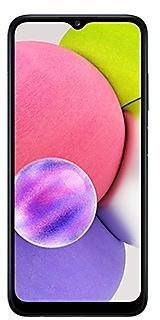
Samsung Galaxy S22 Ultra S908NKSS7EYB3 Firmware
Samsung Galaxy S22 Ultra S908NKSS7EYB3 is an Android 14 firmware for South Korea (KOO, KTC, LUC, SKC). It is the same firmware configured per region and carrier (CSC). Find your country below, verify the file and download for free. Compared with the previous build S908NKSS6EXLS https://samfirm.shop/build/S908NKSS6EXLS: bootloader binary raised from 6 to 7, so after installing it there is no way back to older builds; security patch 2025-03-01 instead of 2025-01-01. A newer build for SM-S908N is available: S908NKSS9GZH3 https://samfirm.shop/build/S908NKSS9GZH3.
Bootloader binary 7. Flashing firmware with a lower binary is usually blocked by Samsung anti-rollback.
All regional downloads
Pick your region (CSC) to download the matching firmware package.
How to flash S908NKSS7EYB3
- Install Samsung USB Drivers:Download Official Drivers
- Download Odin Flash Tool:
- S908NKSS7EYB3 has bootloader binary 7. Your device must run binary 7 or lower: it is the 5th character from the end of your current build number.
- CSC: Use CSC for a clean install, to change the region (CSC code), to downgrade or to repair a device that does not boot.
- HOME_CSC: Use HOME_CSC to update the same model and region while keeping your data. Back up anyway: a failed update can still require a reset.
- The Download Mode key combo depends on the model: see all combos.
Security patch: March 2025
SMR Mar-2025 fixes 55 vulnerabilities, 11 of them critical. Android Security Bulletin: 49, Samsung-specific issues (SVE): 6.
Most severe Samsung fixes:
- high Improper access control in SecSettingsIntelligence (CVE-2025-20903)
Rollout of S908NKSS7EYB3 by region
Samsung released this build in all regions (4) on the same day, March 13, 2025.
Device specifications
- Launched withAndroid 12
- Display diagonal17.3 cm (6.8")
- Display resolution3088 x 1440 pixels
- RAM12 GB
- Rear camera resolution108 MP
- Rear camera typeQuad camera
- Battery capacity5000 mAh
- Weight228 g
Specifications of SM-S908B, a regional variant of the same device. Chipset and SIM lines are left out: they can differ by region.
Frequently Asked Questions
Other builds and changelog for Samsung Galaxy S22 Ultra
- S908NKSS9GZH3Aug 19, 2026
- S908NKSS9GZE5May 13, 2026
- S908NKSS8GZB2Mar 5, 2026
- S908NKSS7GZA1Jan 22, 2026
- S908NKSS7GYL1Dec 18, 2025
- S908NKSS7GYK3Nov 20, 2025
- S908NKSU7GYJ1Oct 30, 2025
- S908NKSS7FYG8Aug 25, 2025
- S908NKSS7FYG1Jul 17, 2025
- S908NKSS7FYF1Jun 19, 2025
- S908NKSS7FYE5May 29, 2025
- S908NKSU7FYD9Apr 28, 2025
- S908NKSS7EYB3Mar 13, 2025
- S908NKSS6EXLSJan 16, 2025
- S908NKSS6EXL1Dec 19, 2024
- S908NKSU6EXK4Nov 25, 2024
- S908NKSS5EXJ3Oct 17, 2024
- S908NKSU5EXH7Sep 19, 2024
- S908NKSS5EXH1Aug 19, 2024
- S908NKSS5EXG2Jul 18, 2024