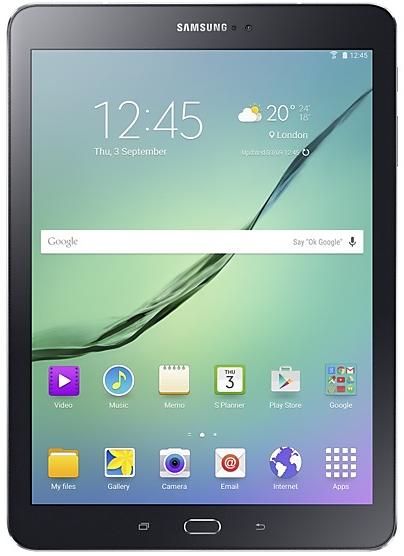
Samsung Galaxy Tab S2 T810ZCU2BPL2 Firmware
Samsung Galaxy Tab S2 T810ZCU2BPL2 is an Android 6.0.1 (Marshmallow) firmware for China (CHN). It is the same firmware configured per region and carrier (CSC). Find your country below, verify the file and download for free. Compared with the previous build T810XXU2BPB1: Android updated from Android 5.1.1 (Lollipop) to Android 6.0.1 (Marshmallow). A newer build for SM-T810 is available: T810XXS2DTKA.
Bootloader binary 2. Flashing firmware with a lower binary is usually blocked by Samsung anti-rollback.
All regional downloads
Pick your region (CSC) to download the matching firmware package.
Device specifications
- Launched withAndroid
- Display diagonal24.6 cm (9.7")
- Display resolution2048 x 1536 pixels
- Display technologySuper AMOLED
- Processor frequency1.9 GHz
- Rear camera resolution8 MP
- Rear camera typeSingle camera
- Front camera resolution2.1 MP
- Wi-Fi standardWi-Fi 5 (802.11ac)
- Weight389 g
What's new in T810ZCU2BPL2
· OS upgrade - Android 6.0 Marshmallow
· The new TouchWiz provides enhanced usability and an updated visual design.
· Quick connect helps you easily find and connect to nearby devices by showing currently connected devices and previous connections.
· Fingerprints are securely protected. An alternative unlock method (pattern, PIN, or password) is required to add fingerprints.
· A new vibration pattern concept has been applied.
※ Android 6.0 Marshmallow does not support the Decrypt device function. If your mobile device is encrypted, encryption cannot be disabled after upgrading. If you want encryption to be disabled after upgrading, it must be disabled before you upgrade your device. To disable encryption go to Settings - Security, then select Decrypt device.
※ After upgrade, Samsung Magazine substitute for Samsung Reader. Samsung Reader provide E-book contents additional.
※ Some apps that were installed via the Lollipop OS may need to be updated after upgrading to the Marshmallow OS. Go to Galaxy Apps to update apps.
※ Email etc. widget may disappear on home screen after OS upgraded, please set these widgets or relative application again if you used.
※ Smart manager widget lose Battery and Security function. Storage and RAM function will be remained.
※ The Smart stay menu has been removed from the quick panel. (It can still be accessed via Settings.
※ After Upgrade, Private mode doesn't support Internet browser
(Sbrowser 4.0 version doesn't support private mode)
※ After upgrade, GameBox will be deleted.
※ The temperature of the device may temporarily increase during the software upgrade or update because of the data download and associated behaviours.
How to flash T810ZCU2BPL2
- Install Samsung USB Drivers:Download Official Drivers
- Download Odin Flash Tool:
- T810ZCU2BPL2 has bootloader binary 2. Your device must run binary 2 or lower: it is the 5th character from the end of your current build number.
- CSC: Use CSC for a clean install, to change the region (CSC code), to downgrade or to repair a device that does not boot.
- HOME_CSC: Use HOME_CSC to update the same model and region while keeping your data. Back up anyway: a failed update can still require a reset.
- The Download Mode key combo depends on the model: see all combos.
Frequently Asked Questions
Other builds and changelog for Samsung Galaxy Tab S2
· Device stability improvements, bug fixes.
· New and / or enhanced features.
· Further improvements to performance.
· Device stability improvements, bug fixes.
· New and / or enhanced features.
· Further improvements to performance.
Show 15 older builds
· Device stability improvements, bug fixes.
· New and / or enhanced features.
· Further improvements to performance.
· OS upgrade - Android 7.0 Nougat
· Provides new UX
· Improved usability of the Notification feature and Quick settings button
· Improved usability of the Multi window
· Efficient space for installation of downloaded apps, improved speed of system upgrade and app installation
※ Some apps that haven't been optimised for Android Nougat might not work properly after the upgrade. In this case, upgrade the app to the latest version via Galaxy Apps or Play Store.
※ The functionality of some features...