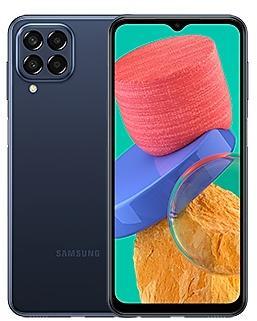
Samsung Galaxy Tab S8 Ultra 5G X906BXXU2AVE4 Firmware
Samsung Galaxy Tab S8 Ultra 5G X906BXXU2AVE4 is an Android 12 firmware for 26 countries, 35 CSC codes. It is the same firmware configured per region and carrier (CSC). Find your country below, verify the file and download for free. Compared with the previous build X906BXXU2AVD8, Android and the bootloader binary are unchanged, so you can switch between the two in both directions. A newer build for SM-X906B is available: X906BXXSBEZH3.
Bootloader binary 2. Flashing firmware with a lower binary is usually blocked by Samsung anti-rollback.
All regional downloads
Pick your region (CSC) to download the matching firmware package.
No matching downloads
Device specifications
- Display diagonal37.1 cm (14.6")
- Display resolution2960 x 1848 pixels
- Display technologyOLED
- Processor frequency2.4 GHz
- Processor familySnapdragon
- Processor modelSM8450
- Rear camera resolution13 MP
- Front camera resolution12 MP
- Wi-Fi standardWi-Fi 6 (802.11ax)
- Weight728 g
What's new in X906BXXU2AVE4
• Overall stability of your device has been improved.
• The security of your device has been improved.
How to flash X906BXXU2AVE4
- Install Samsung USB Drivers:Download Official Drivers
- Download Odin Flash Tool:
- X906BXXU2AVE4 has bootloader binary 2. Your device must run binary 2 or lower: it is the 5th character from the end of your current build number.
- CSC: Use CSC for a clean install, to change the region (CSC code), to downgrade or to repair a device that does not boot.
- HOME_CSC: Use HOME_CSC to update the same model and region while keeping your data. Back up anyway: a failed update can still require a reset.
- The Download Mode key combo depends on the model: see all combos.
Frequently Asked Questions
Other builds and changelog for Samsung Galaxy Tab S8 Ultra 5G
• Security
The device is protected with improved security.
These changes may vary depending on the model, country, or network operator of the customer environment.
• Security
The device is protected with improved security.
These changes may vary depending on the model, country, or network operator of the customer environment.
• Security
The device is protected with improved security.
These changes may vary depending on the model, country, or network operator of the customer environment.
• Security
The device is protected with improved security.
These changes may vary depending on the model, country, or network operator of the customer environment.
• Security
The device is protected with improved security.
These changes may vary depending on the model, country, or network operator of the customer environment.
Show 15 older builds
• Security
The device is protected with improved security.
These changes may vary depending on the model, country, or network operator of the customer environment.
Enhanced Lock screen widgets
Do more on your Lock screen with brief widgets. 2 x 2 size widgets are now available, and the widget area is now larger so you can add even more widgets. You can choose either a horizontal or vertical widget layout.
Check stock prices without unlocking
Stocks you follow on Google Finance with big price changes will appear on your Now bar at the end of the trading day.
Easier file sharing with Quick Share
I...
• Security
The device is protected with improved security.
These changes may vary depending on the model, country, or network operator of the customer environment.
• Security
The device is protected with improved security.
These changes may vary depending on the model, country, or network operator of the customer environment.
Transcribe and summarize recorded calls
It's easier than ever to review the content of your recorded calls in the Samsung Phone app. You can view the entire conversation as a text transcript on the Recents screen or summarize the transcript for quick review. Availability of this feature may vary depending on your country, region, or lauguage.
Effortlessly create images
Drawing assist makes it easier than ever to create fun images. Start with a simpl...
• Stability and reliability
Device behavior has been improved.
• Security
The device is protected with improved security.
Turn simple sketches into awesome images
Start with a simple drawing, choose your style, and let Galaxy AI transform it into a captivating work of art. Sketch to image is available in Samsung Notes, Photo Editor, Air command, Smart select, and the Edge panels.
Create unique portraits
With a wide variety of AI-generated portrait styles, you can create a whole new look for your own profile image in Contacts or someone else’s, or use Photo Editor to invent somethi...
Instantly search for anything on your screen
Circle to Search with Google lets you easily learn more about anything shown on your screen without switching apps. Just touch and hold the Home button or navigation handle, then circle anything on the screen to start a Google search.
Translate phone calls in real time
Need to call someone who doesn't speak your language? No problem! Live translate provides real-time translation during calls. The other person on the c...