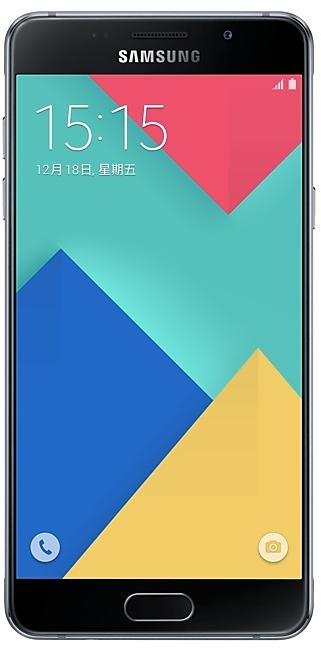
Download Samsung Firmware SM-A5108
Samsung Galaxy A5(2016)
The latest firmware for Samsung Galaxy A5(2016) (SM-A5108) is A5108ZMS4CTI1 with Android 6.0.1 (Marshmallow), released on November 18, 2020 for 1 region (CSC). Every official firmware build for SM-A5108, newest first: one row per build with all regions (CSC) that received it.
- Latest build
- A5108ZMS4CTI1
- Builds
- 18 builds
- Regions (CSC)
- 1 region
Firmware builds for SM-A5108
- CHM
- CHM
- CHM
- CHM
- CHM
- CHM
- CHM
- CHM
- CHM
- CHM
- CHM
- CHM
- CHM
- CHM
- CHM
- CHM
- CHM
- CHM
SM-A5108 update history
SM-A5108 started on Android 5 and has received 1 major Android upgrade; it now runs Android 6.0.1 (Marshmallow). The newest build, A5108ZMS4CTI1, was released on November 18, 2020 with the August 2019 security patch. No new build has appeared for 72 months, so regular updates for this model have most likely ended.
Device specifications
- Launched with
- Android 5.1
- Display diagonal
- 13.2 cm (5.2")
- Display resolution
- 1920 x 1080 pixels
- Display type
- SAMOLED
- RAM
- 2 GB
- Rear camera resolution
- 13 MP
- Rear camera type
- Single camera
- Battery capacity
- 2900 mAh
- Weight
- 155 g
Specifications of SM-A510, a regional variant of the same device. Chipset and SIM lines are left out: they can differ by region.
Changelog for SM-A5108
- The latest Android security patch has been applied.
ㆍDevice security has been further enhanced.
- Calendar subscribed and MMSafe will be deleted.
- Improved performance
ㆍNightShot picture quality has been improved.
- Other bug fixes
ㆍThe stability of Camera has been improved.
- The latest Android security patch has been applied.
ㆍDevice security has been further enhanced.
- OS upgrade - Android 7.1 Nougat
- Provides new UX
- Improved usability of the Notification feature and Quick settings button
- Multi window is supported
- Improved setting menu
- Efficient space for installation of downloaded apps, improved speed of system upgrade and app installation
- Added new feature
· After upgrading, you will need to set Quick Clean widget, Pictur Frame widget, Samsung Music widget and Email widget again.
(Pictur Frame is downloadable from Galaxy Essential widget.)
· Ple...
Show 13 older builds
- The latest Android security patch has been applied.
ㆍDevice security has been further enhanced.
- Other bug fixes
ㆍFixed an issue that the location of weather widget does not update.
ㆍProblem that the temperature mark of the Weather widget goes wrong is solved.
ㆍWhen using the SIM1 (Shenzhen) SIM2 (Dongguan) local SIM, the problem that It doesn't become the reception / outgoing call intermittently was solved.
ㆍWhenever I connect WLAN, the problem that the login page or the error pop up happens is solved.
- The latest Android security patch has been applied.
ㆍDevice security has been furthe...
OS upgrade - Android 6.0 Marshmallow
· The new TouchWiz provides a brand-new visual design and enhanced usability
· Fingerprints combined with pattern, PIN and password provide enhanced security for lock screen function
· Advanced power saving mode restricts background data and extends battery life
· apply the new vibration mode
※ before Urgrade, please update Gear manager to latest version
※ Android 6.0 Marshmallow does not support the Decrypt device function anymore.
If encryption function i...
- Improved performance
ㆍThe quality of VoLTE has been improved.
- Other bug fixes
ㆍFixed an issue that the sound was a mute when voice was recorded via Wechat app.
- The latest Android security patch has been applied.
ㆍDevice security has been further enhanced.
- Improved performance
ㆍThe quality of VoLTE has been improved.
- Other bug fixes
ㆍFixed an issue that could fail payment by NFC when using some SIM cards
ㆍFixed an issue that could fail payment when using some cards at the "Samsung pay"
- The latest Android security patch has been applied.
ㆍDevice security has been further enhanced.
- Improved performance
ㆍTime zone Update
ㆍThe usability of touch screen has been improved after the contact list UI change.
ㆍprovide better visibility of themes than before.
- Other bug fixes
ㆍMusic Player power consumption has been improved.
- The latest Android security patch has been applied.
ㆍDevice security has been further enhanced.
- Peformence improvements
ㆍImproves the intensity of vibration more than before.
※ but feature of creating user's vibration in setting is removed and vibration will be set as default(Basic call)
- Added new Application
ㆍadded the icon about the SamsungPay
- The latest Android security patch has been applied.
ㆍDevice security has been further enhanced.


Frequently Asked Questions
What is the latest Android version for SM-A5108?
The newest firmware for SM-A5108 runs Android 6.0.1 (Marshmallow): build A5108ZMS4CTI1, released on November 18, 2020.
When did SM-A5108 get its last update?
The latest build for SM-A5108, A5108ZMS4CTI1, was released on November 18, 2020 (5 years ago).
How often does SM-A5108 get updates?
SM-A5108 has had no new firmware for 72 months, so regular updates have most likely ended.
Is the firmware for SM-A5108 official?
Yes, all firmware files for SM-A5108 are 100% official, original, and obtained directly from Samsung servers.
How to flash Samsung SM-A5108 using Odin?
To flash SM-A5108, you need to download the appropriate firmware, put your device into Download Mode, and use the Odin tool to load the BL, AP, CP, and CSC files.
Can I downgrade the Android version on SM-A5108?
Downgrading is only possible if the bootloader version (binary bit) of the old firmware matches the current one. Always check the binary version before flashing SM-A5108.