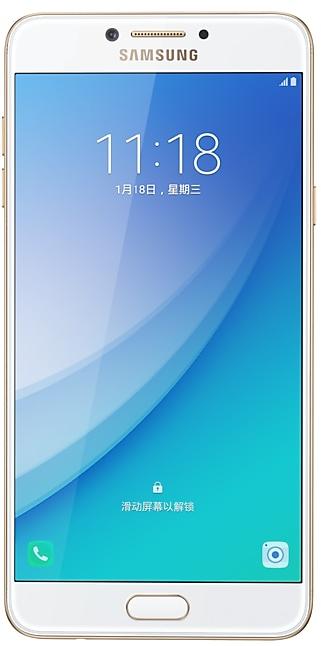
Download Samsung Firmware SM-C7018
Samsung Galaxy C7 Pro
Every official firmware build for SM-C7018, newest first: one row per build with all regions (CSC) that received it.
- Builds
- 9 builds
- Regions (CSC)
- 1 region
Firmware builds for SM-C7018
- CHM
- CHM
- CHM
- CHM
- CHM
- CHM
- CHM
- CHM
- CHM
Each firmware build has its own page at https://samfirm.shop/build/{PDA}, where {PDA} is the build number from the list above. Example: https://samfirm.shop/build/C7018ZMS3CSC1
Device specifications
- Display diagonal
- 14.5 cm (5.7")
- Display resolution
- 1920 x 1080 pixels
- Display type
- SAMOLED
- RAM
- 4 GB
- Rear camera resolution
- 16 MP
- Rear camera type
- Single camera
- Battery capacity
- 3300 mAh
- Weight
- 172 g
Specifications of SM-C7010, a regional variant of the same device. Chipset and SIM lines are left out: they can differ by region.
Changelog for SM-C7018
- End of service by service provider,delete Data Compression function
- The latest Android security patch has been applied.
ㆍDevice security has been further enhanced.
Samsung Experience 9.0 brings you Android Oreo, with exciting new features from Samsung and Google based on feedback from users like you.
We recommend that you back up your important data to keep it safe during the upgrade.
Some apps, including Samsung Pay, Samsung Internet, Samsung Notes, and Email, should be updated individually before you can update your OS.
- The user settings for Easy mode may be removed on the new OS. You may need to set t...
- The latest Android security patch has been applied.
ㆍDevice security has been further enhanced.
· OS upgrade - Android 7.0 Nougat
· Provides new UX and various performance modes
· Improved usability of the Notification feature and Quick settings button
· Improved usability of the Multi window
· Please reconfigure your Email widget after upgrading the OS.
· Efficient space for installation of downloaded apps, improved speed of system upgrade and app installation
· The 2×2 Picture Frame will be removed. If you need to use this frame, please download it from Galaxy Apps.
· The wallpaper will...
- The app below will be changed to an app that can be deleted.
ㆍSamsung Milk Music , Samsung Health , Samsung Notes , Samsung Video , Email , Samsung Data Store.
( The widget set after updating has been deleted, and it is necessary to reset the widget. )
- The latest Android security patch has been applied.
ㆍDevice security has been further enhanced.
Show 2 older builds
- Improved performance
ㆍThe baidu map location performance is improved.
- Added new feature
ㆍAdded data saving feature.
- Other bug fixes
ㆍFixed an issue that sometimes mute and volume low in speaker Mode.
- The latest Android security patch has been applied.
ㆍDevice security has been further enhanced.
- Added new feature
ㆍTransit Service are supported in Samsung Pay.(Beijing/Shanghai)
( Please check the Samsung Pay APP for the Transit Service schedule. )
Similar Models
- https://samfirm.shop/model/SM-C900X

Samsung Galaxy C9 Pro
SM-C900X
- https://samfirm.shop/model/SM-C710X

Samsung Galaxy C8
SM-C710X
- https://samfirm.shop/model/SM-C701X

Samsung Galaxy C7
SM-C701X
- https://samfirm.shop/model/SM-C700X

Samsung Galaxy C7
SM-C700X
- https://samfirm.shop/model/SM-C500X

Samsung Galaxy C5
SM-C500X
- https://samfirm.shop/model/SM-C5560

Samsung Galaxy C55 5G
SM-C5560
- https://samfirm.shop/model/SM-C115W

Samsung Galaxy K Zoom
SM-C115W
- https://samfirm.shop/model/SM-C900Y

Samsung Galaxy C9 Pro
SM-C900Y


Frequently Asked Questions
🤗 Where can I find the Samsung firmware for model SM-C7018?
You can find the firmware on the model: SM-C7018 page.
Is the firmware for SM-C7018 official?
Yes, all firmware files for SM-C7018 are 100% official, original, and obtained directly from Samsung servers.
How to flash Samsung SM-C7018 using Odin?
To flash SM-C7018, you need to download the appropriate firmware, put your device into Download Mode, and use the Odin tool to load the BL, AP, CP, and CSC files.
Can I downgrade the Android version on SM-C7018?
Downgrading is only possible if the bootloader version (binary bit) of the old firmware matches the current one. Always check the binary version before flashing SM-C7018.