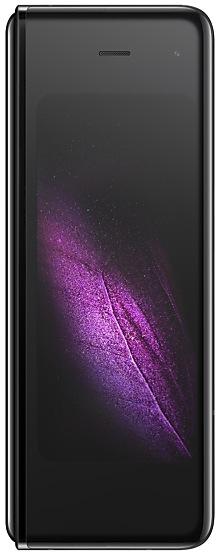
Download Samsung Firmware SM-F900F
Samsung Galaxy Fold
The latest firmware for Samsung Galaxy Fold (SM-F900F) is F900FXXU7HXJ1 with Android 12, released on October 3, 2024 for 40 regions (CSC). Every official firmware build for SM-F900F, newest first: one row per build with all regions (CSC) that received it.
- Builds
- 87 builds
- Regions (CSC)
- 40 regions
Firmware builds for SM-F900F
- XSA
- CHOCOOGTOMXOTPAZTO
- CHOCOOGTOMXOTPAZTO
- XSA
- XSA
- CHOCOOGTOMXOTPAZTO
- XNZ
- CHOCOOGTOMXOTPAZTO
- KSAMWD
- TPA
- KSAMWD
- KSAMWD
- KSA
- XSA
Each firmware build has its own page at https://samfirm.shop/build/{PDA}, where {PDA} is the build number from the list above. Example: https://samfirm.shop/build/F900FXXU7HXJ1
SM-F900F update history
SM-F900F started on Android 9 and has received 3 major Android upgrades; it now runs Android 12. The newest build, F900FXXU7HXJ1, was released on October 3, 2024. No new build has appeared for 25 months, so regular updates for this model have most likely ended. Builds of this model reach 40 regions (CSC); XEF (France) usually gets a new build first (100% of recent builds).
Device specifications
- Launched with
- Android 9.0
- Display diagonal
- 18.5 cm (7.3")
- Display resolution
- 2152 x 1536 pixels
- Display type
- Dynamic AMOLED
- Processor frequency
- 2.84 GHz
- RAM
- 12 GB
- Rear camera resolution
- 16 MP
- Rear camera type
- Triple camera
- Battery capacity
- 4380 mAh
- Weight
- 263 g
Changelog for SM-F900F
• Security
The device is protected with improved security.
- F900FXXU7HXE1Jun 10, 2024
- F900FXXS7HWG1Aug 17, 2023
- F900FXXU6HWE2Jun 2, 2023
• The security of your device has been improved.
• Overall stability of your device has been improved.
• The security of your device has been improved.
• The security of your device has been improved.
Show 23 older builds
Switch between apps quickly
A taskbar now appears at the bottom of the main screen for quicker navigation between apps.
Quickly open apps in split screen or a pop-up window
Drag apps from the taskbar or Recents screen to open them however is most convenient for you. Drag to the top, bottom, left, or right edge of the screen to open in split screen. Drag to the center of the screen to open in a pop-up.
Open app pairs quickly
Pair apps that you often use toge...
• The security of your device has been improved.
• Following applications or features added: Smart Widget
• The security of your device has been improved.
• Overall stability of your device has been improved.
• The security of your device has been improved.
• Following applications or features added: Smart Widget
• The security of your device has been improved.
• The security of your device has been improved.
• Following applications or features added: Smart Widget
• The security of your device has been improved.
• The security of your device has been improved.
- F900FXXS6HVD1May 11, 2022
- F900FXXS6HVC8Apr 20, 2022
- F900FXXS6GVC1Mar 28, 2022
One UI 4.1 Update
One UI 4.1 brings you the latest features for your Galaxy devices. More intuitive, more fun, more secure, and easier than ever.
Check out the changes below.
Gallery
Do more with your memories. Gallery brings enhanced features for remastering and organizing your pictures and videos, and sharing is now easier than ever.
Add portrait effects
You can now add background blur to any picture with a person in view.
Convert unnecessary motion photos to still images
Save storage space...
• The security of your device has been improved.
• Overall stability of your device has been improved.
• The security of your device has been improved.
One UI 4 brings you a wide array of new features and enhancements for your Galaxy devices. More intuitive, more fun, more secure, and easier than ever.
Check out the changes below.
Customize your phone with unique colors based on your wallpaper. Your colors will be applied to menus, buttons, backgrounds, and apps throughout your phone.
One UI 4 offers strong privacy protection to make sure your personal information doesn’t fall into the...
• The security of your device has been improved.
- F900FXXS6FUK7Dec 20, 2021
- F900FXXS6FUK6Dec 7, 2021
• Overall stability of your device has been improved.
• The security of your device has been improved.
- F900FXXU6FUK5Nov 29, 2021
- F900FXXU6FUK4Nov 19, 2021
• The security of your device has been improved.
- F900FXXS6FUI6Oct 25, 2021
- F900FXXS6FUI4Oct 21, 2021
- F900FXXS6FUI5Oct 9, 2021
One UI 3.1.1 for Galaxy Z Fold takes your productivity to the next level. Multitasking is easier than ever with enhanced multi-window and task-switching features. We've also optimized more apps to take advantage of the large screen, helping get more done. Explore these exciting new additions that make your Galaxy Z Fold easier and more fun to use.
Scroll down for a full list of changes.
Multi window
• Touch and hold text, a link, or a file in Notes, My Files, Messages, or...
21 retail codes (SKU)
Box codes of SM-F900F for different colors and markets. Firmware is chosen by the model code SM-F900F and your region (CSC), not by the SKU.
- SM-F900FZBDPHN
- SM-F900FZKDATO
- SM-F900FZBDITV
- SM-F900FMBDNEE
- SM-F900FZSDXEF
- SM-F900FZBDATO
- SM-F900FZKDAUT
- SM-F900FZGDAUT
- 8801643686529
- SM-F900FMGDITV
- SM-F900FMGDAUT
- SM-F900FZSDPHN
- SM-F900FZKDXSG
- SM-F900FZSDXSG
- SM-F900FMBDXEF
- SM-F900FMBD
- SM-F900FZBD
- SM-F900FZSD
- SM-F900FMGD
- SM-F900FZGD
- SM-F900FZKD
Similar Models
- https://samfirm.shop/model/SM-F900U

Samsung Galaxy Fold
SM-F900U
- https://samfirm.shop/model/SM-F907N
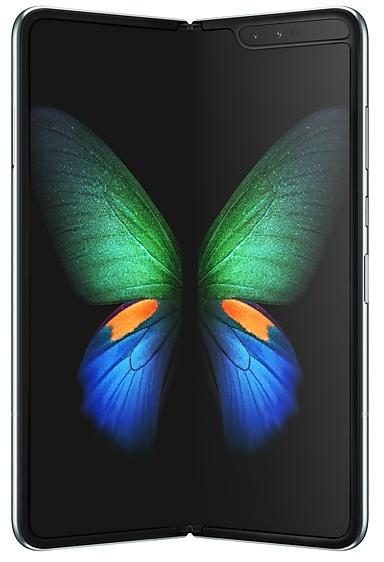
Samsung Galaxy Fold 5G
SM-F907N
- https://samfirm.shop/model/SM-F916Q

Samsung Galaxy Z Fold2 5G
SM-F916Q
- https://samfirm.shop/model/SM-F9260
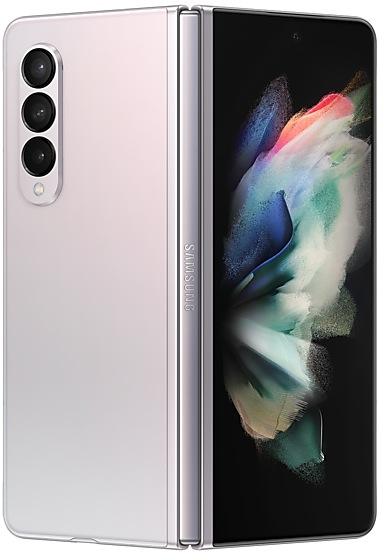
Samsung Galaxy Z Fold3 5G
SM-F9260
- https://samfirm.shop/model/SM-F707W
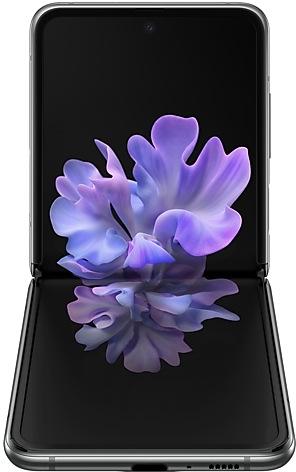
Samsung Galaxy Z Flip 5G
SM-F707W


Frequently Asked Questions
What is the latest Android version for SM-F900F?
The newest firmware for SM-F900F runs Android 12: build F900FXXU7HXJ1, released on October 3, 2024.
When did SM-F900F get its last update?
The latest build for SM-F900F, F900FXXU7HXJ1, was released on October 3, 2024 (2 years ago).
How often does SM-F900F get updates?
SM-F900F has had no new firmware for 25 months, so regular updates have most likely ended.
Is the firmware for SM-F900F official?
Yes, all firmware files for SM-F900F are 100% official, original, and obtained directly from Samsung servers.
How to flash Samsung SM-F900F using Odin?
To flash SM-F900F, you need to download the appropriate firmware, put your device into Download Mode, and use the Odin tool to load the BL, AP, CP, and CSC files.
Can I downgrade the Android version on SM-F900F?
Downgrading is only possible if the bootloader version (binary bit) of the old firmware matches the current one. Always check the binary version before flashing SM-F900F.