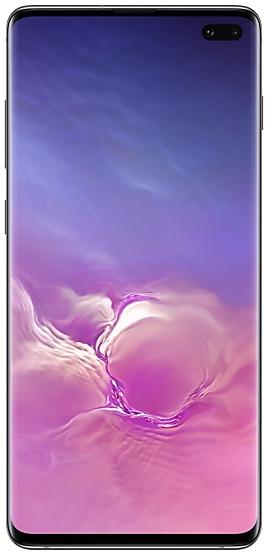
Download Samsung Firmware SM-G9750
Samsung Galaxy S10+
The latest firmware for Samsung Galaxy S10+ (SM-G9750) is G9750ZHU8HZE1, released on June 1, 2026 for 1 region (CSC). Every official firmware build for SM-G9750, newest first: one row per build with all regions (CSC) that received it.
- Builds
- 88 builds
- Regions (CSC)
- 2 regions
Firmware builds for SM-G9750
- TGY
- CHC
- TGY
- TGY
- CHC
- TGY
- CHC
- TGY
- CHC
- TGY
- TGY
- CHC
- CHC
- TGY
- TGY
- CHC
- CHC
- TGY
- TGY
- CHC
- TGY
- CHC
- CHC
- TGY
- CHC
- TGY
- TGY
- CHC
- TGY
- CHC
- TGY
- CHC
- TGY
- CHC
- CHC
- TGY
- TGY
- CHC
- TGY
- CHC
- TGY
- CHC
- TGY
- CHC
- TGY
- CHC
- TGY
- TGY
- CHC
- CHC
Each firmware build has its own page at https://samfirm.shop/build/{PDA}, where {PDA} is the build number from the list above. Example: https://samfirm.shop/build/G9750ZHU8HZE1
SM-G9750 update history
SM-G9750 started on Android 9 and has received 3 major Android upgrades; it now runs Android 12. The newest build, G9750ZHU8HZE1, was released on June 1, 2026 with the February 2023 security patch. Updates have become rare: SM-G9750 received 3 builds over the last 12 months, in 2 different months.
Device specifications
- Launched with
- Android 9.0
- Display diagonal
- 16.3 cm (6.4")
- Display resolution
- 3040 x 1440 pixels
- Display type
- Dynamic AMOLED
- RAM
- 8 GB
- RAM type
- LPDDR4X
- Rear camera resolution
- 12 MP
- Rear camera type
- Triple camera
- Battery capacity
- 4100 mAh
- Weight
- 175 g
Specifications of SM-G975, a regional variant of the same device. Chipset and SIM lines are left out: they can differ by region.
Changelog for SM-G9750
• Stability and reliability
Device behavior has been improved.
These changes may vary depending on the model, country, or network operator of the customer environment.
- G9750ZHU8HZE1Jun 1, 2026
- G9750ZCU8HZE1Jun 1, 2026
- G9750ZHU8HZB1Apr 23, 2026
• Overall stability of your device has been improved.
• Network
- New network operator(CBN) is supported.
• The latest Android security patch has been applied.
- Device security has been further enhanced.
• The latest Android security patch has been applied.
- Device security has been further enhanced.
- G9750ZHS8HWC2Mar 28, 2023
- G9750ZCU8HVL2Jan 5, 2023
- The latest Android security patch has been applied.
ㆍDevice security has been further enhanced.
- G9750ZHS8HVL2Dec 30, 2022
- G9750ZHS7HVK1Nov 30, 2022
Show 21 older builds
• Message
Provide the feature to convert normal text messages to Rich Media Card and app messages.
• Wechat
- Provide intelligent classification, search, and favorite image when choosing pictures to send to friends/channel in WeChat app
• New Application : JD IoT (京东小家)
IoT App to connected to home appliances, etc.
• The latest Android security patch has been applied.
- Device security has been further enhanced.
• Overall stability of your device has been improved.
• The latest Android security patch has been applied.
- Device security has been further enhanced.
• Following applications or features added: Call & text on other devices
- If the tablet and phone uses the same WLAN network, you can send or receive a call or a text message on the tablet. Don't miss important calls and messages while enjoying your tablet.
※ In order to use “Call & text on other devices” feature, both the tablet and phone must support this feature.
• New carlink service : Baidu CarLife + Samsung version, can connect the mobile phone and car display, facilitate you to use the...
• Overall stability of your device has been improved.
• The latest Android security patch has been applied.
- Device security has been further enhanced.
• Following applications or features added: 芒果TV三星版
• Overall stability of your device has been improved.
• The latest Android security patch has been applied.
- Device security has been further enhanced.
One UI 4.1 Update
One UI 4.1 brings you the latest features for your Galaxy devices. More intuitive, more fun, more secure, and easier than ever.
Check out the changes below.
Gallery
Do more with your memories. Gallery brings enhanced features for remastering and organizing your pictures and videos, and sharing is now easier than ever.
Add portrait effects
You can now add background blur to any picture with a person in view.
Convert unnecessary motion photos to still images
Save storage space...
One UI 4.1 Update
One UI 4.1 brings you the latest features for your Galaxy devices. More intuitive, more fun, more secure, and easier than ever.
Check out the changes below.
Gallery
Add portrait effects
You can now add background blur to any picture with a person in view.
Convert unnecessary motion photos to still images
Save storage space by converting motion photos to still images. Gallery will suggest pictures where motion isn't necessary, such as documents.
Share albums as links
No need t...
One UI 4 brings you a wide array of new features and enhancements for your Galaxy devices. More intuitive, more fun, more secure, and easier than ever.
Check out the changes below.
Customize your phone with unique colors based on your wallpaper. Your colors will be applied to menus, buttons, backgrounds, and apps throughout your phone.
One UI 4 offers strong privacy protection to make sure your personal information doesn’t fall into the...
- G9750ZHU6GVB1Feb 15, 2022
- G9750ZCU6GVA7Feb 9, 2022
- The latest Android security patch has been applied.
ㆍDevice security has been further enhanced.
- G9750ZCS6FVAZJan 21, 2022
- G9750ZHS6FVAZJan 21, 2022
- G9750ZCS6FULZDec 24, 2021
- G9750ZHS6FULZDec 24, 2021
• Overall stability of your device has been improved.
• Overall stability of your device has been improved.
※ After the updating, it is needed to agree to the terms and conditions due to the enforcement of the Personal Information Protection act.
• Overall stability of your device has been improved.
- G9750ZHU6FUJ4Oct 28, 2021
- G9750ZCU6FUJ4Oct 28, 2021
- The latest Android security patch has been applied.
ㆍDevice security has been further enhanced.
- G9750ZCS6FUI1Sep 15, 2021
- G9750ZHS6FUI1Sep 15, 2021
• Overall stability of your device has been improved.
• The latest Android security patch has been applied.
- Device security has been further enhanced.
- G9750ZHU6FUH5Sep 1, 2021
- G9750ZCU6FUH5Sep 1, 2021
Similar Models
- https://samfirm.shop/model/SM-G975WC

Samsung Galaxy S10+
SM-G975WC
- https://samfirm.shop/model/SM-G977U
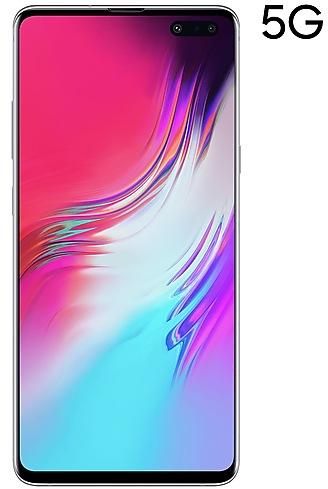
Samsung Galaxy S10 5G
SM-G977U
- https://samfirm.shop/model/SM-G973C

Samsung Galaxy S10
SM-G973C
- https://samfirm.shop/model/SM-G970W
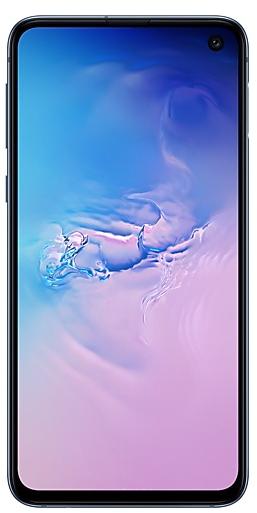
Samsung Galaxy S10e
SM-G970W
- https://samfirm.shop/model/SM-G870F0
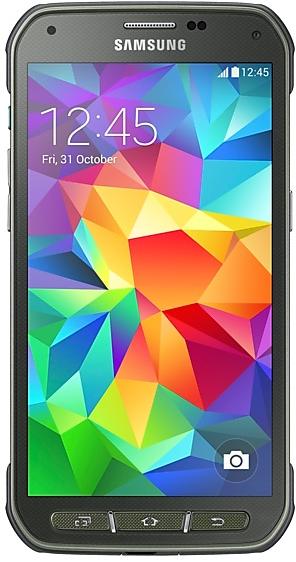
Samsung Galaxy S5 Active
SM-G870F0


Frequently Asked Questions
What is the latest Android version for SM-G9750?
The newest firmware for SM-G9750 runs Android 12: build G9750ZHU8HZE1, released on June 1, 2026.
When did SM-G9750 get its last update?
The latest build for SM-G9750, G9750ZHU8HZE1, was released on June 1, 2026 (4 months ago).
How often does SM-G9750 get updates?
Over the last 12 months SM-G9750 received 3 builds, with at least one new build in 2 different months.
Is the firmware for SM-G9750 official?
Yes, all firmware files for SM-G9750 are 100% official, original, and obtained directly from Samsung servers.
How to flash Samsung SM-G9750 using Odin?
To flash SM-G9750, you need to download the appropriate firmware, put your device into Download Mode, and use the Odin tool to load the BL, AP, CP, and CSC files.
Can I downgrade the Android version on SM-G9750?
Downgrading is only possible if the bootloader version (binary bit) of the old firmware matches the current one. Always check the binary version before flashing SM-G9750.