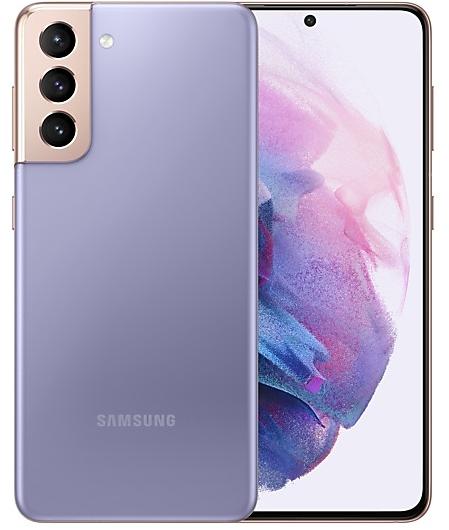
Download Samsung Firmware SM-G991Q
Samsung Galaxy S21 5G
The latest firmware for Samsung Galaxy S21 5G (SM-G991Q) is G991QOPS1EYJ1 with Android 15, released on November 20, 2025 for 1 region (CSC). Every official firmware build for SM-G991Q, newest first: one row per build with all regions (CSC) that received it.
- Builds
- 17 builds
- Regions (CSC)
- 1 region
Firmware builds for SM-G991Q
- SJP
- SJP
- SJP
- SJP
- SJP
- SJP
- SJP
- SJP
- SJP
- SJP
- SJP
- SJP
- SJP
- SJP
- SJP
- SJP
- SJP
Each firmware build has its own page at https://samfirm.shop/build/{PDA}, where {PDA} is the build number from the list above. Example: https://samfirm.shop/build/G991QOPS1EYJ1
SM-G991Q update history
SM-G991Q started on Android 11 and has received 4 major Android upgrades; it now runs Android 15. The newest build, G991QOPS1EYJ1, was released on November 20, 2025 with the September 2025 security patch. That patch (SMR Sep-2025) fixes 70 vulnerabilities, 3 of them critical. No new build has appeared for 11 months, so regular updates for this model have most likely ended.
Device specifications
- Display diagonal
- 15.8 cm (6.2")
- Display resolution
- 2400 x 1080 pixels
- Display type
- Dynamic AMOLED 2X
- RAM
- 8 GB
- Rear camera resolution
- 12 MP
- Rear camera type
- Triple camera
- Battery capacity
- 4000 mAh
- Weight
- 171 g
Specifications of SM-G991, a regional variant of the same device. Chipset and SIM lines are left out: they can differ by region.
Changelog for SM-G991Q
· Device stability improvements, bug fixes.
· New and / or enhanced features.
· Further improvements to performance.
Visual enhancements
Enjoy a more sophisticated and unique look. One UI 7 introduces a stunning redesign to key components including buttons, menus, notifications and control bars, providing a more consistent visual experience with curves and circles. Beautiful new colors, soft animations, and an innovative blur effect that's unique to One UI make information hierarchy clearer and help you focus on important information.
Reimagined Home screen
Fr...
· Device stability improvements, bug fixes.
· New and / or enhanced features.
· Further improvements to performance.
Instantly search for anything on your screen
Circle to Search with Google lets you easily learn more about anything shown on your screen without switching apps. Just touch and hold the Home button or navigation handle, then circle anything on the screen to start a Google search.
Effortlessly enhance your photos
Get special AI recommendations for enhancing your photos and videos. You'll find options for adding star trails, colorizing,...
New button layout
The quick panel has a new layout that makes it easier to access the features you use most. Wi-Fi and Bluetooth now have their own dedicated buttons at the top of the screen, while visual features, like Dark mode and Eye comfort shield have been moved to the bottom. Other quick settings buttons appear in a customizable area in the middle.
Instantly access the full quick panel
By default, a compact quick panel with notifications ap...
Show 13 older builds
· Device stability improvements, bug fixes.
· New and / or enhanced features.
· Further improvements to performance.
- G991QOPU1CWH3Sep 20, 2023
- G991QOPU1CWF2Aug 1, 2023
- G991QOPU1CWD2May 23, 2023
- G991QOPU1CWB2Mar 20, 2023
One UI 5 brings you more powerful personalization and makes it easier to get things done across your Galaxy devices.
New app icons and illustrations
Icon symbols are larger for a bolder look that's easier to scan. Subtle background gradients and improved contrast give a fresher, more natural feel. New help illustrations have been created to give a consistent look to all apps.
Smoother than ever before
New animations and transition effects make swi...
· Device stability improvements, bug fixes.
· New and / or enhanced features.
· Further improvements to performance.
- G991QOPS1BVJ2Nov 7, 2022
- G991QOPU1BVH1Sep 21, 2022
- G991QOPU1BVF1Jul 19, 2022
- G991QOPU1BVC1May 23, 2022
- G991QOPU1BVB4Mar 22, 2022
One UI 4 brings you a wide array of new features and enhancements for your Galaxy devices. More intuitive, more fun, more secure, and easier than ever.
Check out the changes below.
Customize your phone with unique colors based on your wallpaper. Your colors will be applied to menus, buttons, backgrounds, and apps throughout your phone.
One UI 4 offers strong privacy protection to make sure your personal information doesn’t fall into the...
· Device stability improvements, bug fixes.
· New and / or enhanced features.
· Further improvements to performance.
- G991QOPU1AUJ2Nov 8, 2021
- G991QOPU1AUGB Jul 28, 2021
Similar Models
- https://samfirm.shop/model/SM-G991N
Samsung Galaxy S21 5G
SM-G991N
- https://samfirm.shop/model/SM-G990W2
Samsung Galaxy S21 FE 5G
SM-G990W2
- https://samfirm.shop/model/SM-G998N
Samsung Galaxy S21 Ultra 5G
SM-G998N
- https://samfirm.shop/model/SM-G996N
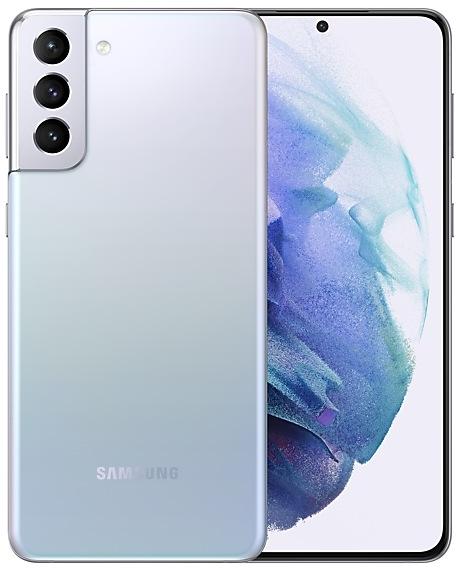
Samsung Galaxy S21+ 5G
SM-G996N
- https://samfirm.shop/model/SM-G988Q

Samsung Galaxy S20 Ultra 5G
SM-G988Q


Frequently Asked Questions
What is the latest Android version for SM-G991Q?
The newest firmware for SM-G991Q runs Android 15: build G991QOPS1EYJ1, released on November 20, 2025.
When did SM-G991Q get its last update?
The latest build for SM-G991Q, G991QOPS1EYJ1, was released on November 20, 2025 (11 months ago).
How often does SM-G991Q get updates?
SM-G991Q has had no new firmware for 11 months, so regular updates have most likely ended.
Is the firmware for SM-G991Q official?
Yes, all firmware files for SM-G991Q are 100% official, original, and obtained directly from Samsung servers.
How to flash Samsung SM-G991Q using Odin?
To flash SM-G991Q, you need to download the appropriate firmware, put your device into Download Mode, and use the Odin tool to load the BL, AP, CP, and CSC files.
Can I downgrade the Android version on SM-G991Q?
Downgrading is only possible if the bootloader version (binary bit) of the old firmware matches the current one. Always check the binary version before flashing SM-G991Q.