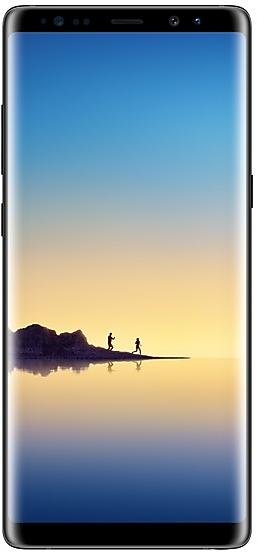
Download Samsung Firmware SM-N950U
Samsung Galaxy Note8
The latest firmware for Samsung Galaxy Note8 (SM-N950U) is N950USQU8DZE3 with Android 9, released on June 12, 2026 for 3 regions (CSC). Every official firmware build for SM-N950U, newest first: one row per build with all regions (CSC) that received it.
- Builds
- 72 builds
- Regions (CSC)
- 7 regions
Firmware builds for SM-N950U
- ATTCCTUSC
- TMB
- VZW
- VZW
- ATTCCTSPRTMBUSCVZW
- ATTCCTSPRTMBUSCVZW
- ATTCCTSPRTMBUSCVZW
- ATTCCTSPRUSCVZW
- SPRTMB
- ATTCCTUSCVZW
- SPRTMB
- ATTCCTUSCVZW
- SPR
- ATTCCTTMBUSCVZW
- SPR
- CCTTMBUSCVZW
- SPRTMBUSC
- CCTVZW
- CCTVZW
- SPRTMBUSC
- CCT
- SPRTMBUSCVZW
- CCT
- SPRTMBUSCVZW
- CCTSPRTMBUSCVZW
- SPR
- CCTTMBUSCVZW
- CCTSPRTMBUSCVZW
- TMBUSC
- SPR
- CCTVZW
- CCTVZW
- TMBUSC
- SPR
- SPR
- USC
- CCTVZW
- SPR
- TMBUSC
- CCTSPRTMBUSCVZW
- ATTSPRUSCVZW
- SPRTMBUSCVZW
- CCTTMBUSCVZW
- CCTSPRTMBUSCVZW
- CCT
- SPRUSC
- TMB
- SPRVZW
- CCTTMBVZW
Each firmware build has its own page at https://samfirm.shop/build/{PDA}, where {PDA} is the build number from the list above. Example: https://samfirm.shop/build/N950USQU8DZE3
SM-N950U update history
SM-N950U started on Android 7 and has received 2 major Android upgrades; it now runs Android 9. The newest build, N950USQU8DZE3, was released on June 12, 2026 with the December 2020 security patch. Updates have become rare: SM-N950U received 3 builds over the last 12 months, in 2 different months.
Device specifications
- Launched with
- Android 7.1.1
- Display diagonal
- 16 cm (6.3")
- Display resolution
- 2960 x 1440 pixels
- Display type
- SAMOLED
- Processor frequency
- 2.35 GHz
- RAM
- 6 GB
- Rear camera resolution
- 12 MP
- Rear camera type
- Dual camera
- Battery capacity
- 3300 mAh
- Weight
- 195 g
Changelog for SM-N950U
• Stability and reliability
Device behavior has been improved.
• Security
The device is protected with improved security.
These changes may vary depending on the model, country, or network operator of the customer environment.
- N950USQU8DZE2Jun 12, 2026
- N950USQU8DZE3Jun 12, 2026
• The security of your device has been improved.
- N950USQU8DUE1Jun 12, 2021
- N950USQU8DUD2Apr 23, 2021
- N950USQU8DUA3Feb 12, 2021
- N950USQS8DTJ1Oct 27, 2020
- N950USQU8DTI1Sep 25, 2020
- N950USQS8DTG3Aug 14, 2020
- N950USQS8DTG2Aug 11, 2020
- N950USQU8DTG1Jul 31, 2020
· The security of your device has been improved.
- N950USQS8DTF2Jul 16, 2020
- N950USQS7DTE6Jun 18, 2020
- N950USQS7DTE5Jun 10, 2020
• VoLTE calls
- Voice over LTE (VoLTE) provides superior voice quality and allows you to browse the Internet and use data-driven apps while on a call.
• The security of your device has been improved.
· The security of your device has been improved.
- N950USQU7DTC1Mar 30, 2020
- N950USQS7DTA4Feb 12, 2020
- N950USQS7DTA5Feb 12, 2020
- N950USQU7DSL5Jan 28, 2020
- N950USQS7DSL2Jan 13, 2020
- N950USQS7DSK7Dec 18, 2019
- N950USQS7DSK6Dec 13, 2019
- N950USQU7DSK4Dec 9, 2019
- N950USQU7DSK3Dec 2, 2019
- N950USQS6DSI3Oct 18, 2019
- N950USQS6DSI1Sep 26, 2019
- N950USQS6DSH4Sep 24, 2019
- N950USQU6DSH3Aug 20, 2019
- N950USQS6DSG4Jul 22, 2019
- N950USQS6DSG6Jul 19, 2019
- N950USQS6DSG5Jul 18, 2019
2 retail codes (SKU)
Box codes of SM-N950U for different colors and markets. Firmware is chosen by the model code SM-N950U and your region (CSC), not by the SKU.
- SM-N950UZVA
- SM-N950UZKAXAA
Similar Models
- https://samfirm.shop/model/SM-N950UZK

Samsung Galaxy Note8 64GB Certified Pre-Owned
SM-N950UZK
- https://samfirm.shop/model/SM-N960W
Samsung Galaxy Note9
SM-N960W
- https://samfirm.shop/model/SM-N930V
Samsung Galaxy Note7
SM-N930V
- https://samfirm.shop/model/SM-N976V
Samsung Galaxy Note10+ 5G
SM-N976V
- https://samfirm.shop/model/SM-N7509V

Samsung GALAXY Note 3 Neo LTE
SM-N7509V


Frequently Asked Questions
What is the latest Android version for SM-N950U?
The newest firmware for SM-N950U runs Android 9: build N950USQU8DZE3, released on June 12, 2026.
When did SM-N950U get its last update?
The latest build for SM-N950U, N950USQU8DZE3, was released on June 12, 2026 (4 months ago).
How often does SM-N950U get updates?
Over the last 12 months SM-N950U received 3 builds, with at least one new build in 2 different months.
Is the firmware for SM-N950U official?
Yes, all firmware files for SM-N950U are 100% official, original, and obtained directly from Samsung servers.
How to flash Samsung SM-N950U using Odin?
To flash SM-N950U, you need to download the appropriate firmware, put your device into Download Mode, and use the Odin tool to load the BL, AP, CP, and CSC files.
Can I downgrade the Android version on SM-N950U?
Downgrading is only possible if the bootloader version (binary bit) of the old firmware matches the current one. Always check the binary version before flashing SM-N950U.