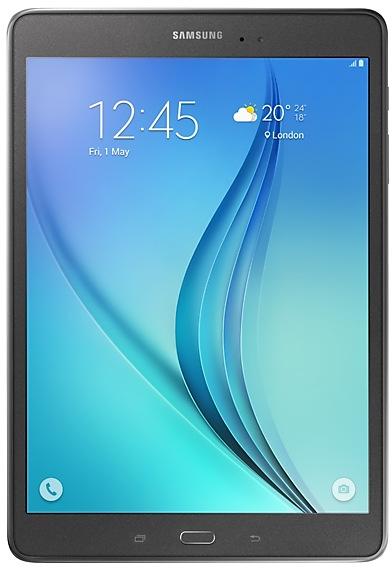
Download Samsung Firmware SM-P555M
Samsung Galaxy Tab A
The latest firmware for Samsung Galaxy Tab A (SM-P555M) is P555MUBS1CTK3 with Android 7.1.1 (Nougat), released on December 31, 2020 for 1 region (CSC). Every official firmware build for SM-P555M, newest first: one row per build with all regions (CSC) that received it.
- Builds
- 28 builds
- Regions (CSC)
- 16 regions
Firmware builds for SM-P555M
- CHO
- BVOCOOEONTPATTTUPO
- ZTAZVV
- ZTA
- BVOCHOCOOEONTPATTT+1
- ZTO
- ZTAZTOZVV
- COB
- ZTO
- CHO
- IUS
- BVOCOOEONSAMTPATTT+4
- PCT
- COMECO
- COM
- COB
- IUSUPOZTAZVV
- ECO
- BVOCHOCOOEONTPATTT+1
- IUSSAM
- BVOECOPCTZVV
- CHOCOBCOOEONTPATTT+3
- COB
- BVOCHOCOOEONTPATTT+2
- BVOCHOCOMCOOEONTPA+3
- BVOCHOCOOTPAZTO
- CHO
- CHO
Each firmware build has its own page at https://samfirm.shop/build/{PDA}, where {PDA} is the build number from the list above. Example: https://samfirm.shop/build/P555MUBS1CTK3
SM-P555M update history
SM-P555M started on Android 5 and has received 2 major Android upgrades; it now runs Android 7.1.1 (Nougat). The newest build, P555MUBS1CTK3, was released on December 31, 2020 with the August 2017 security patch. No new build has appeared for 70 months, so regular updates for this model have most likely ended.
Changelog for SM-P555M
· Device stability improvements, bug fixes.
· New and / or enhanced features.
· Further improvements to performance.
· Device stability improvements, bug fixes.
· New and / or enhanced features.
· Further improvements to performance.
· Device stability improvements, bug fixes.
· New and / or enhanced features.
· Further improvements to performance.
· Device stability improvements, bug fixes.
· New and / or enhanced features.
· Further improvements to performance.
Show 1 older build
· OS upgrade - Android 6.0.1 Marshmallow
· A new Ultra data saving mode function has been added
· The new TouchWiz provides enhanced usability and an updated visual design.
· Quick connect helps you easily find and connect to nearby devices by showing currently connected devices and previous connections.
· Advanced power saving mode restricts background data and extends battery life.
· A new vibration pattern concept has been applied.
· Settings for the following have been reset: Theme, Email, I...
Similar Models
- https://samfirm.shop/model/SM-P580X

Samsung Galaxy TabA Plus10.1
SM-P580X
- https://samfirm.shop/model/SM-P610X

Samsung Galaxy Tab S6 Lite
SM-P610X
- https://samfirm.shop/model/SM-P620

Samsung Galaxy Tab S6 Lite
SM-P620
- https://samfirm.shop/model/SM-P605V

Samsung Galaxy Note 10.1 2014 Edition
SM-P605V
- https://samfirm.shop/model/SM-P605L

Samsung Galaxy Note 10.1
SM-P605L
- https://samfirm.shop/model/SM-P605K

Samsung Galaxy Note 10.1
SM-P605K
- https://samfirm.shop/model/SM-P625

Samsung Galaxy Tab S6 Lite
SM-P625
- https://samfirm.shop/model/SM-P907A

Samsung Galaxy Note PRO 12.2 LTE (AT&T)
SM-P907A


Frequently Asked Questions
What is the latest Android version for SM-P555M?
The newest firmware for SM-P555M runs Android 7.1.1 (Nougat): build P555MUBS1CTK3, released on December 31, 2020.
When did SM-P555M get its last update?
The latest build for SM-P555M, P555MUBS1CTK3, was released on December 31, 2020 (5 years ago).
How often does SM-P555M get updates?
SM-P555M has had no new firmware for 70 months, so regular updates have most likely ended.
Is the firmware for SM-P555M official?
Yes, all firmware files for SM-P555M are 100% official, original, and obtained directly from Samsung servers.
How to flash Samsung SM-P555M using Odin?
To flash SM-P555M, you need to download the appropriate firmware, put your device into Download Mode, and use the Odin tool to load the BL, AP, CP, and CSC files.
Can I downgrade the Android version on SM-P555M?
Downgrading is only possible if the bootloader version (binary bit) of the old firmware matches the current one. Always check the binary version before flashing SM-P555M.