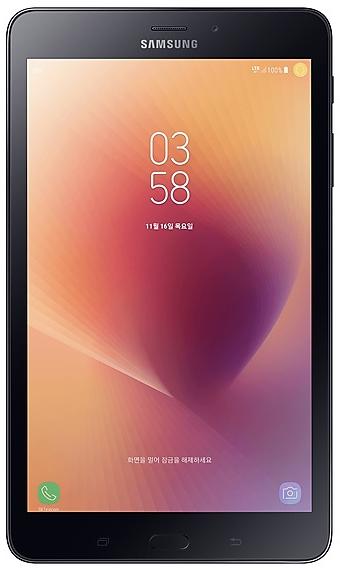
Download Samsung Firmware SM-T385S
Samsung Galaxy Tab A (2017)
The latest firmware for Samsung Galaxy Tab A (2017) (SM-T385S) is T385SKSS2CUD2 with Android 9 (Pie), released on April 29, 2021 for 1 region (CSC). Every official firmware build for SM-T385S, newest first: one row per build with all regions (CSC) that received it.
- Builds
- 8 builds
- Regions (CSC)
- 1 region
Firmware builds for SM-T385S
- SKC
- SKC
- SKC
- SKC
- SKC
- SKC
- SKC
- SKC
Each firmware build has its own page at https://samfirm.shop/build/{PDA}, where {PDA} is the build number from the list above. Example: https://samfirm.shop/build/T385SKSS2CUD2
SM-T385S update history
SM-T385S started on Android 7 and has received 2 major Android upgrades; it now runs Android 9 (Pie). The newest build, T385SKSS2CUD2, was released on April 29, 2021. No new build has appeared for 66 months, so regular updates for this model have most likely ended.
Device specifications
- Launched with
- Android 7.1
- Display diagonal
- 20.3 cm (8")
- Display resolution
- 1280 x 800 pixels
- Rear camera resolution
- 8 MP
- Rear camera type
- Single camera
- Front camera resolution
- 5 MP
- Wi-Fi standard
- Wi-Fi 4 (802.11n)
- Weight
- 364 g
Specifications of SM-T385M, a regional variant of the same device. Chipset and SIM lines are left out: they can differ by region.
Similar Models
- https://samfirm.shop/model/SM-T385M
Samsung Galaxy Tab A (2017)
SM-T385M
- https://samfirm.shop/model/SM-T387V

Samsung Galaxy Tab A 8.0
SM-T387V
- https://samfirm.shop/model/SM-T378V
Samsung Galaxy Tab E8.0
SM-T378V
- https://samfirm.shop/model/SM-T377V
Samsung Galaxy Tab E 8.0
SM-T377V
- https://samfirm.shop/model/SM-T395C

Samsung Galaxy Tab Active2
SM-T395C


Frequently Asked Questions
What is the latest Android version for SM-T385S?
The newest firmware for SM-T385S runs Android 9 (Pie): build T385SKSS2CUD2, released on April 29, 2021.
When did SM-T385S get its last update?
The latest build for SM-T385S, T385SKSS2CUD2, was released on April 29, 2021 (5 years ago).
How often does SM-T385S get updates?
SM-T385S has had no new firmware for 66 months, so regular updates have most likely ended.
Is the firmware for SM-T385S official?
Yes, all firmware files for SM-T385S are 100% official, original, and obtained directly from Samsung servers.
How to flash Samsung SM-T385S using Odin?
To flash SM-T385S, you need to download the appropriate firmware, put your device into Download Mode, and use the Odin tool to load the BL, AP, CP, and CSC files.
Can I downgrade the Android version on SM-T385S?
Downgrading is only possible if the bootloader version (binary bit) of the old firmware matches the current one. Always check the binary version before flashing SM-T385S.