Download Samsung Firmware SM-T713
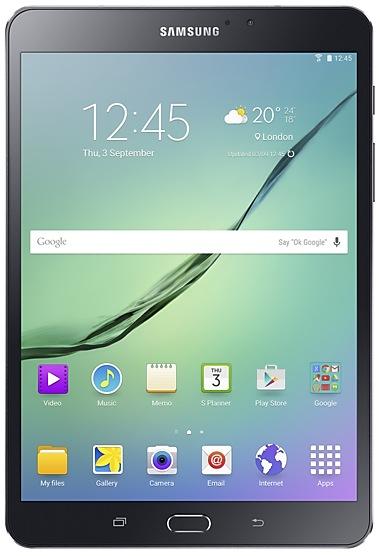
Samsung Galaxy Tab S2
The latest firmware for Samsung Galaxy Tab S2 (SM-T713) is T713XXS2BTK4 with Android 7.0 (Nougat), released on December 25, 2020 for 3 regions (CSC). Every official firmware build for SM-T713, newest first: one row per build with all regions (CSC) that received it.
- Builds
- 45 builds
- Regions (CSC)
- 37 regions
Firmware builds for SM-T713
- XNZXSAXSP
- BRITGY
- BTUDBTITVXACXARXEF+1
- AROCHODOOMXOPEO
- CHN
- CHN
- AROCHODOOMXOPEO
- 25 regions
- AROCHODOOMXOPEO
- 24 regions
- ATO
- DOO
- 21 regions
- AROCHOMXOPEO
- 29 regions
- CHN
- 21 regions
- CHN
- BRITGY
- CHN
- 30 regions
- AROCHOMXOPEO
- 30 regions
- BTU
- BNN
- BRITGY
- 28 regions
- PHEPHNSEEXEZ
- CHN
- TUR
- 25 regions
- BNN
- 30 regions
- BRITGY
- XSA
- CHN
- XSP
- TUR
- XNZ
- CHN
- XACXAR
- CHOKOOMXOPEO
- 18 regions
- CHN
- BRITGY
Each firmware build has its own page at https://samfirm.shop/build/{PDA}, where {PDA} is the build number from the list above. Example: https://samfirm.shop/build/T713XXS2BTK4
SM-T713 update history
SM-T713 started on Android 6 and has received 1 major Android upgrade; it now runs Android 7.0 (Nougat). The newest build, T713XXS2BTK4, was released on December 25, 2020 with the August 2017 security patch. No new build has appeared for 71 months, so regular updates for this model have most likely ended.
Device specifications
- Launched with
- Android 6.0
- Display diagonal
- 20.3 cm (8")
- Display resolution
- 2048 x 1536 pixels
- Display technology
- Super AMOLED
- Processor frequency
- 1.8 GHz
- Rear camera resolution
- 8 MP
- Rear camera type
- Single camera
- Front camera resolution
- 2.1 MP
- Wi-Fi standard
- Wi-Fi 5 (802.11ac)
- Weight
- 264 g
Changelog for SM-T713
· Device stability improvements, bug fixes.
· New and / or enhanced features.
· Further improvements to performance.
- The latest Android security patch has been applied.
ㆍDevice security has been further enhanced.
- The latest Android security patch has been applied.
ㆍDevice security has been further enhanced.
- The latest Android security patch has been applied.
ㆍDevice security has been further enhanced.
- The latest Android security patch has been applied.
ㆍDevice security has been further enhanced.
Show 13 older builds
· The security of your device has been improved.
※ If your device is encrypted, it must be decrypted before upgrading.
· Device stability improvements, bug fixes.
· New and / or enhanced features.
· Further improvements to performance.
- The latest Android security patch has been applied.
ㆍDevice security has been further enhanced.
- The latest Android security patch has been applied.
ㆍDevice security has been further enhanced.
- The latest Android security patch has been applied.
ㆍDevice security has been further enhanced.
- The latest Android security patch has been applied.
ㆍDevice security has been further enhanced.
· OS upgrade - Android 7.0 Nougat
· Provides new UX and various performance modes
· Improved usability of the Notification feature and Quick settings button
· Improved usability of the Multi window
· Efficient space for installation of downloaded apps, improved speed of system upgrade and app installation
※ Some apps that haven't been optimised for Android Nougat might not work properly after the upgrade. In this case, upgrade the app to the latest version via Galaxy Apps or Play Store.
※ The f...
· OS upgrade - Android 7.0 Nougat
· Provides new UX and various performance modes
· Improved usability of the Notification feature and Quick settings button
· Improved usability of the Multi window
· Efficient space for installation of downloaded apps, improved speed of system upgrade and app installation
· After upgrade, "Baidu search widget","Baidu Map","Weibo" will be deleted.
※ Some apps that haven't been optimised for Android Nougat might not work properly after the upgrade. In this case,...
- The latest Android security patch has been applied.
ㆍDevice security has been further enhanced.
- The latest Android security patch has been applied.
ㆍDevice security has been further enhanced.
- 기타 오류 수정 사항
ㆍ블루투스 키보드 사용시 때때로 중국어 입력이 안되는 문제 해결
ㆍ사전을 이용할 때 강제종료되는 문제 해결
- 새로운 안드로이드 보안 패치 적용
ㆍ이전 보다 향상된 보안 강화 항목들이 제공됩니다.
ㆍDevice stability improvements, bug fixes.
ㆍNew and / or enhanced features.
ㆍFurther improvements to performance.
- Other bug fixes
ㆍFixed the display error when using video call via QQ app
ㆍFixed the issue that Dictionary is terminated
- The latest Android security patch has been applied.
ㆍDevice security has been further enhanced.
34 retail codes (SKU)
Box codes of SM-T713 for different colors and markets. Firmware is chosen by the model code SM-T713 and your region (CSC), not by the SKU.
- SM-T713NZKEXEO
- SM-T713NZKETPH
- SM-T713NZWEXEO
- SM-T713NZKEXSA
- SM-T713NZKEITV
- SM-T713NZWEXEH
- SM-T713NZKENEE+WINTER GAMES OS-KIT
- SM-T713NZDELUX
- SM-T713NZDEXEZ
- SM-T713NZWEXAR
- SM-T713NZWE
- SM-T713NZWEBTU
- SM-T713NZKEBTU
- SM-T713NZKENEE
- SM-T713NZWENEE
- SM-T713NZWEPHE
- SM-T713NZKEPHE
- SM-T713NZDEAUT
- SM-T713NZKEXEZ
- SM-T713NZWETPH
- SM-T713NZKEMXO
- SM-T713NZKELUX
- SM-T713NZKE
- SM-T713NZDEMXO
- SM-T713NZDE
- SM-T713NZWEXEZ
- SM-T713NZWELUX
- SM-T713NZKEPHN
- SM-T713NZWEPHN
- SM-T713NZWEAUT
- SM-T713NZKEAUT
- SM-T713NZKEXAR
- SM-T713NZDEBTU
- SM-T713NZKECHO
Similar Models
- https://samfirm.shop/model/SM-T290N

Samsung Galaxy Tab A 8.0, 64GB, Black
SM-T290N
- https://samfirm.shop/model/SM-T537A

Samsung Galaxy Tab 4 10.1 LTE (AT&T)
SM-T537A
- https://samfirm.shop/model/SM-T800X

Samsung Galaxy TabS 10.5
SM-T800X
- https://samfirm.shop/model/SM-T807V

Samsung Galaxy TabS 10.5
SM-T807V
- https://samfirm.shop/model/SM-T230X

Samsung Galaxy Tab4 7.0
SM-T230X
- https://samfirm.shop/model/SM-T230NY

Samsung Galaxy Tab4 7.0
SM-T230NY
- https://samfirm.shop/model/SM-T237V

Samsung Galaxy Tab4 7.0
SM-T237V
- https://samfirm.shop/model/SM-T232

Samsung Galaxy Tab4 7.0
SM-T232


Frequently Asked Questions
What is the latest Android version for SM-T713?
The newest firmware for SM-T713 runs Android 7.0 (Nougat): build T713XXS2BTK4, released on December 25, 2020.
When did SM-T713 get its last update?
The latest build for SM-T713, T713XXS2BTK4, was released on December 25, 2020 (5 years ago).
How often does SM-T713 get updates?
SM-T713 has had no new firmware for 71 months, so regular updates have most likely ended.
Is the firmware for SM-T713 official?
Yes, all firmware files for SM-T713 are 100% official, original, and obtained directly from Samsung servers.
How to flash Samsung SM-T713 using Odin?
To flash SM-T713, you need to download the appropriate firmware, put your device into Download Mode, and use the Odin tool to load the BL, AP, CP, and CSC files.
Can I downgrade the Android version on SM-T713?
Downgrading is only possible if the bootloader version (binary bit) of the old firmware matches the current one. Always check the binary version before flashing SM-T713.