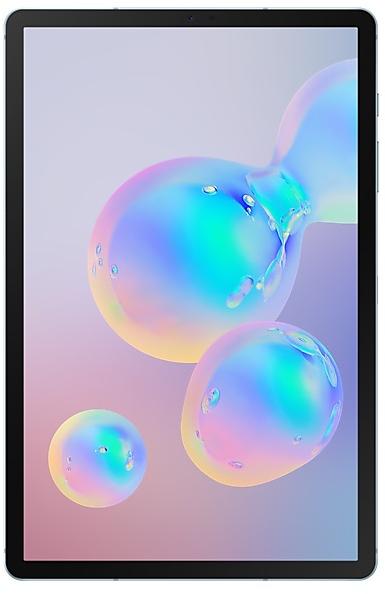
Download Samsung Firmware SM-T867
Samsung Galaxy Tab S6
The latest firmware for Samsung Galaxy Tab S6 (SM-T867) is T867JXU6DXJ1 with Android 12, released on October 2, 2024 for 1 region (CSC). Every official firmware build for SM-T867, newest first: one row per build with all regions (CSC) that received it.
- Builds
- 28 builds
- Regions (CSC)
- 1 region
Firmware builds for SM-T867
- TUR
- TUR
- TUR
- TUR
- TUR
- TUR
- TUR
- TUR
- TUR
- TUR
- TUR
- TUR
- TUR
- TUR
- TUR
- TUR
- TUR
- TUR
- TUR
- TUR
- TUR
- TUR
- TUR
- TUR
- TUR
- TUR
- TUR
- TUR
Each firmware build has its own page at https://samfirm.shop/build/{PDA}, where {PDA} is the build number from the list above. Example: https://samfirm.shop/build/T867JXU6DXJ1
SM-T867 update history
SM-T867 started on Android 9 and has received 3 major Android upgrades; it now runs Android 12. The newest build, T867JXU6DXJ1, was released on October 2, 2024. No new build has appeared for 25 months, so regular updates for this model have most likely ended.
Changelog for SM-T867
• Overall stability of your device has been improved.
• Security
The device is protected with improved security.
• Stability and reliability
Device behavior has been improved.
• Security
The device is protected with improved security.
• Overall stability of your device has been improved.
• The security of your device has been improved.
Switch between apps quickly
A taskbar now appears at the bottom of the screen for quicker navigation between apps.
Quickly open apps in split screen or a pop-up window
Drag apps from the taskbar or Recents screen to open them however is most convenient for you. Drag to the top, bottom, left, or right edge of the screen to open in split screen. Drag to the center of the screen to open in a pop-up.
Open app pairs quickly
Pair apps that you often use together,...
Show 22 older builds
• Overall stability of your device has been improved.
• The security of your device has been improved.
• Overall stability of your device has been improved.
- T867JXU5DVE1May 16, 2022
- T867JXU5DVD2Apr 25, 2022
• Overall stability of your device has been improved.
• The security of your device has been improved.
One UI 4.1 brings you a wide array of new features and enhancements for your Galaxy devices. More intuitive, more fun, more secure, and easier than ever.
Check out the changes below.
Customize your tablet with unique colors based on your wallpaper. Your colors will be applied to menus, buttons, backgrounds, and apps throughout your tablet.
One UI 4.1 offers strong privacy protection to make sure your personal information doesn’t fall...
• The security of your device has been improved.
• Overall stability of your device has been improved.
• The security of your device has been improved.
• Following applications or features added: RAM Plus
• Improved usability of the following applications or features: Quick Share, Call, Contacts, Messages
• Overall stability of your device has been improved.
• The security of your device has been improved.
· The security of your device has been improved.
• Enhanced Quick Share
- Improve file sharing between Galaxy devices using Quick Share.
• Provide new features for a better camera experiences
- Enhanced Portrait Viewer : Added Studio, High-Key mono/Low-Key mono, Backdrop effect.
- The performance of Camera has been improved
• Video call
- Supports background effects function during video call via some 3rd party apps.
• Supports “S Pen to text” function.
- Now you can directly input text to the input field with S Pen handwriting.
• The se...
• The performance of 360 audio has been improved.
• Overall stability of functions improved.
• The security of your device has been improved.
One UI 3.1 is designed to help you focus on what matters. Our visual redesign has improved the places you visit the most, like the Home screen and quick panel, to reduce distractions, highlight important information, and make your experience more consistent. Performance improvements will help apps run quicker while using less battery power. And One UI 3.1 puts control in your hands with new privacy controls, one-time permissions, and enhanced Digital Wellbeing....
• The security of your device has been improved.
- T867JXS4BUA1Feb 3, 2021
- T867JXU4BTK2Dec 10, 2020
• The stability of Quick Share has been improved.
• The security of your device has been improved.
• The security of your device has been improved.
• The stability of Quick Share has been improved.
• The security of your device has been improved.
One UI 2 brings you Android 10, with exciting new features from Samsung and Google based on feedback from users like you.
We recommend that you back up your important data to keep it safe during the upgrade.
Some apps, including Calculator, Samsung Internet and Samsung Notes, need to be updated individually after you update your OS.
Here's what's new.
Dark mode
- Enhanced image, text, and color adjustments for day and night environments.
- Darkened wallpapers,...
· Improved fingerprint recognition algorithm
※ For better and more secure recognition, we strongly recommend that you remove all your fingerprints and register them again
· The security of your device has been improved.
- T867JXU2ASL3Dec 19, 2019
- T867JXS2ASK1Nov 13, 2019
· Landscape mode is supported : Samsung Pass, Samsung Flow
· The security of your device has been improved.
· The stability of Camera has been improved.
· The security of your device has been improved.
Similar Models
- https://samfirm.shop/model/SM-T867V
Samsung Galaxy Tab S6
SM-T867V
- https://samfirm.shop/model/SM-T866N

Samsung Galaxy Tab S6 5G
SM-T866N
- https://samfirm.shop/model/SM-T875N

Samsung Galaxy Tab S7
SM-T875N
- https://samfirm.shop/model/SM-T976N

Samsung Galaxy Tab S7+ 5G
SM-T976N
- https://samfirm.shop/model/SM-T975N

Samsung Galaxy Tab S7+
SM-T975N


Frequently Asked Questions
What is the latest Android version for SM-T867?
The newest firmware for SM-T867 runs Android 12: build T867JXU6DXJ1, released on October 2, 2024.
When did SM-T867 get its last update?
The latest build for SM-T867, T867JXU6DXJ1, was released on October 2, 2024 (2 years ago).
How often does SM-T867 get updates?
SM-T867 has had no new firmware for 25 months, so regular updates have most likely ended.
Is the firmware for SM-T867 official?
Yes, all firmware files for SM-T867 are 100% official, original, and obtained directly from Samsung servers.
How to flash Samsung SM-T867 using Odin?
To flash SM-T867, you need to download the appropriate firmware, put your device into Download Mode, and use the Odin tool to load the BL, AP, CP, and CSC files.
Can I downgrade the Android version on SM-T867?
Downgrading is only possible if the bootloader version (binary bit) of the old firmware matches the current one. Always check the binary version before flashing SM-T867.