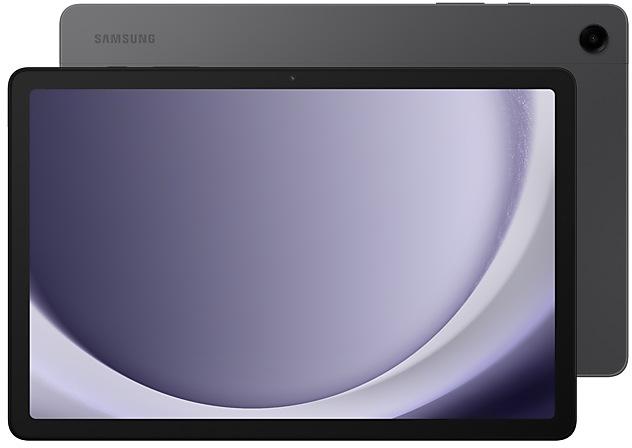
Download Samsung Firmware SM-X218U
Samsung Galaxy Tab A9+ 5G
The latest firmware for Samsung Galaxy Tab A9+ 5G (SM-X218U) is X218UVLUDEZI3 with Android 16, released on October 15, 2026 for 12 regions (CSC). Every official firmware build for SM-X218U, newest first: one row per build with all regions (CSC) that received it.
- Builds
- 51 builds
- Regions (CSC)
- 20 regions
Firmware builds for SM-X218U
- TMBTMK
- ATTCCTCHATFNUSCVZW
- TMBTMK
- ATTCCTCHATFNUSCVZW
- TMBTMK
- ATTCCTCHATFNUSCVZW
- TMBTMK
- ATTCCTCHATFNUSCVZW
- ATTCCTCHAUSC
- TMBTMK
- TFNVZW
- TFNVZW
- TMBTMK
- ATTCCTCHAUSC
- TMBTMK
- TFNVZW
- CCT
- TFN
- TMBTMK
- ATTCHAUSC
- ATTCHATMBTMKUSC
- ATTCHATMBTMKUSC
- ATTCHATMBTMKUSC
- ATTCCTCHATMBTMKUSC
- TMBTMK
- ATTCHAUSCVZW
- ATTCHAUSCVZW
- VZW
- FIZFMCKDO
Each firmware build has its own page at https://samfirm.shop/build/{PDA}, where {PDA} is the build number from the list above. Example: https://samfirm.shop/build/X218UVLUDEZI3
SM-X218U update history
SM-X218U started on Android 13 and has received 3 major Android upgrades; it now runs Android 16. The newest build, X218UVLUDEZI3, was released on October 15, 2026 with the August 2026 security patch. That patch (SMR Aug-2026) fixes 54 vulnerabilities, 8 of them critical. Over the last 12 months SM-X218U received 15 builds, with a new build in 10 of those months, in line with Samsung's monthly security updates. Builds of this model reach 20 regions (CSC); ATT (United States) usually gets a new build first (60% of recent builds). Samsung guarantees security updates for this model until October 26, 2027.
Changelog for SM-X218U
• Stability and reliability
Device behavior has been improved.
• Security
The device is protected with improved security.
- X218UVLUDEZI3Oct 15, 2026
- X218USQUDEZI3Oct 1, 2026
• Security
The device is protected with improved security.
These changes may vary depending on the model, country, or network operator of the customer environment.
- X218UVLSCEZF3Jul 31, 2026
- X218USQSCEZF3Jun 25, 2026
- X218UVLSCEZE8Jun 12, 2026
- X218USQSCEZE8Jun 11, 2026
- X218UVLSBEZBEApr 10, 2026
- X218USQSBEZBEMar 9, 2026
- X218UVLSAEZA1Feb 6, 2026
- X218USQSAEZA1Jan 30, 2026
Enhanced Lock screen widgets
Do more on your Lock screen with brief widgets. 2 x 2 size widgets are now available, and the widget area is now larger so you can add even more widgets. You can choose either a horizontal or vertical widget layout.
Check stock prices without unlocking
Stocks you follow on Google Finance with big price changes will appear on your Now bar at the end of the trading day.
Easier file sharing with Quick Share
I...
- X218UVLU9EYL6Jan 22, 2026
- X218USQU9EYL6Jan 8, 2026
• Security
The device is protected with improved security.
These changes may vary depending on the model, country, or network operator of the customer environment.
- X218UVLS9DYJ5Nov 7, 2025
- X218USQS9DYJ6Oct 30, 2025
- X218USQS9DYJ5Oct 30, 2025
- X218UVLS8DYH1Sep 5, 2025
- X218USQS8DYF4Jul 29, 2025
- X218USQS8DYF1Jul 23, 2025
- X218UVLS7DYE3Jul 8, 2025
The device is protected with improved security.
These changes may vary depending on the model, country, or network operator of the customer environment.
- X218USQS7DYE4Jun 19, 2025
- X218USQS7DYE3Jun 17, 2025
Show 9 older builds
Visual enhancements
Enjoy a more sophisticated and unique look. One UI 7 introduces a stunning redesign to key components including buttons, menus, notifications and control bars, providing a more consistent visual experience with curves and circles. Beautiful new colors, soft animations, and an innovative blur effect that's unique to One UI make information hierarchy clearer and help you focus on important information.
Reimagined Home screen
Fr...
- X218UVLU6DYE1May 27, 2025
- X218USQU6DYE2May 27, 2025
- X218USQU6DYE1May 22, 2025
• Stability and reliability
Device behavior has been improved.
• Security
The device is protected with improved security.
- X218UVLU6CYC8May 7, 2025
- X218USQU6CYC6Apr 24, 2025
- X218USQU6CYCAApr 16, 2025
- X218USQU6CYC7Apr 16, 2025
· The security of your device has been improved.
- X218USQU6CYC4Mar 19, 2025
- X218USQU6CYC1Mar 11, 2025
Similar Models
- https://samfirm.shop/model/SM-X218B

Samsung Galaxy Tab A9+ 5G
SM-X218B
- https://samfirm.shop/model/SM-X210N

Samsung Galaxy Tab A9+
SM-X210N
- https://samfirm.shop/model/SM-X110N

Samsung Galaxy Tab A9, 64GB, Gray
SM-X110N
- https://samfirm.shop/model/SM-X117U

Samsung Galaxy Tab A9 LTE
SM-X117U
- https://samfirm.shop/model/SM-X115N

Samsung Galaxy Tab A9
SM-X115N


Frequently Asked Questions
What is the latest Android version for SM-X218U?
The newest firmware for SM-X218U runs Android 16: build X218UVLUDEZI3, released on October 15, 2026.
When did SM-X218U get its last update?
The latest build for SM-X218U, X218UVLUDEZI3, was released on October 15, 2026 (11 days ago).
How often does SM-X218U get updates?
Over the last 12 months SM-X218U received 15 builds, with at least one new build in 10 different months.
Is the firmware for SM-X218U official?
Yes, all firmware files for SM-X218U are 100% official, original, and obtained directly from Samsung servers.
How to flash Samsung SM-X218U using Odin?
To flash SM-X218U, you need to download the appropriate firmware, put your device into Download Mode, and use the Odin tool to load the BL, AP, CP, and CSC files.
Can I downgrade the Android version on SM-X218U?
Downgrading is only possible if the bootloader version (binary bit) of the old firmware matches the current one. Always check the binary version before flashing SM-X218U.