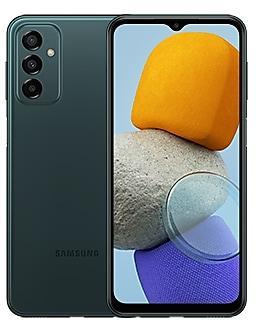
Samsung Galaxy A23 5G S236DLUDU6EWL1 Firmware
Samsung Galaxy A23 5G S236DLUDU6EWL1 is een Android 14-firmware voor 5 landen, 5 CSC-codes. Het is dezelfde firmware, ingesteld per regio en provider (CSC). Zoek hieronder je land, controleer het bestand en download het gratis. Vergeleken met de vorige build S236DLUDS5DWL1 https://samfirm.shop/nl/build/S236DLUDS5DWL1: Android bijgewerkt van Android 13 naar Android 14; bootloader-binary verhoogd van 5 naar 6, dus na installatie kun je niet terug naar oudere builds. Er is een nieuwere build voor SM-S236DL: S236DLUDSJFZI6 https://samfirm.shop/nl/build/S236DLUDSJFZI6.
Bootloader-binary 6. Firmware met een lagere binary flashen wordt meestal geblokkeerd door de anti-rollback van Samsung.
Alle regionale downloads
Kies je regio (CSC) om het bijbehorende firmwarepakket te downloaden.
| Model | Regio | CSC-versie | Releasedatum | Maat | Bestandsnaam | Downloaden |
|---|---|---|---|---|---|---|
| SM-S236DL |
TFN Verenigde Staten
TFA, TFC, TFO, TFV | S236DLTFN6EWL1 | 2024-01-30 | 5,039 GiB | SM-S236DL_3_20240208172710_cbn8vhll3o_fac.zip | Downloaden |
Geen overeenkomende downloads
Zo flash je S236DLUDU6EWL1
- S236DLUDU6EWL1 heeft bootloader-binary 6. Je apparaat moet binary 6 of lager hebben: dat is het 5e teken vanaf het einde van je huidige buildnummer.
- CSC: Gebruik CSC voor een schone installatie, om van regio (CSC-code) te wisselen, voor een downgrade of om een apparaat te herstellen dat niet opstart.
- HOME_CSC: Gebruik HOME_CSC om hetzelfde model en dezelfde regio bij te werken met behoud van je gegevens. Maak toch een back-up: een mislukte update kan alsnog een reset vereisen.
- De toetscombinatie voor de Download-modus hangt af van het model: bekijk alle combinaties.
Nieuw in S236DLUDU6EWL1
New button layout
The quick panel has a new layout that makes it easier to access the features you use most. Wi-Fi and Bluetooth now have their own dedicated buttons at the top of the screen, while visual features, like Dark mode and Eye comfort shield have been moved to the bottom. Other quick settings buttons appear in a customizable area in the middle.
Instantly access the full quick panel
By default, a compact quick panel with notifications appears when you swipe down from the top of the screen. Swiping down again hides notifications and shows the expanded quick panel. If you turn on Quick settings instant access, you can view the expanded quick panel by swiping just once from the right side of the top of the screen. Swiping down from the left side shows notifications.
Quickly access brightness control
The brightness control bar now appears by default in the compact quick panel when you swipe down once from the top of the screen for quicker and easier brightness adjustments.
Improved album art display
While playing music or videos, album art will cover the entire media controller in the notification panel if the app playing the music or video provides album art.
Enhanced layout for notifications
Each notification now appears as a separate card, making it easier to recognize individual notifications.
More vivid notification icons
You can use the same full-color icons that are used for each app on the Home and Apps screens. You can turn this on in Settings.
Sort notifications by time
You can now change your notification settings to sort by time instead of priority so your newest notifications are always on top.
Reposition your clock
You now have more freedom to move your clock to the position of your choice on the Lock screen.
Simplified icon labels
App icon labels are now limited to a single line for a cleaner and simpler look. "Galaxy" and "Samsung" have been removed from some app names to make them shorter and easier to scan.
Drag and drop with 2 hands
Start dragging app icons or widgets on your Home screen with one hand, then use your other hand to navigate to the screen where you want to drop them.
Keep pop-up windows open
Instead of minimizing pop-up windows when you go to the Recents screen, pop-ups will now remain open after you leave the Recents screen so you can continue what you were working on.
New emoji design
Emojis that appear in your messages, social media posts, and elsewhere on your phone have been updated with a fresh new design.
Picture previews
When you share pictures from any app, preview images will appear at the top of the Share panel to give you one more chance to review the pictures before sharing them.
New Weather widget
The Weather insights widget provides more information about your local weather conditions. You can see when severe thunderstorms, snow, rain, and other events are on the forecast.
More information in Weather app
Information about snowfall, moon phases and times, atmospheric pressure, visibility distance, dew point, and wind direction is now available in the Weather app.
Interactive map view
Swipe to move around the map and tap a location to view the local weather conditions. The map can help you find weather information even if you don’t know the name of the city.
Enhanced illustrations
Illustrations in the Weather widget and app have been enhanced to provide better information about the current weather conditions. Background colors also change depending on the time of the day.
Simple and intuitive design
The overall layout of the Camera app has been simplified. Quick settings buttons on the preview screen have been redesigned to be easier to understand.
Custom camera widgets
You can add custom camera widgets to your Home screen. You can set each widget to start in a specific shooting mode and save pictures in an album of your choice.
More alignment options for watermarks
You can now choose whether your watermark appears at the top or bottom of your photos.
Scan documents easily
The Scan document feature has been separated from Scene optimizer so you can scan documents even if Scene optimizer is turned off. The new Auto scan lets you scan documents automatically whenever you take a picture of a document. After a document is scanned, you’ll be taken to the edit screen where you can rotate your document to align it the way you want.
Quick access to resolution settings
A resolution button is now available in the quick settings at the top of the screen in Photo and Pro modes so you can quickly change the resolution of photos you take.
Easier video size options
A pop-up now appears when you tap the video size button, making it easier to see all the options and choose the right ones.
Keep your pictures level
When grid lines are turned on in Camera settings, a level line will now appear in the middle of the screen while using the rear camera in all modes except Panorama. The line will move to show whether your picture is level with the ground.
Quality optimization
You can choose between 3 levels of quality optimization for the pictures you take. Choose Maximum to get the highest quality pictures. Choose Minimum to take pictures as quickly as possible. You can also choose Medium to get the best balance of speed and quality.
New Auto FPS settings for videos
Auto FPS can help you record brighter videos in low-light conditions. Auto FPS now has 3 options. You can turn it off, use it for 30 fps videos only, or use it for both 30 fps and 60 fps videos.
Turn off swipe up/down to switch cameras
Swiping up or down to switch between the front and rear cameras is now optional. If you’re concerned about accidental swipes, you can turn this off in Settings.
Apply effects more easily
Filter and face effects now use a dial instead of a slider making it easier to make precise adjustments with just one hand.
Quick edits in detail view
While viewing a picture or video, swipe up from the bottom of the screen to go to detail view. This screen now provides quick access to effects and editing features you can immediately apply.
Drag and drop with 2 hands
Touch and hold pictures and videos with one hand, then use your other hand to navigate to the album where you want to drop them.
Save clipped images as stickers
When you clip something from an image, you can easily save it as a sticker that you can use later when editing pictures or videos.
Enhanced story view
While viewing a story, a thumbnail view appears when you swipe up from the bottom of the screen. In thumbnail view, you can add or remove pictures and videos from your story.
Enhanced layout
The new Tools menu makes it easier to find the editing features you need. Straighten and Perspective options have been combined in the Transform menu.
Adjust decorations after saving
You can now make changes to drawings, stickers, and text that you've added to a photo even after saving.
Undo and redo
Don't worry about making mistakes. You can now easily undo or redo transformations, filters, and tones.
Draw on custom stickers
When creating custom stickers, you can now use the drawing tools to make your stickers even more personal and unique.
New text backgrounds and styles
When adding text to a photo, you can choose from several new backgrounds and styles to help you get the perfect look.
More powerful video editing
Studio is a new project-based video editor, allowing for more complex and powerful editing. You can access Studio from the Drawer menu in Gallery or add an icon to your Home screen for quicker access.
Timeline layout
Studio lets you view your entire project as a timeline containing multiple video clips. The multi-layered structure lets you add clips, stickers, subtitles, and other objects and adjust their position and length easily.
Save and edit projects
You can also save unfinished movie projects to continue editing them later.
Enhanced layout
Video player controls are now easier than ever. Buttons with similar functions have been grouped together, and the Play button has been moved to the center of the screen.
Enhanced playback speed controls
Choose between several video playback speeds between 0.25x and 2.0x. Speed controls are now easier to access with dedicated buttons instead of a slider.
New look for the Home screen
The Samsung Health Home screen has been completely revamped. More information is shown, while bold fonts and colors make it easier to see the information you need most. Your latest exercise result is shown at the top of the screen, and more feedback is provided about your sleep score as well as your daily goals for steps, activity, water, and food.
Custom water cup sizes
You can now customize the size of cups in the Samsung Health Water tracker to match the size of the cup you usually drink from.
Your schedule at a glance
The new schedule view provides your upcoming events, tasks, and reminders all together in chronological order.
View your reminders in Calendar
You can now view and add reminders in the Calendar app without opening the Reminder app.
Move events with 2 hands
In Day or Week view, touch and hold the event you want to move with one hand, then use your other hand to navigate to the day where you want to move it.
Refined reminder list view
The main list view has been redesigned. You can manage categories at the top of the screen. Below the categories, your reminders will be shown organized by date. The layout for reminders containing images and web links has also been enhanced.
New reminder categories
The Place category contains reminders that alert you when you're in a specific place, and the No alert category contains reminders that don't provide any alerts.
More options for creating reminders
When sharing content to the Reminder app, you'll get full editing options before your reminder is created. You can also take pictures using the camera when creating a reminder.
Create all-day reminders
You can now create reminders for an entire day and customize the time you want to be alerted about them.
Play videos in the background
Keep playing video sound even if you leave the current tab or leave the Internet app.
Enhanced tab list view for large screens
When using Internet on a large screen, such as a tablet in landscape view or Samsung DeX, tab list view will be shown in 2 columns so you can see more information on the screen at the same time.
Move bookmarks and tabs with 2 hands
Touch and hold the bookmark or tab you want to move with one hand, then use your other hand to navigate to the bookmark folder or tab group where you want to move it.
Resize and extract text from pinned content
When you pin an image to the screen, you can now resize it or extract text from it.
Magnified view
When selecting an area of the screen, a magnified view will appear so you can start and end your selection at the perfect spot.
Customize your greeting
You can now edit the greeting that Bixby says when you answer using Bixby text call.
Switch to Bixby during a call
You can switch to Bixby text call at any time, even if the call is already in progress.
Change the appearance of your Lock screen
Set up different Lock screens with their own wallpaper and clock style for when you're driving, working, exercising, and more. Try a dark wallpaper for Sleep mode or a calming wallpaper for Relax mode. When you edit the Lock screen for a mode, you’ll see that wallpaper whenever that mode is turned on.
New conditions
You can now start a routine when an app is playing media.
New actions
Your routines can now do more than ever before, such as changing your Samsung Keyboard settings.
New look and feel
The Smart suggestions widget has been redesigned with a layout that better aligns with other icons on your Home screen.
More customization
You can now adjust transparency and choose between a white or black background. You can also set apps to exclude from suggestions.
Quick actions for apps
When an app appears in your search results, you can touch and hold the app to get quick access to actions you can perform using the app. For example, if you search for the Calendar app, buttons for adding an event or searching your calendar will appear. App actions will also appear in search results on their own if you search for the name of the action instead of the app.
Free up storage space
Recommendation cards will appear to help you free up storage space. My Files will recommend deleting unnecessary files, give you tips for setting up cloud storage, and also let you know which apps on your phone are using the most storage space.
Integrated Trash with Gallery and Voice Recorder
My Files, Gallery, and Voice Recorder Trash features have been combined into one. When you open the Trash in My Files, you’ll be able to see files, pictures, videos, and voice recordings you’ve deleted all together, along with options for restoring or permanently deleting.
Copy files with 2 hands
Touch and hold the file you want to copy with one hand, then use your other hand to navigate to the folder where you want to copy it.
Safer sign-ins with passkeys
Use passkeys to sign in to supported apps and websites. Unlike passwords, your passkey is only stored on your phone and can't be leaked through a website security breach. Passkeys also protect you from phishing attacks because they only work on the website or app where they were registered.
Smarter Airplane mode
If you turn on Wi-Fi or Bluetooth while Airplane mode is on, your phone will remember. The next time you use Airplane mode, Wi-Fi or Bluetooth will remain on instead of turning off.
Easier access to battery settings
Battery settings now have their own top-level settings menu so you can easily check your battery usage and manage battery settings.
Block security threats
Get an extra level of protection for your apps and data. Auto Blocker prevents unknown apps from being installed, checks for malware, and blocks malicious commands from being sent to your phone using a USB cable
Vision enhancements easier to find
The Spoken assistance and Visibility enhancements menus have been combined into one Vision enhancements menu for quicker, simpler access.
New magnification options
Customize how your magnification window appears. You can choose full screen, partial screen, or allow switching between the two.
Customize cursor thickness
You can now increase the thickness of the cursor that appears while editing text so that it's easier to see.
Learn more about accessibility
A link to the Samsung Accessibility web page has been added to Accessibility settings so you can learn more about accessibility features and our efforts to make our products accessible to everyone.
Enhanced layout
The main screen of Digital Wellbeing has been redesigned, making it easier to find the information you need.
More content in your weekly report
Your weekly usage report now lets you know about unusual usage patterns, your peak usage times, and how you balance your screen time.
Digital driver’s license
You can add a digital version of your driver’s license or state ID to Samsung Wallet. Just tap your phone on a reader or scan a QR code to verify your identity before boarding a flight at select US airports. Only available for licenses and IDs issued in participating states.
Digital government certificates
Apply for digital versions of government-issued documents directly from Samsung Pay without the need to visit a government office. After your digital document is issued, you can share it or save it as a PDF.
Share tickets and boarding passes
When one person buys tickets for a group event, they can now share individual tickets with each person attending the event. After sharing, each person will be able to access their own ticket on their phone in Samsung Wallet.
Uitrol van S236DLUDU6EWL1 per regio
Samsung bracht deze build in alle regio's (5) op dezelfde dag uit: 30 januari 2024.
Veelgestelde vragen
Andere builds en changelog voor Samsung Galaxy A23 5G
• Beveiliging
Het apparaat is beschermd met verbeterde beveiliging.
Deze wijzigingen kunnen per model, land of netwerkaanbieder van de klantomgeving verschillen.
- S236DLUDSJFZI624 sep 2026
- S236DLUDSIFZH38 sep 2026
- S236DLUDSHFZE51 jun 2026
- S236DLUDSGFZC230 mrt 2026
- S236DLUDSFFZA127 jan 2026
- S236DLUDSEFYJ228 okt 2025
- S236DLUDSDFYG224 jul 2025
• De beveiliging van uw apparaat is verbeterd.
- S236DLUDSCFYD129 apr 2025
- S236DLUDSBFYA130 jan 2025
- S236DLUDSBFXJ518 nov 2024
- S236DLUDSAFXJ125 okt 2024
• Stabiliteit en betrouwbaarheid
Gedrag van het apparaat is verbeterd.
• Beveiliging
Het apparaat is beschermd met verbeterde beveiliging.
Nieuwe functies voor het bewerken van achtergronden
Versier je achtergrond zoals jij wilt. Als je een afbeelding selecteert om als achtergrond te gebruiken, kun je nu kaders en effecten toepassen.
Meer widgets voor je vergrendelscherm
Er zijn extra widgets beschikbaar voor je vergrendelscherm, zodat je snel nuttige informatie kunt bekijken zonder je telefoon te hoeven ontgrendelen. De nieuwe widgets zijn onder andere Weer, Samsung Health, Batterij, Heri...
• De beveiliging van uw apparaat is verbeterd.
- S236DLUDS8EXE424 mei 2024
- S236DLUDU7EXD310 mei 2024
5 oudere builds tonen
• Beveiliging
Het apparaat is beschermd met verbeterde beveiliging.
New button layout
The quick panel has a new layout that makes it easier to access the features you use most. Wi-Fi and Bluetooth now have their own dedicated buttons at the top of the screen, while visual features, like Dark mode and Eye comfort shield have been moved to the bottom. Other quick settings buttons appear in a customizable area in the middle.
Instantly access the full quick panel
By default, a compact quick panel with notifications appears when yo...
• Beveiliging
Het apparaat is beschermd met verbeterde beveiliging.
- S236DLUDS5DWL121 dec 2023
- S236DLUDS5DWJ315 nov 2023
• Stabiliteit en betrouwbaarheid
Gedrag van het apparaat is verbeterd.
• Beveiliging
Het apparaat is beschermd met verbeterde beveiliging.