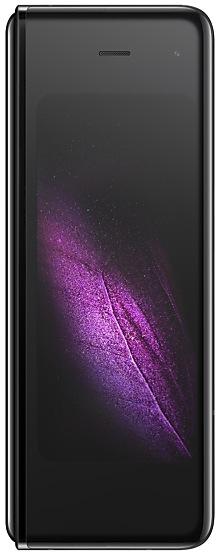
Samsung Galaxy Fold F900FXXS2ASKC
SM-F900F 32 countries Android 9 (Pie)

Samsung Galaxy Fold F900FXXS2ASKC Firmware

Samsung Galaxy Fold F900FXXS2ASKC is an Android 9 (Pie) firmware for 32 countries, 32 CSC codes. It is the same firmware configured per region and carrier (CSC). Find your country below, verify the file and download for free. Compared with the previous build F900FXXU2ASKB: security patch 2019-12-01 instead of 2019-11-01. A newer build for SM-F900F is available: F900FXXU7HXJ1.

8.8/10 (469)138,185 times
Android 9 (Pie)
OS Version
2019-11-26
First release
other regions until 2019-12-11
2019-12-01
Security patch
32
Countries
32
CSC codes
2
Bootloader binary

Bootloader binary 2. Flashing firmware with a lower binary is usually blocked by Samsung anti-rollback.

Newer builds of Samsung Galaxy Fold use bootloader binary 7 (latest: F900FXXU7HXJ1). If your device already runs binary 7, this build cannot be flashed.

All regional downloads

Pick your region (CSC) to download the matching firmware package.

Paste your current build number from Settings > About phone (About tablet) > Software information, or the output of *#1234#.
    Your CSC is in Settings → About phone (About tablet) → Software information, or dial *#1234#. The CSC sets your region's features and network bands. Download the firmware for your country.
    18
    ModelRegionCSC VersionMODEM/CP VersionBuild DateRelease dateSizeFile nameDownload
    SM-F900F
    BRI Taiwan
    CHO Chile
    ILO Israel
    ITV Italy
    +11 more countries
    KSA Saudi Arabia
    MID Iraq
    MXO Mexico
    PHN Netherlands
    ROM Romania
    SEK Ukraine
    TPH Portugal
    XEO Poland
    XEV Vietnam
    XEZ Czechia
    XSA Australia
    F900FOXM2ASKF, F900FOXM2ASKCF900FXXU2ASKB 2019-12-09 2019-12-16 5.39 GiB
    SM-F900F_1_20201223192704_yxsd1yiyhb_fac.zip
    MD5:ffd24e4a70583687dd63a830187823c3
    SHA1:abd253d45eb12816504e88589eebc94a3376422b
    SM-F900F
    COO Colombia
    F900FOXM2ASKCF900FXXS2ASKC 2019-11-26 2019-12-19 — —
    SM-F900F
    GTO Guatemala
    F900FOXM2ASKCF900FXXS2ASKC 2019-11-26 2020-01-13 — —
    SM-F900F
    INU India
    F900FOXM2ASKFF900FXXS2ASKC 2019-11-26 2019-12-18 — —
    SM-F900F
    NEE Nordic Europe
    F900FOXM2ASKCF900FXXS2ASKC 2019-11-26 2019-12-17 — —
    SM-F900F
    PHE Spain
    F900FOXM2ASKCF900FXXS2ASKC 2019-11-26 2019-12-17 — —
    SM-F900F
    SER Russia
    F900FOXM2ASKCF900FXXS2ASKC 2019-11-26 2019-12-17 — —
    SM-F900F
    SIO Slovenia
    F900FOXM2ASKCF900FXXS2ASKC 2019-11-26 2019-12-17 — —
    SM-F900F
    SKZ Kazakhstan
    F900FOXM2ASKCF900FXXS2ASKC 2019-11-26 2019-12-17 — —
    SM-F900F
    THL Thailand
    F900FOXM2ASKCF900FXXS2ASKC 2019-11-26 2019-12-18 — —
    SM-F900F
    XEF France
    F900FOXM2ASKCF900FXXS2ASKC 2019-11-26 2019-12-04 — —
    SM-F900F
    XEH Hungary
    F900FOXM2ASKCF900FXXS2ASKC 2019-11-26 2019-12-19 — —
    SM-F900F
    XFA South Africa
    F900FOXM2ASKCF900FXXU2ASKB 2019-11-29 2020-01-07 5.39 GiB
    SM-F900F_1_20201030111734_ye8eyfpzxf_fac.zip
    SM-F900F
    XID Indonesia
    F900FOLE2ASKCF900FXXU2ASKB 2019-12-03 2019-12-17 4.847 GiB
    SM-F900F_1_20201214185704_7rzuyvbyxv_fac.zip
    SM-F900F
    XME Malaysia
    F900FOXM2ASKCF900FXXS2ASKC 2019-11-26 2019-12-18 — —
    SM-F900F
    XNZ New Zealand
    F900FOXM2ASKCF900FXXS2ASKC 2019-11-26 2020-01-02 — —
    SM-F900F
    XTC Philippines
    F900FOXM2ASKCF900FXXS2ASKC 2019-11-26 2019-12-18 — —
    SM-F900F
    ZTO Brazil
    F900FOWO2ASKCF900FXXU2ASKB 2019-12-11 2019-12-19 4.791 GiB
    SM-F900F_1_20201231045734_8du8ryo0p4_fac.zip

    No matching downloads

    Device specifications

    • Launched withAndroid 9.0
    • Display diagonal18.5 cm (7.3")
    • Display resolution2152 x 1536 pixels
    • Display typeDynamic AMOLED
    • Processor frequency2.84 GHz
    • RAM12 GB
    • Rear camera resolution16 MP
    • Rear camera typeTriple camera
    • Battery capacity4380 mAh
    • Weight263 g

    What's new in F900FXXS2ASKC

    · The security of your device has been improved.

    How to flash F900FXXS2ASKC

    • F900FXXS2ASKC has bootloader binary 2. Your device must run binary 2 or lower: it is the 5th character from the end of your current build number.
    • CSC: Use CSC for a clean install, to change the region (CSC code), to downgrade or to repair a device that does not boot.
    • HOME_CSC: Use HOME_CSC to update the same model and region while keeping your data. Back up anyway: a failed update can still require a reset.
    • The Download Mode key combo depends on the model: see all combos.
    Full flashing guide
    Beware: Manually flashing firmwares may brick your device. Use it at your own risk and follow our tutorial steps.

    Frequently Asked Questions

    F900FXXS2ASKC is Android 9 (Pie) firmware for Samsung Galaxy Fold, released for 32 countries, 32 CSC codes. It includes the 2019-12-01 security patch. Samsung built it on 2019-11-26.

    No. A newer build for SM-F900F is available: F900FXXU7HXJ1. Install it instead of F900FXXS2ASKC unless you need this exact version. The previous build was F900FXXU2ASKB.

    Download the package for your region (CSC) and unzip it. In Odin, load each file into the slot with the same name: BL, AP, CP (if the package has one) and CSC, or HOME_CSC to keep your data. Odin checks the built-in checksum of every .tar.md5 file before flashing. The Samsung Galaxy Fold must be on bootloader binary 2 or lower.

    This build uses bootloader binary 2. It can be flashed on a Samsung Galaxy Fold running binary 2 or lower; if the device already has a higher binary, Odin stops with "SW REV CHECK FAIL". 13 other builds of this model use the same binary, so you can switch between them in both directions.

    Other builds and changelog for Samsung Galaxy Fold

    No changelog details available.

    • Security
    The device is protected with improved security.

    • Security
    The device is protected with improved security.

    • Security
    The device is protected with improved security.

    · Security patch update
    Show 15 older builds

    • The security of your device has been improved.

    • Overall stability of your device has been improved.
    • The security of your device has been improved.

    • The security of your device has been improved.

    One UI 4.1.1 Update
    Multitasking

    Switch between apps quickly
    A taskbar now appears at the bottom of the main screen for quicker navigation between apps.

    Quickly open apps in split screen or a pop-up window
    Drag apps from the taskbar or Recents screen to open them however is most convenient for you. Drag to the top, bottom, left, or right edge of the screen to open in split screen. Drag to the center of the screen to open in a pop-up.

    Open app pairs quickly
    Pair apps that you often use toge...

    · Security patch update

    • Following applications or features added: Smart Widget
    • The security of your device has been improved.

    • Overall stability of your device has been improved.
    • The security of your device has been improved.

    • The security of your device has been improved.

    • The security of your device has been improved.

    • Following applications or features added: Smart Widget
    • The security of your device has been improved.

    • Following applications or features added: Smart Widget
    • The security of your device has been improved.

    • The security of your device has been improved.

    • The security of your device has been improved.

    One UI 4.1 Update
    One UI 4.1 brings you the latest features for your Galaxy devices. More intuitive, more fun, more secure, and easier than ever.
    Check out the changes below.

    Gallery
    Do more with your memories. Gallery brings enhanced features for remastering and organizing your pictures and videos, and sharing is now easier than ever.
    Add portrait effects
    You can now add background blur to any picture with a person in view.
    Convert unnecessary motion photos to still images
    Save storage space...

    • The security of your device has been improved.