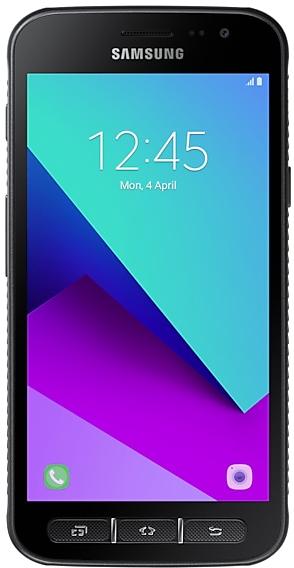
Samsung Galaxy Xcover4 G390WVLU2CTA2 Firmware
Samsung Galaxy Xcover4 G390WVLU2CTA2 is an Android 9 (Pie) firmware for Canada (BMC, BWA, CHR, ESK, FMC, GLW, KDO, MTB, PMB, RWC, SPC, TLS, VMC, VTR, XAC). It is the same firmware configured per region and carrier (CSC). Find your country below, verify the file and download for free. Compared with the previous build G390WVLU1CSH5: bootloader binary raised from 1 to 2, so after installing it there is no way back to older builds; security patch 2020-01-01 instead of 2019-08-01. A newer build for SM-G390W is available: G390WVLS2CTI2.
Bootloader binary 2. Flashing firmware with a lower binary is usually blocked by Samsung anti-rollback.
All regional downloads
Pick your region (CSC) to download the matching firmware package.
Device specifications
- Launched withAndroid 7.0
- Display diagonal12.7 cm (4.99")
- Display resolution1280 x 720 pixels
- Display typeTFT
- RAM2 GB
- RAM typeLPDDR3
- Rear camera resolution13 MP
- Rear camera typeSingle camera
- Battery capacity2800 mAh
- Weight172 g
Specifications of SM-G390F, a regional variant of the same device. Chipset and SIM lines are left out: they can differ by region.
What's new in G390WVLU2CTA2
· The security of your device has been improved.
How to flash G390WVLU2CTA2
- Install Samsung USB Drivers:Download Official Drivers
- Download Odin Flash Tool:
- G390WVLU2CTA2 has bootloader binary 2. Your device must run binary 2 or lower: it is the 5th character from the end of your current build number.
- CSC: Use CSC for a clean install, to change the region (CSC code), to downgrade or to repair a device that does not boot.
- HOME_CSC: Use HOME_CSC to update the same model and region while keeping your data. Back up anyway: a failed update can still require a reset.
- The Download Mode key combo depends on the model: see all combos.
Frequently Asked Questions
Other builds and changelog for Samsung Galaxy Xcover4
· The security of your device has been improved.
One UI brings you Android Pie, with exciting new features and a whole new look and feel based on feedback from users in Samsung and Google.
We recommend that you back up your important data to keep it safe before the upgrade.
Some apps, including Calculator, Samsung Internet, and Samsung Notes, need to be updated individually after you update your OS.
To use the Remote unlock function in Find My Mobile on an Android Pie device, the screen lock password (or PIN/pa...