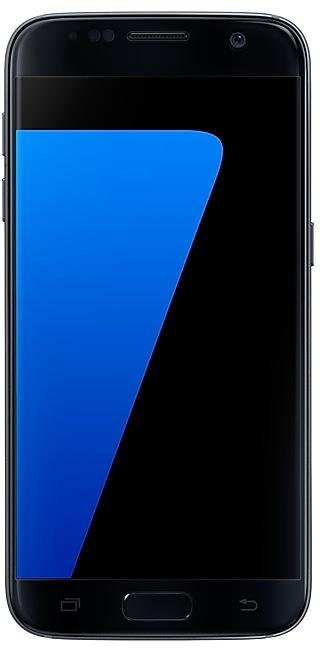
Samsung Galaxy S7 G9300ZCU2BQC1 Firmware
Samsung Galaxy S7 G9300ZCU2BQC1 is an Android 7.0 (Nougat) firmware for China (CHC). It is the same firmware configured per region and carrier (CSC). Find your country below, verify the file and download for free. Compared with the previous build G9300ZCU2APL2: Android updated from Android 6.0.1 (Marshmallow) to Android 7.0 (Nougat). A newer build for SM-G9300 is available: G9300ZCS5CTA1.
Bootloader binary 2. Flashing firmware with a lower binary is usually blocked by Samsung anti-rollback.
All regional downloads
Pick your region (CSC) to download the matching firmware package.
Device specifications
- Launched withAndroid 6.0
- Display diagonal12.9 cm (5.1")
- Display resolution2560 x 1440 pixels
- Display typeSAMOLED
- RAM4 GB
- RAM typeLPDDR4
- Rear camera resolution12 MP
- Rear camera typeSingle camera
- Battery capacity3000 mAh
- Weight152 g
Specifications of SM-G930F, a regional variant of the same device. Chipset and SIM lines are left out: they can differ by region.
What's new in G9300ZCU2BQC1
- OS upgrade - Android 7.0 Nougat
- Provides new UX and various performance modes
- Improved usability of the Notification feature and Quick settings button
- Improved usability of the Multi window and setting menu
- Improved setting menu and AOD feature
- Efficient space for installation of downloaded apps, improved speed of system upgrade and app installation
- Galaxy Labs features have been removed.
- S Planner has been renamed "Calendar".
- Music has been renamed "Samsung MILK Music".
- Clock usability has been improved
- Samsung cloud have been removed.
※ If you are using Gear IconX, please make sure to update to the latest version before upgrading to the Nougat OS.
※ Some apps that haven't been optimised for Android Nougat might not work properly after the upgrade. In this case, upgrade the app to the latest version via Galaxy Apps.
※ The functionality of some features may differ after the upgrade. Some apps may not function normally.
※ Errors during the upgrade may cause data loss. Back up any important data before upgrading.
※ To get the best from your device, please keep your device up to date and regularly check for software updates.
※ The temperature of the device may temporarily increase during the software upgrade or update because of the data download and associated behaviours.
How to flash G9300ZCU2BQC1
- Install Samsung USB Drivers:Download Official Drivers
- Download Odin Flash Tool:
- G9300ZCU2BQC1 has bootloader binary 2. Your device must run binary 2 or lower: it is the 5th character from the end of your current build number.
- CSC: Use CSC for a clean install, to change the region (CSC code), to downgrade or to repair a device that does not boot.
- HOME_CSC: Use HOME_CSC to update the same model and region while keeping your data. Back up anyway: a failed update can still require a reset.
- The Download Mode key combo depends on the model: see all combos.
Frequently Asked Questions
Other builds and changelog for Samsung Galaxy S7
- Other bug fixes
ㆍThe stability of S voice has been improved.
- The latest Android security patch has been applied.
ㆍDevice security has been further enhanced.
- Added new feature
ㆍChina Telecom VoLTE function has been added.
- "Samsung video" service will be terminated. "Samsung video" application will no longer be available and will be deleted.
Show 15 older builds
- Other bug fixes
ㆍFixes the issue that application icon display problem installed in the SD card.
- The latest Android security patch has been applied.
ㆍDevice security has been further enhanced.
- Added new feature
ㆍSamsung Reader application will be added.
- Improved performance
ㆍSohu news APP will be updated.
- The latest Android security patch has been applied.
ㆍDevice security has been further enhanced.
Samsung Experience 9.0 brings you Android Oreo, with exciting new features from Samsung and Google based on feedback from users like you.
We recommend that you back up your important data to keep it safe during the upgrade.
Some apps, including Samsung Pay, Samsung Internet, Memo, and Email, should be updated individually before you can update your OS.
- The user settings of easy mode may be removed on new OS, please reset them after OS upgrade...
- Improved performance
ㆍDevice performance has been improved. ( Game Tools, App install )
- The latest Android security patch has been applied.
ㆍDevice security has been further enhanced.
- The Sohu News and Sina Finance in the edge panel will not be supported from this version.
- Improved performance
ㆍDevice performance has been improved.(InCall, MediaScan)
- The latest Android security patch has been applied.
ㆍDevice security has been further enhanced.
- Other bug fixes
ㆍThe information provider of the weather widget has been changed, and the city that you saved after the upgrade disappears.
( Reset after upgrade is required. )
- Added new feature
ㆍThe Mobike function is added. ( It is possible to unlock Mobike bicycle with Samsung camera. )
- Improved performance
ㆍThe version of the Spam call function is updated. ( Spam Call Service SDK 6.0 )
- The latest Android security patch has been applied.
ㆍDevice security has been further enhanced.
- Improved performance
ㆍPerformance improvement by efficient memory management.
ㆍThe stability of the Bluetooth is improved.
- The latest Android security patch has been applied.
ㆍDevice security has been further enhanced.
- Peformence improvements
ㆍA speed was improved when installing the apps.
ㆍThe boot time of the device is improved.
ㆍThe WLAN version is updated.
ㆍGallary application is updated.
- Added new feature
ㆍAGIF Calling function is added.
- The application is updated from "S-Roaming" to "Samsung Data Store".
- Other bug fixes
ㆍFixed an issue that the Smart Manager terminates abnormally.
ㆍS-Health application and E-mail application possible deleted.
ㆍFixed an issue that the contents saved in the secure folder app disappears when restarted.
- Improved performance
ㆍInstallation of the application Usability is improved.
- The latest Android security patch has been applied.
ㆍDevice security has been further enhanced.
- Improved performance
ㆍImproved Wlan connection capability.
ㆍThe Handwritten input recognition rate is improved.
ㆍThe stability of the floating message is improved.
- Other bug fixes
ㆍSamsung Account will be improved to use Network in the background.
ㆍSamsung MILK Music, Online video App will be reset to factory settings.
- The latest Android security patch has been applied.
ㆍDevice security has been further enhanced.
※ Due to additional features and performance improvements, user memory will...
- Other bug fixes
ㆍWhen receiving a call, the problem that the part under the message indicating the position of the phone is not displayed is solved.
ㆍProblems that are only repeatedly loading when searching applications from the app store are solved.
ㆍSolved the camera operation error problem.
ㆍThe stability of the floating message is improved.
ㆍThe place error problem of the Toast pop up is solved.
- The latest Android security patch has been applied.
ㆍDevice security has been further enhance...
- Improved performance
ㆍApplication entry speed is improved.
ㆍEnhanced the RAM performance
ㆍThe Assisted GPS performance is improved.
- Other bug fixes
ㆍFixed an occasional error when using a transportation card with Samsung Pay.
- The latest Android security patch has been applied.
ㆍDevice security has been further enhanced.