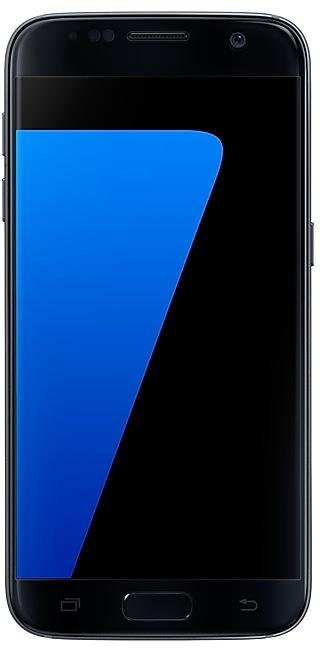
Download Samsung Firmware SM-G9300
Samsung Galaxy S7
The latest firmware for Samsung Galaxy S7 (SM-G9300) is G9300ZCS5CTA1 with Android 8.0.0 (Nougat), released on January 23, 2020 for 1 region (CSC). Every official firmware build for SM-G9300, newest first: one row per build with all regions (CSC) that received it.
- Builds
- 23 builds
- Regions (CSC)
- 1 region
Firmware builds for SM-G9300
- CHC
- CHC
- CHC
- CHC
- CHC
- CHC
- CHC
- CHC
- CHC
- CHC
- CHC
- CHC
- CHC
- CHC
- CHC
- CHC
- CHC
- CHC
- CHC
- CHC
- CHC
- CHC
- CHC
Each firmware build has its own page at https://samfirm.shop/build/{PDA}, where {PDA} is the build number from the list above. Example: https://samfirm.shop/build/G9300ZCS5CTA1
SM-G9300 update history
SM-G9300 started on Android 6 and has received 2 major Android upgrades; it now runs Android 8.0.0 (Nougat). The newest build, G9300ZCS5CTA1, was released on January 23, 2020 with the December 2019 security patch. No new build has appeared for 82 months, so regular updates for this model have most likely ended.
Device specifications
- Launched with
- Android 6.0
- Display diagonal
- 12.9 cm (5.1")
- Display resolution
- 2560 x 1440 pixels
- Display type
- SAMOLED
- RAM
- 4 GB
- RAM type
- LPDDR4
- Rear camera resolution
- 12 MP
- Rear camera type
- Single camera
- Battery capacity
- 3000 mAh
- Weight
- 152 g
Specifications of SM-G930F, a regional variant of the same device. Chipset and SIM lines are left out: they can differ by region.
Changelog for SM-G9300
- The latest Android security patch has been applied.
ㆍDevice security has been further enhanced.
- Other bug fixes
ㆍThe stability of S voice has been improved.
- The latest Android security patch has been applied.
ㆍDevice security has been further enhanced.
- Added new feature
ㆍChina Telecom VoLTE function has been added.
- "Samsung video" service will be terminated. "Samsung video" application will no longer be available and will be deleted.
- The latest Android security patch has been applied.
ㆍDevice security has been further enhanced.
- G9300ZCS4CSG3Aug 7, 2019
- G9300ZCS4CSC1Apr 1, 2019
- G9300ZCS4CSB3Mar 18, 2019
- G9300ZCS3CRJ2Nov 26, 2018
- G9300ZCS3CRI1Oct 17, 2018
- Other bug fixes
ㆍFixes the issue that application icon display problem installed in the SD card.
- The latest Android security patch has been applied.
ㆍDevice security has been further enhanced.
Show 21 older builds
- Added new feature
ㆍSamsung Reader application will be added.
- Improved performance
ㆍSohu news APP will be updated.
- The latest Android security patch has been applied.
ㆍDevice security has been further enhanced.
Samsung Experience 9.0 brings you Android Oreo, with exciting new features from Samsung and Google based on feedback from users like you.
We recommend that you back up your important data to keep it safe during the upgrade.
Some apps, including Samsung Pay, Samsung Internet, Memo, and Email, should be updated individually before you can update your OS.
- The user settings of easy mode may be removed on new OS, please reset them after OS upgrade...
- Improved performance
ㆍDevice performance has been improved. ( Game Tools, App install )
- The latest Android security patch has been applied.
ㆍDevice security has been further enhanced.
- The Sohu News and Sina Finance in the edge panel will not be supported from this version.
- Improved performance
ㆍDevice performance has been improved.(InCall, MediaScan)
- The latest Android security patch has been applied.
ㆍDevice security has been further enhanced.
- Other bug fixes
ㆍThe information provider of the weather widget has been changed, and the city that you saved after the upgrade disappears.
( Reset after upgrade is required. )
- Added new feature
ㆍThe Mobike function is added. ( It is possible to unlock Mobike bicycle with Samsung camera. )
- Improved performance
ㆍThe version of the Spam call function is updated. ( Spam Call Service SDK 6.0 )
- The latest Android security patch has been applied.
ㆍDevice security has been further enhanced.
- Improved performance
ㆍPerformance improvement by efficient memory management.
ㆍThe stability of the Bluetooth is improved.
- The latest Android security patch has been applied.
ㆍDevice security has been further enhanced.
- Peformence improvements
ㆍA speed was improved when installing the apps.
ㆍThe boot time of the device is improved.
ㆍThe WLAN version is updated.
ㆍGallary application is updated.
- Added new feature
ㆍAGIF Calling function is added.
- The application is updated from "S-Roaming" to "Samsung Data Store".
- Other bug fixes
ㆍFixed an issue that the Smart Manager terminates abnormally.
ㆍS-Health application and E-mail application possible deleted.
ㆍFixed an issue that the contents saved in the secure folder app disappears when restarted.
- Improved performance
ㆍInstallation of the application Usability is improved.
- The latest Android security patch has been applied.
ㆍDevice security has been further enhanced.
- Improved performance
ㆍImproved Wlan connection capability.
ㆍThe Handwritten input recognition rate is improved.
ㆍThe stability of the floating message is improved.
- Other bug fixes
ㆍSamsung Account will be improved to use Network in the background.
ㆍSamsung MILK Music, Online video App will be reset to factory settings.
- The latest Android security patch has been applied.
ㆍDevice security has been further enhanced.
※ Due to additional features and performance improvements, user memory will...
- Other bug fixes
ㆍWhen receiving a call, the problem that the part under the message indicating the position of the phone is not displayed is solved.
ㆍProblems that are only repeatedly loading when searching applications from the app store are solved.
ㆍSolved the camera operation error problem.
ㆍThe stability of the floating message is improved.
ㆍThe place error problem of the Toast pop up is solved.
- The latest Android security patch has been applied.
ㆍDevice security has been further enhance...
- Improved performance
ㆍApplication entry speed is improved.
ㆍEnhanced the RAM performance
ㆍThe Assisted GPS performance is improved.
- Other bug fixes
ㆍFixed an occasional error when using a transportation card with Samsung Pay.
- The latest Android security patch has been applied.
ㆍDevice security has been further enhanced.
- Other bug fixes
ㆍFixed an issue that forced shutdown when applying camera effects.
ㆍProblem that the camera can not be executed is resolved.
ㆍThe Stability of Samsung Pay Function has been improved.
ㆍFixes an issue where you can not download Galaxy Apps from Wlan.
ㆍFixed a problem that forced termination when entering the Wlan settings menu.
ㆍFixed issue where "Power Off Alram" function does not work.
ㆍResolves the problem of changing to default font size on reboot.
ㆍFixes an issue where photo...
- OS upgrade - Android 7.0 Nougat
- Provides new UX and various performance modes
- Improved usability of the Notification feature and Quick settings button
- Improved usability of the Multi window and setting menu
- Improved setting menu and AOD feature
- Efficient space for installation of downloaded apps, improved speed of system upgrade and app installation
- Galaxy Labs features have been removed.
- S Planner has been renamed "Calendar".
- Music has been renamed "Samsung MILK Music".
- Cloc...
- Samsung Cloud service is terminated after On January 20 day in 2017.
• Wish to download data stored in the cloud and move with backup.
- Improved performance
• The stability of the gallery app is improved.
• The stability of S Roaming app is improved.
- Other bug fixes
• Fixed the issue that Samsung input method editors is terminated
• The problem that wall paper gets crooked intermittently is solved.
• The problem that the optimization stationery appears after booting intermittently is...
- Other bug fixes
ㆍFixed an issue that device overheating while using some apps.
ㆍFixes the issue that overdischarge when using device.
- The latest Android security patch has been applied.
ㆍDevice security has been further enhanced.
- The frame speed information of the game app is displayed.(Game Tuner)
- Other bug fixes
ㆍIt is improved so that the Sohu News App deletion can be possible.
ㆍThe problem that ringbackㆍtone of the specific region doesn't give is solved.
- The latest Android security patch has been applied.
ㆍDevice security has been further enhanced.
- Improved performance
ㆍThe quality of VoLTE has been improved.
ㆍThe Stability of fingerprints sensor has been improved
ㆍImprove the power consumption for data download
- Other bug fixes
ㆍDevice overheating issue has been fixed when playing games.
- The latest Android security patch has been applied.
ㆍDevice security has been further enhanced.
- Other bug fixes
ㆍFixed an issue that are intermittently blacked when viewing a photo by using the WeChat app.
- The latest Android security patch has been applied.
ㆍDevice security has been further enhanced.
- Other bug fixes
ㆍFixed an issue that are intermittently blacked when viewing a photo by using the WeChet app.
ㆍFixed an issue that is terminated while using the Launcher
- The latest Android security patch has been applied.
ㆍDevice security has been further enhanced..
- Added the SㆍRoaming app
ㆍThe user has to use an inexpensive data roaming abroad.(Call/SMS exception)
- Improved performance
ㆍTSP(Touch Screen Panel) reacting speed is improved.
- Other bug fixes
ㆍFixed issue that the device screen was sometimes rotated when user make a video call.
ㆍFixed an issue that the sound was a little small when voice was recorded via Wechat app.
- The latest Android security patch has been applied.
ㆍDevice security has been further enhanced.
- The latest Android security patch has been applied.
ㆍDevice security has been further enhanced.
Similar Models
- https://samfirm.shop/model/SM-G930AZK

Samsung Galaxy S7 32GB Certified Pre-Owned
SM-G930AZK
- https://samfirm.shop/model/SM-G935TZK

Samsung Galaxy S7 edge 32GB Certified Re-Newed
SM-G935TZK
- https://samfirm.shop/model/SM-G928A

Samsung Galaxy S6 edge+
SM-G928A
- https://samfirm.shop/model/SM-G925A

Samsung Galaxy S6 edge
SM-G925A
- https://samfirm.shop/model/SM-G920X

Samsung Galaxy S6
SM-G920X


Frequently Asked Questions
What is the latest Android version for SM-G9300?
The newest firmware for SM-G9300 runs Android 8.0.0 (Nougat): build G9300ZCS5CTA1, released on January 23, 2020.
When did SM-G9300 get its last update?
The latest build for SM-G9300, G9300ZCS5CTA1, was released on January 23, 2020 (6 years ago).
How often does SM-G9300 get updates?
SM-G9300 has had no new firmware for 82 months, so regular updates have most likely ended.
Is the firmware for SM-G9300 official?
Yes, all firmware files for SM-G9300 are 100% official, original, and obtained directly from Samsung servers.
How to flash Samsung SM-G9300 using Odin?
To flash SM-G9300, you need to download the appropriate firmware, put your device into Download Mode, and use the Odin tool to load the BL, AP, CP, and CSC files.
Can I downgrade the Android version on SM-G9300?
Downgrading is only possible if the bootloader version (binary bit) of the old firmware matches the current one. Always check the binary version before flashing SM-G9300.