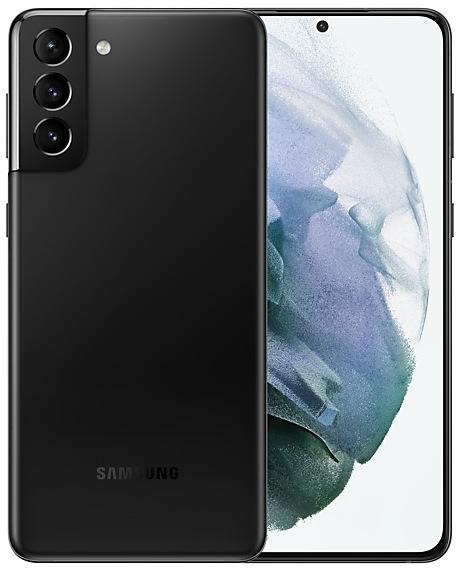
Samsung Galaxy S21+ 5G G996BXXS9FXAI Firmware
Samsung Galaxy S21+ 5G G996BXXS9FXAI is an Android 14 firmware for Australia (OPS, TEL, VAU, XSA), Singapore (MM1, SIN, STH, XSP), Vietnam (XXV). It is the same firmware configured per region and carrier (CSC). Find your country below, verify the file and download for free. Compared with the previous build G996BXXS9FXAH https://samfirm.shop/build/G996BXXS9FXAH, Android and the bootloader binary are unchanged, so you can switch between the two in both directions. A newer build for SM-G996B is available: G996BXXUJHZF2 https://samfirm.shop/build/G996BXXUJHZF2.
Bootloader binary 9. Flashing firmware with a lower binary is usually blocked by Samsung anti-rollback.
All regional downloads
Pick your region (CSC) to download the matching firmware package.
| Model | Region | CSC Version | Release date | Size | File name | Download |
|---|---|---|---|---|---|---|
| SM-G996B |
MM1, SIN, STH, XSP Singapore
OPS, TEL, VAU, XSA Australia
XXV Vietnam | G996BOXM9FXAI | 2024-02-16 | 7.677 GiB | SM-G996B_4_20240201115110_kvbi0k6q44_fac.zip | Download |
No matching downloads
How to flash G996BXXS9FXAI
- G996BXXS9FXAI has bootloader binary 9. Your device must run binary 9 or lower: it is the 5th character from the end of your current build number.
- CSC: Use CSC for a clean install, to change the region (CSC code), to downgrade or to repair a device that does not boot.
- HOME_CSC: Use HOME_CSC to update the same model and region while keeping your data. Back up anyway: a failed update can still require a reset.
- The Download Mode key combo depends on the model: see all combos.
What's new in G996BXXS9FXAI
• The security of your device has been improved.
Security patch: February 2024
SMR Feb-2024 fixes 68 vulnerabilities, 3 of them critical. Android Security Bulletin: 60, Samsung-specific issues (SVE): 8.
Most severe Samsung fixes:
- high Out-of-bounds Write in padmd_vld_htbl of libpadm.so (CVE-2024-20812)
- high Out-of-bounds Write in padmd_vld_qtbl of libpadm.so (CVE-2024-20813)
- high Improper authentication vulnerability in Auto Hotspot (CVE-2024-20816)
Rollout of G996BXXS9FXAI by region
- First release
- February 16, 2024
- Last region
- February 20, 2024
- Duration
- 5 days
- Regions
- 9
- Day 1 · · 1 regionVietnamXXV
- Day 4 · · 4 regionsSingaporeMM1SINSTHXSP
- Day 5 · · 4 regionsAustraliaOPSTELVAUXSA
Device specifications
- Launched withAndroid 11
- Display diagonal17 cm (6.7")
- Display resolution2400 x 1080 pixels
- Display typeDynamic AMOLED 2X
- Processor frequency2.9 GHz
- RAM8 GB
- RAM typeLPDDR5
- Rear camera resolution12 MP
- Rear camera typeTriple camera
- SIM cardsDual SIM
- Battery capacity4800 mAh
- Weight202 g
Frequently Asked Questions
Other builds and changelog for Samsung Galaxy S21+ 5G
• Stability and reliability
Device behavior has been improved.
These changes may vary depending on the model, country, or network operator of the customer environment.
• Security
The device is protected with improved security.
These changes may vary depending on the model, country, or network operator of the customer environment.
- G996BXXSJHZC2Mar 19, 2026
- G996BXXSJHZA6Jan 29, 2026
- G996BXXSIHYK1Nov 27, 2025
- G996BXXSHHYJ1Oct 21, 2025
- G996BXXSGHYH4Aug 28, 2025
- G996BXXSGHYH1Aug 28, 2025
• Security
The device is protected with improved security.
Visual enhancements
Enjoy a more sophisticated and unique look. One UI 7 introduces a stunning redesign to key components including buttons, menus, notifications and control bars, providing a more consistent visual experience with curves and circles. Beautiful new colors, soft animations, and an innovative blur effect that's unique to One UI make information hierarchy clearer and help you focus on important information.
Reimagined Home screen
Fr...
• The security of your device has been improved.
Show 10 older builds
Instantly search for anything on your screen
Circle to Search with Google lets you easily learn more about anything shown on your screen without switching apps. Just touch and hold the Home button or navigation handle, then circle anything on the screen to start a Google search.
Effortlessly enhance your photos
Get special AI recommendations for enhancing your photos and videos. You'll find options for adding star trails, colorizing,...
• The security of your device has been improved.
- G996BXXSEGYA2Feb 17, 2025
- G996BXXSEGXL2Jan 16, 2025
- G996BXXSEGXK1Dec 16, 2024
• Security
The device is protected with improved security.
• The security of your device has been improved.
• Security
The device is protected with improved security.
• The security of your device has been improved.
- G996BXXSCGXH8Sep 25, 2024
- G996BXXSCGXH7Sep 11, 2024
• Stability and reliability
Device behavior has been improved.
• Security
The device is protected with improved security.