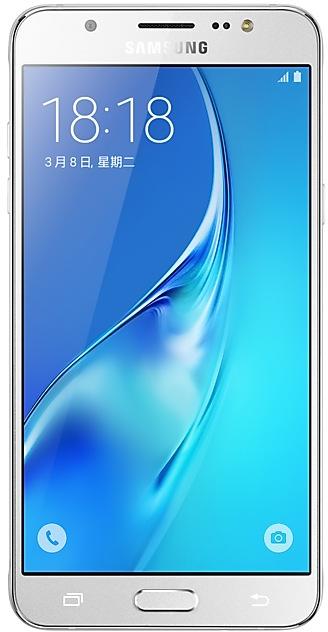
Samsung Galaxy J5(2016) J5108ZMU1BQL1 Firmware
Samsung Galaxy J5(2016) J5108ZMU1BQL1 is an Android 6.0.1 (Marshmallow) firmware for China (CHM). It is the same firmware configured per region and carrier (CSC). Find your country below, verify the file and download for free. Compared with the previous build J5108ZHU1BQJ1 https://samfirm.shop/build/J5108ZHU1BQJ1, Android and the bootloader binary are unchanged, so you can switch between the two in both directions. A newer build for SM-J5108 is available: J5108ZMU1BRG1 https://samfirm.shop/build/J5108ZMU1BRG1.
Bootloader binary 1. Flashing firmware with a lower binary is usually blocked by Samsung anti-rollback.
All regional downloads
Pick your region (CSC) to download the matching firmware package.
| Model | Region | CSC Version | Release date | Size | File name | Download |
|---|---|---|---|---|---|---|
| SM-J5108 |
CHM China | J51081BQL1 | 2017-12-26 | — | — | Download |
| SM-J5108 |
CHM China | J5108CHM1BQL1 | 2017-12-20 | 1.372 GiB | SM-J5108_1_20180810132440_6tkpo7kvgw_fac.zip | Download |
No matching downloads
How to flash J5108ZMU1BQL1
- J5108ZMU1BQL1 has bootloader binary 1. Your device must run binary 1 or lower: it is the 5th character from the end of your current build number.
- CSC: Use CSC for a clean install, to change the region (CSC code), to downgrade or to repair a device that does not boot.
- HOME_CSC: Use HOME_CSC to update the same model and region while keeping your data. Back up anyway: a failed update can still require a reset.
- The Download Mode key combo depends on the model: see all combos.
What's new in J5108ZMU1BQL1
- The widget "Search 4x1" will be deleted.
- Improved performance
ㆍThe stability of the floating message is improved.
ㆍImproved app enter/exit animation speed. ( It is applied to all apps. )
ㆍImproved SMS successful receiving rate.
- Other bug fixes
ㆍFixed an issue that the location of weather widget does not update.
- The latest Android security patch has been applied.
ㆍDevice security has been further enhanced.
Device specifications
- Launched withAndroid 6.0
- Display diagonal13.2 cm (5.2")
- Display resolution1280 x 720 pixels
- Display typeSAMOLED
- RAM2 GB
- Rear camera resolution13 MP
- Rear camera typeSingle camera
- Battery capacity3100 mAh
- Weight158 g
Specifications of SM-J510F, a regional variant of the same device. Chipset and SIM lines are left out: they can differ by region.
Frequently Asked Questions
Other builds and changelog for Samsung Galaxy J5(2016)
- The latest Android security patch has been applied.
ㆍDevice security has been further enhanced.
- J5108ZMU1BRG1Aug 13, 2018
- J5108ZHU1BRB1Mar 6, 2018
- J5108ZMS1BRA1Feb 2, 2018
- The widget "Search 4x1" will be deleted.
- Improved performance
ㆍThe stability of the floating message is improved.
ㆍImproved app enter/exit animation speed. ( It is applied to all apps. )
ㆍImproved SMS successful receiving rate.
- Other bug fixes
ㆍFixed an issue that the location of weather widget does not update.
- The latest Android security patch has been applied.
ㆍDevice security has been further enhanced.
- The latest Android security patch has been applied.
ㆍDevice security has been further enhanced.
- J5108ZHU1BQJ1Nov 16, 2017
- J5108ZHS1BQG3Aug 2, 2017
- J5108ZMS1BQF1Jul 11, 2017
ㆍOS upgrade - Android 6.0 Marshmallow
ㆍThe new TouchWiz provides enhanced usability and an updated visual design.
※ Android 6.0 Marshmallow does not support the Decrypt device function. If your mobile device is encrypted, encryption cannot be disabled after upgrading. If you want encryption to be disabled after upgrading, it must be disabled before you upgrade your device. To disable encryption go to Settings - Lock screen and security - Other security settings, then select Decrypt device.
※ Som...
ㆍOS upgrade - Android 6.0 Marshmallow
ㆍThe new TouchWiz provides enhanced usability and an updated visual design.
※ Android 6.0 Marshmallow does not support the Decrypt device function. If your mobile device is encrypted, encryption cannot be disabled after upgrading. If you want encryption to be disabled after upgrading, it must be disabled before you upgrade your device. To disable encryption go to Settings - Lock screen and security - Other security settings, then select Decrypt device.
※ bub...
New firmware for other devices
- Galaxy Z Fold8SM-F971N https://samfirm.shop/model/SM-F971N
- Galaxy XCover7 ProSM-G766U https://samfirm.shop/model/SM-G766UTMBTMK
- Galaxy A56 5GSM-A5660 https://samfirm.shop/model/SM-A5660CHC
- Galaxy A16 5GSM-A1660 https://samfirm.shop/model/SM-A1660BRITGY
- 心系天下 三星 W27SM-W9027 https://samfirm.shop/model/SM-W9027CHC