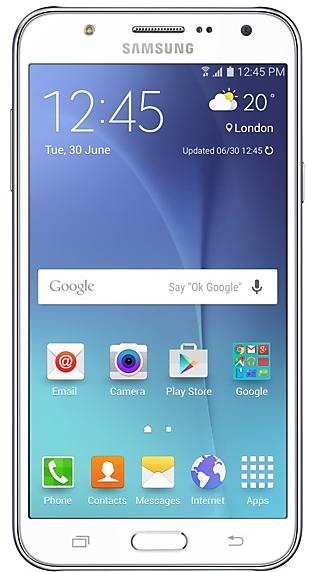
Samsung Galaxy J7 J700FZTU2APG3 Firmware
Samsung Galaxy J7 J700FZTU2APG3 is an Android 5.1.1 (Lollipop) firmware for Taiwan (BRI). It is the same firmware configured per region and carrier (CSC). Find your country below, verify the file and download for free. Compared with the previous build J700FXXU2APG3 https://samfirm.shop/build/J700FXXU2APG3: Android updated from Android 5.1.1 to Android 5.1.1 (Lollipop). A newer build for SM-J700F is available: J700FXXU4BVH1 https://samfirm.shop/build/J700FXXU4BVH1.
Bootloader binary 2. Flashing firmware with a lower binary is usually blocked by Samsung anti-rollback.
All regional downloads
Pick your region (CSC) to download the matching firmware package.
How to flash J700FZTU2APG3
- J700FZTU2APG3 has bootloader binary 2. Your device must run binary 2 or lower: it is the 5th character from the end of your current build number.
- CSC: Use CSC for a clean install, to change the region (CSC code), to downgrade or to repair a device that does not boot.
- HOME_CSC: Use HOME_CSC to update the same model and region while keeping your data. Back up anyway: a failed update can still require a reset.
- The Download Mode key combo depends on the model: see all combos.
What's new in J700FZTU2APG3
- Other bug fixes
ㆍFixed the issue that app icon cannot change with theme
ㆍAn occasional internal device stability issue has been resolved.
- The latest Android security patch has been applied.
ㆍDevice security has been further enhanced.
Frequently Asked Questions
Other builds and changelog for Samsung Galaxy J7
· Device stability improvements, bug fixes.
· New and / or enhanced features.
· Further improvements to performance.
- J700FXXU4BVH1Sep 8, 2022
- J700FXXU4BVG2Aug 3, 2022
- J700FXXU4BRL2Dec 22, 2018
- J700FXXU4BRL1Dec 5, 2018
- J700FXXU4BRD1Apr 25, 2018
- J700FXXU4BRC2Mar 16, 2018
- J700FXXU4BRA1Feb 15, 2018
- J700FXXU4BQL1Dec 7, 2017
- J700FXXU4BQI2Sep 22, 2017
- J700FXXU4BQH1Aug 3, 2017
- J700FXXU4BQF3Jun 21, 2017
- J700FXXS4BQF1Jun 6, 2017
- J700FXXU4BQE3May 8, 2017
- J700FXXU4BQC6Mar 22, 2017
- J700FXXU4BQC5Mar 17, 2017
- J700FZTS4ARH1
- The latest Android security patch has been applied.
ㆍDevice security has been further enhanced.
- J700FXXU3BQA2Jan 16, 2017
- J700FXXU3BPL6Dec 19, 2016
- J700FXXU3BPL5