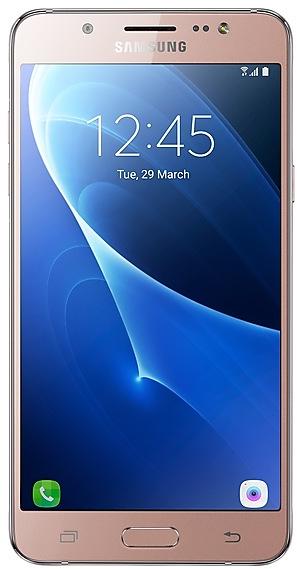
Samsung Galaxy On8 J710FXXU6CZC2 Firmware
Samsung Galaxy On8 J710FXXU6CZC2 is an Android 8.1.0 firmware for Netherlands (PHN). It is the same firmware configured per region and carrier (CSC). Find your country below, verify the file and download for free. Compared with the previous build J710FXXS6CTJ3 https://samfirm.shop/build/J710FXXS6CTJ3, Android and the bootloader binary are unchanged, so you can switch between the two in both directions. This is the newest build for SM-J710FN.
Bootloader binary 6. Flashing firmware with a lower binary is usually blocked by Samsung anti-rollback.
All regional downloads
Pick your region (CSC) to download the matching firmware package.
| Model | Region | CSC Version | Release date | Size | File name | Download |
|---|---|---|---|---|---|---|
| SM-J710FN |
PHN Netherlands | J710FPHN6CZC2 | 2026-04-16 | 2.006 GiB | SM-J710FN_1_20260320150620_rlpwsstk7f_fac.zip | Download |
No matching downloads
How to flash J710FXXU6CZC2
- J710FXXU6CZC2 has bootloader binary 6. Your device must run binary 6 or lower: it is the 5th character from the end of your current build number.
- CSC: Use CSC for a clean install, to change the region (CSC code), to downgrade or to repair a device that does not boot.
- HOME_CSC: Use HOME_CSC to update the same model and region while keeping your data. Back up anyway: a failed update can still require a reset.
- The Download Mode key combo depends on the model: see all combos.
Device specifications
- Launched withAndroid 6.0
- Display diagonal14 cm (5.5")
- Display resolution1280 x 720 pixels
- Display typeSAMOLED
- Processor frequency1.6 GHz
- RAM2 GB
- Rear camera resolution13 MP
- Rear camera typeSingle camera
- SIM cardsSingle SIM
- Battery capacity3300 mAh
- Weight169 g
Frequently Asked Questions
Other builds and changelog for Samsung Galaxy On8
- J710FXXU6CZC2Mar 20, 2026
- J710FXXS6CTJ3Nov 18, 2020
- J710FXXS6CTJ2Nov 17, 2020
- J710FXXS6CTJ1Nov 3, 2020
- J710FXXU6CTB1Feb 11, 2020
Samsung Experience 9.5 brings you Android Oreo, with exciting new features from Samsung and Google based on feedback from users like you.
We recommend that you back up your important data to keep it safe during the upgrade.
Some apps, including Samsung Internet, Samsung Notes, and Email, should be updated individually before you can update your OS.
Here’s what’s new.
Quick Panel
- Manage notifications for each app with notification categories...
- J710FXXU6CSK1Nov 1, 2019
- J710FXXU6CSJ3Oct 21, 2019
Samsung Experience 9.5 brings you Android Oreo, with exciting new features from Samsung and Google based on feedback from users like you.
We recommend that you back up your important data to keep it safe during the upgrade.
Some apps, including Samsung Internet, Samsung Notes, and Email, should be updated individually before you can update your OS.
Here’s what’s new.
Quick Panel
- Manage notifications for each app with notification categories...
- J710FXXU6CSI2Sep 26, 2019
- J710FXXU6CSG4Jul 30, 2019
- J710FXXU6CSG1Jul 4, 2019
Show 8 older builds
· The security of your device has been improved.
- J710FXXS5CTI3Oct 14, 2020
- J710FXXU5CRL2Dec 27, 2018
- J710FXXU5CRK6Nov 27, 2018
- J710FXXU5CRK4Nov 19, 2018
- J710FXXU5CRJDNov 2, 2018
- J710FXXU5CRJ8Oct 15, 2018
- J710FXXU5CRJ7Oct 19, 2018