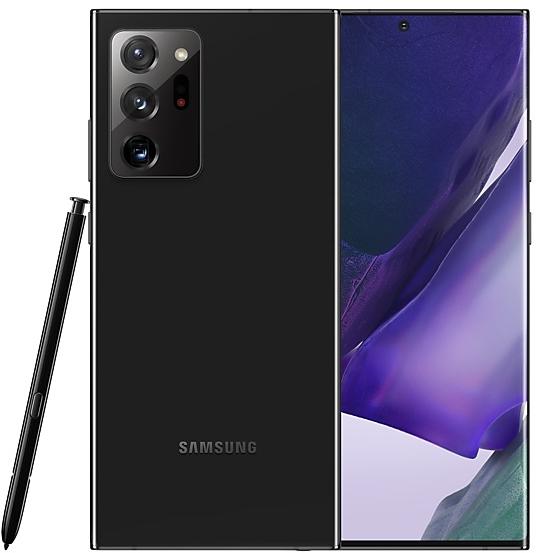
Samsung Galaxy Note20 Ultra N985FXXU5HWAC Firmware
Samsung Galaxy Note20 Ultra N985FXXU5HWAC is an Android 13 firmware for 49 countries, 85 CSC codes. It is the same firmware configured per region and carrier (CSC). Find your country below, verify the file and download for free. Compared with the previous build N985FXXS5GWB5 https://samfirm.shop/build/N985FXXS5GWB5, Android and the bootloader binary are unchanged, so you can switch between the two in both directions. A newer build for SM-N985F is available: N985FXXSIHYH5 https://samfirm.shop/build/N985FXXSIHYH5.
Bootloader binary 5. Flashing firmware with a lower binary is usually blocked by Samsung anti-rollback.
All regional downloads
Pick your region (CSC) to download the matching firmware package.
| Model | Region | CSC Version | Build Date | Release date | Size | File name | Download |
|---|---|---|---|---|---|---|---|
| SM-N985F |
ACR, KSA Saudi Arabia
AFG Afghanistan
AFR, DKR Kenya
BTC, LYS Libya +34 more countries
CAC Uzbekistan
CAM Cambodia
CAU, SKZ Kazakhstan
CHO Chile
COO Colombia
DBT Germany
ECT Nigeria
EGY Egypt
EON Trinidad & Tobago
GTO Guatemala
ILO Israel
LAO Laos
MID Iraq
MSR, SEE Serbia
MWD Morocco
MXO Mexico
MYM Myanmar (Burma)
NPL Nepal
PAK Pakistan
PEO Peru
SEK Ukraine
SER Russia
THL Thailand
TOP Montenegro
TPA Panama
TUN Tunisia
TUR Turkey
VNZ, XNZ New Zealand
XFA South Africa
XSA Australia
XSG United Arab Emirates
XTC Philippines
XXV Vietnam
ILP | N985FOXM5HWAC | 2023-03-17 | 2023-02-20 | 7.497 GiB | SM-N985F_4_20230201155720_h2q2jzralj_fac.zip | Download |
| SM-N985F |
ALE Ecuador
ANC Argentina
BAT, IUS, UNE Mexico
CHE Chile +4 more countries
CWW Jamaica
DOR Dominican Republic
ICE Costa Rica
PNT Peru | N985FOWE5HWAC | 2023-04-04 | 2023-02-25 | 6.782 GiB | SM-N985F_4_20230209011940_yqefvcvg5w_fac.zip | Download |
| SM-N985F |
ARO, CTI, PSN, PSP, UFN Argentina
BVO Bolivia
CGU Guatemala
CHT Chile +8 more countries
COB, COL Colombia
CTP, TGP Paraguay
CTU, UFU, UPO, UYO Uruguay
EBE Ecuador
SAM Peru
TMM Mexico
TTT Trinidad & Tobago
CTE, ETE | N985FOWO5HWAC | 2023-03-30 | 2023-02-18 | 6.56 GiB | SM-N985F_4_20230209011336_248bpsxknr_fac.zip | Download |
| SM-N985F |
CDR Dominican Republic
CHL, CRC Chile
COM Colombia
CPA Panama +3 more countries
PET Peru
PGU Guatemala
TCE Mexico | N985FOWA5HWB6 | 2023-04-04 | 2023-03-10 | 6.734 GiB | SM-N985F_4_20230228203211_koq5hgltep_fac.zip | Download |
| SM-N985F |
CDR Dominican Republic
CHL, CRC Chile
COM Colombia
CPA Panama +3 more countries
PET Peru
PGU Guatemala
TCE Mexico | N985FOWA5HWAC | 2023-03-11 | 2023-02-17 | 6.733 GiB | SM-N985F_4_20230209011750_1qivcgsui6_fac.zip | Download |
| SM-N985F |
XID Indonesia | N985FOLE5HWAC | 2023-02-28 | 2023-03-01 | 6.482 GiB | SM-N985F_4_20230210102630_cdit7xwysd_fac.zip | Download |
No matching downloads
How to flash N985FXXU5HWAC
- N985FXXU5HWAC has bootloader binary 5. Your device must run binary 5 or lower: it is the 5th character from the end of your current build number.
- CSC: Use CSC for a clean install, to change the region (CSC code), to downgrade or to repair a device that does not boot.
- HOME_CSC: Use HOME_CSC to update the same model and region while keeping your data. Back up anyway: a failed update can still require a reset.
- The Download Mode key combo depends on the model: see all combos.
What's new in N985FXXU5HWAC
One UI 5.1 takes your phone to the next level with new Gallery features as well as productivity and personalization enhancements.
Quickly change the color tone for selfies
It's easier to change the color tone of your selfies using the Effects button at the top of the screen.
Discover Expert RAW
Expert RAW lets you take high-quality shots, perfect for those who want to have full control and edit photos later. Expert RAW is now easier to access from the More menu in Camera.
More powerful search
You can now search your Gallery for more than one person or subject at the same time. You can even search for people without tagging their names just by tapping their faces.
Enhanced image remastering
Remastering does more to make your pictures look great by removing shadows and reflections. You can also remaster GIFs for better resolution and clarity. Preview has also been improved to make it easier to compare the original picture with the remaster.
Create a shared family album
It’s easier than ever to share pictures with your family. Gallery will recommend pictures to add to your shared family album by recognizing the faces of family members you select. You get 5 GB of storage for each family member (up to 6 people).
Revamped info display
When you swipe up while viewing a picture or video in your Gallery, you can see when and where the picture was taken, which device took the picture, where the picture is stored, and more. Now with a simpler layout.
Easily minimize or switch to full screen
You can now minimize or maximize an app window without going to the options menu. Just drag one of the corners.
Access your most used apps in split screen
When you start a split-screen view, the apps you use most often will be shown below your recently used apps to help you find the apps you need faster.
Improved multitasking in DeX
In split-screen view, you can now drag the divider in the center of the screen to resize both windows. You can also snap a window to one of the corners to make it fill a quarter of the screen.
Change wallpapers based on your mode
Set a different wallpaper based on your current activity. Choose one wallpaper for work, one for exercising, and more.
More actions for routines
New actions let you control Quick Share and Touch sensitivity, change your ringtone, and change your font style.
Quick access to useful information
Check severe weather alerts, daily weather summaries, and sunrise/sunset times at the top of the Weather app. The temperature graph now uses colors to show how the temperature changes throughout the day.
Hourly precipitation graph
An hourly graph now shows how much precipitation has fallen at different times of the day.
Summary on Weather widget
A brief summary of the current weather conditions now appears on the weather widget to let you know if it's sunny, cloudy, raining, or snowing.
Continue browsing on another device
If you're browsing the web on one Galaxy phone or tablet and later open the Internet app on another Galaxy device signed in to the same Samsung account, a button will appear that lets you open the last webpage you were viewing on the other device.
Improved search
Your searches now include the names of bookmark folders and tab groups. Improved search logic lets you find what you're looking for even if something isn't spelled correctly.
Check the battery level of your devices
The new Battery widget lets you check the battery level of your devices, right from the Home screen. You can see how much battery is left on your phone, Galaxy Buds, Galaxy Watch, S Pen, and other supported devices.
Settings suggestions
While signed in to your Samsung account, suggestions will appear at the top of the Settings screen to help you share, connect, and enhance your experience across your Galaxy devices.
Spotify suggestions
The Smart suggestions widget now recommends Spotify tracks and playlists based on your current activity. Get the perfect tunes for driving, exercising, and more. To get suggestions, you need to sign in to a Spotify account in the latest version of the Spotify app.
Choose where to save screenshots and screen recordings
You can now change the folder where screenshots and screen recordings are saved.
Rollout of N985FXXU5HWAC by region
- First release
- February 17, 2023
- Last region
- April 4, 2023
- Duration
- 47 days
- Regions
- 85
- Day 1 · · 1 regionPanamaCPA
- Day 2 · · 2 regionsArgentinaAROCTI
- Day 4 · · 1 regionSerbiaSEE
- Day 8 · · 13 regionsChileCRCColombiaCOLCOOGermanyDBTGuatemalaGTOKazakhstanCAUSKZMontenegroTOPPanamaTPARussiaSERSerbiaMSRUkraineSEKUzbekistanCAC
- Day 9 · · 2 regionsMexicoIUSUNE
- Day 12 · · 4 regionsGuatemalaPGUTrinidad & TobagoTTTUruguayUPOUYO
- Day 13 · · 12 regionsAustraliaXSACambodiaCAMIndonesiaXIDLaosLAOMyanmar (Burma)MYMPeruPEOPETPNTSAMPhilippinesXTCThailandTHLVietnamXXV
- Day 14 · · 1 regionCosta RicaICE
- Day 15 · · 21 regionsAfghanistanAFGEgyptEGYGuatemalaCGUIraqMIDIsraelILOKenyaAFRDKRLibyaBTCLYSMoroccoMWDNigeriaECTPakistanPAKSaudi ArabiaACRKSASouth AfricaXFA
+4 more countries
TunisiaTUNTurkeyTURUnited Arab EmiratesXSGCTEETEILP - Day 16 · · 5 regionsColombiaCOBEcuadorALEMexicoMXOUruguayCTUUFU
Release days not shown: 12.
Device specifications
- Launched withAndroid 10.0
- Display diagonal17.5 cm (6.9")
- Display resolution3088 x 1440 pixels
- Display typeDynamic AMOLED 2X
- Processor frequency2.73 GHz
- Processor familySamsung Exynos
- Processor model990
- RAM8 GB
- Rear camera resolution108 MP
- Rear camera typeTriple camera
- SIM cardsDual SIM
- Battery capacity4500 mAh
- Weight208 g
Frequently Asked Questions
Other builds and changelog for Samsung Galaxy Note20 Ultra
• Security
The device is protected with improved security.
These changes may vary depending on the model, country, or network operator of the customer environment.
- N985FXXSIHYH5Sep 8, 2025
- N985FXXSIHYH3Sep 1, 2025
- N985FXXSHHYG2Jul 30, 2025
- N985FXXSHHYG1Jul 29, 2025
• The security of your device has been improved.
- N985FXXSGHYD2Apr 28, 2025
- N985FXXSGHYD1Apr 28, 2025
- N985FXXSFHXL2Jan 22, 2025
- N985FXXSFHXL1Jan 21, 2025
• Security
The device is protected with improved security.
• The security of your device has been improved.
• Security
The device is protected with improved security.
Show 9 older builds
• The security of your device has been improved.
- N985FXXSDHXH2Aug 26, 2024
- N985FXXSDHXH1Aug 13, 2024
- N985FXXSCHXG2Jul 23, 2024
• Security
The device is protected with improved security.
• The security of your device has been improved.
- N985FXXSBHXF2Jun 20, 2024
- N985FXXSBHXF1Jun 14, 2024
- N985FXXSBHXEAMay 30, 2024
- N985FXXSBHXE9May 23, 2024
- N985FXXSAHXD2Apr 17, 2024