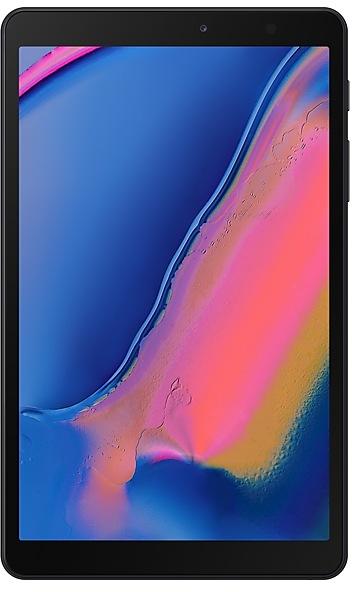
Samsung Galaxy Tab A with S Pen P200ZCU2ATG3_B2BF Firmware
Samsung Galaxy Tab A with S Pen P200ZCU2ATG3_B2BF is an Android 9 (Pie) firmware for China (CHN). It is the same firmware configured per region and carrier (CSC). Find your country below, verify the file and download for free. Compared with the previous build P200ZHU2ASL1 https://samfirm.shop/build/P200ZHU2ASL1, Android and the bootloader binary are unchanged, so you can switch between the two in both directions. A newer build for SM-P200 is available: P200ZHS4CWA3 https://samfirm.shop/build/P200ZHS4CWA3.
All regional downloads
Pick your region (CSC) to download the matching firmware package.
| Model | Region | CSC Version | Size | File name | Download |
|---|---|---|---|---|---|
| SM-P200 |
CHN China | P200C632ATG3 | — | — | Download |
No matching downloads
How to flash P200ZCU2ATG3_B2BF
- CSC: Use CSC for a clean install, to change the region (CSC code), to downgrade or to repair a device that does not boot.
- HOME_CSC: Use HOME_CSC to update the same model and region while keeping your data. Back up anyway: a failed update can still require a reset.
- The Download Mode key combo depends on the model: see all combos.
Device specifications
- Launched withAndroid 9.0
- Display diagonal20.3 cm (8")
- Display resolution1920 x 1200 pixels
- Processor frequency1.8 GHz
- Processor familySamsung Exynos
- Processor model7904
- Rear camera resolution8 MP
- Rear camera typeSingle camera
- Front camera resolution5 MP
- Wi-Fi standardWi-Fi 5 (802.11ac)
- Weight321 g
Frequently Asked Questions
Other builds and changelog for Samsung Galaxy Tab A with S Pen
• The latest Android security patch has been applied.
- Device security has been further enhanced.
· Device stability improvements, bug fixes.
· New and / or enhanced features.
· Further improvements to performance.
• Overall stability of your device has been improved.
• The security of your device has been improved.
• Overall stability of functions improved.
• The security of your device has been improved.
Show 15 older builds
• Overall stability of your device has been improved.
• The security of your device has been improved.
· Device stability improvements, bug fixes.
· New and / or enhanced features.
· Further improvements to performance.
One UI Core 3.1 Upgrade (Android 11)
One UI Core 3.1 is designed to help you focus on what matters. Our visual redesign has improved the places you visit the most, like the Home screen and quick panel, to reduce distractions, highlight important information, and make your experience more consistent. Performance improvements will help apps run quicker while using less battery power. And One UI Core 3.1 puts control in your hands with new privacy controls, one-time permissions, and enhanced Digit...
One UI 3.1 Upgrade (Android 11)
One UI 3.1 is designed to help you focus on what matters. Our visual redesign has improved the places you visit the most, like the Home screen and quick panel, to reduce distractions, highlight important information, and make your experience more consistent. Performance improvements will help apps run quicker while using less battery power. And One UI 3.1 puts control in your hands with new privacy controls, one-time permissions, and enhanced Digital Wellbeing....
• The security of your device has been improved.
· The security of your device has been improved.
· Device stability improvements, bug fixes.
· New and / or enhanced features.
· Further improvements to performance.
- The latest Android security patch has been applied.
ㆍDevice security has been further enhanced.
- P200ZHS3BTK1Dec 17, 2020
- P200ZHU3BTJ2Nov 10, 2020
· Device stability improvements, bug fixes.
· New and / or enhanced features.
· Further improvements to performance.
One UI 2 brings you Android 10, with exciting new features from Samsung and Google based on feedback from users like you.
We recommend that you back up your important data to keep it safe during the upgrade.
Some apps, including Calculator, Samsung Internet, Samsung Health and Samsung Notes, need to be updated individually after you update your OS.
Here's what's new.
Dark mode
- Enhanced image, text, and color adjustments for day and night environments.
- Dark...
• The security of your device has been improved.
• Stability and performance improvements.