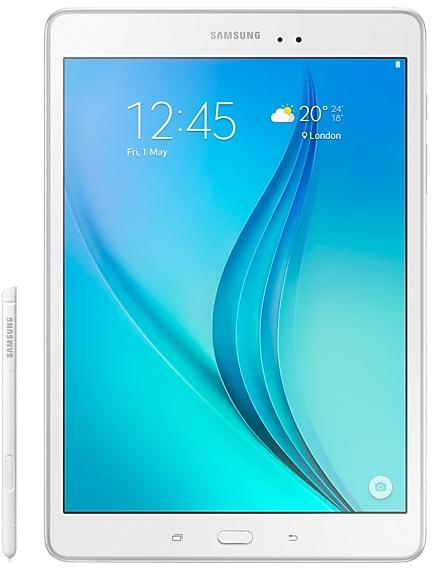
Samsung Galaxy Tab A P550ZCU1BPJ4 Firmware
Samsung Galaxy Tab A P550ZCU1BPJ4 is an Android 6.0.1 (Marshmallow) firmware for China (CHN). It is the same firmware configured per region and carrier (CSC). Find your country below, verify the file and download for free. Compared with the previous build P550XXU1BPJ2 https://samfirm.shop/build/P550XXU1BPJ2, Android and the bootloader binary are unchanged, so you can switch between the two in both directions. A newer build for SM-P550 is available: P550XXS1CTK4 https://samfirm.shop/build/P550XXS1CTK4.
Bootloader binary 1. Flashing firmware with a lower binary is usually blocked by Samsung anti-rollback.
All regional downloads
Pick your region (CSC) to download the matching firmware package.
How to flash P550ZCU1BPJ4
- P550ZCU1BPJ4 has bootloader binary 1. Your device must run binary 1 or lower: it is the 5th character from the end of your current build number.
- CSC: Use CSC for a clean install, to change the region (CSC code), to downgrade or to repair a device that does not boot.
- HOME_CSC: Use HOME_CSC to update the same model and region while keeping your data. Back up anyway: a failed update can still require a reset.
- The Download Mode key combo depends on the model: see all combos.
What's new in P550ZCU1BPJ4
· OS upgrade - Android 6.0 Marshmallow
· The new TouchWiz provides a brand-new visual design and enhanced usability
· Quick connect makes device connection more convenient
· Advanced Network power saving mode restricts background data and extends battery life
· Settings for the following have been reset: Email, Icon/Widget
※ After upgrade, Samsung Magazine will be replaced by Samsung Reader, and GameBox and Search icon will be deleted.
※ Android 6.0 Marshmallow does not support the Decrypt device function anymore.
If encryption function is not used anymore, Please disable encryption before the device is upgraded. (Settings →Lock screen and security → Other security settings → Disable encrypt device)
※ Some apps may be incompatible after OS upgraded. please update the apps to the latest version via Galaxy Apps.
※ If present, the Email shortcut on your home screen will be removed during the upgrade. It can be added to the home screen again after upgrading.
※ The functionality of some features may differ after the upgrade. Some apps may not function normally.
※ Errors during the upgrade may cause data loss. Back up any important data before upgrading.
Device specifications
- Launched withAndroid
- Display diagonal24.6 cm (9.7")
- Display resolution1024 x 768 pixels
- Processor frequency1.2 GHz
- Rear camera resolution5 MP
- Rear camera typeSingle camera
- Front camera resolution2 MP
- Wi-Fi standardWi-Fi 4 (802.11n)
- Weight487 g
Frequently Asked Questions
Other builds and changelog for Samsung Galaxy Tab A
- P550XXS1CTI7Oct 12, 2020
- P550XXS1CTI3
• The security of your device has been improved.
- P550XXS1CTI2Oct 30, 2020
- P550XXS1CTI1Oct 10, 2020
· Device stability improvements, bug fixes.
· New and / or enhanced features.
· Further improvements to performance.
Show 11 older builds
- P550XXU1CRG1Jul 23, 2018
- P550XXU1CQL1Dec 6, 2017
- P550XXU1CQJ1Oct 3, 2017
- P550XXU1CQI8Sep 20, 2017
- The latest Android security patch has been applied.
ㆍDevice security has been further enhanced.
- Removed the Baidu Maps app.
- The latest Android security patch has been applied.
ㆍDevice security has been further enhanced.
- Samsung Cloud service was terminated, after On January 20 day in 2017.
• Cloud interworking task of the My files and gallery was deleted.
- The latest Android security patch has been applied.
• Device security has been further enhanced.
• Improved performance
- S Planner application is updated.
- S Browser application is updated.
- Sinaweibo application is updated.
• The latest Android security patch has been applied.
- Device security has been further enhanced.