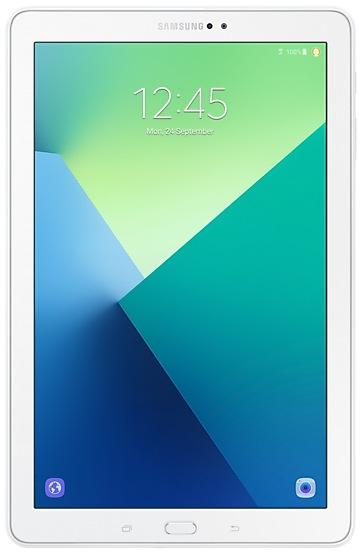
Samsung Galaxy Tab A (2016) with S Pen P583ZCU1BQE6 Firmware
Samsung Galaxy Tab A (2016) with S Pen P583ZCU1BQE6 is an Android 7.0 (Nougat) firmware for China (CHN). It is the same firmware configured per region and carrier (CSC). Find your country below, verify the file and download for free. A newer build for SM-P583 is available: P583ZCS3CTJ1 https://samfirm.shop/build/P583ZCS3CTJ1.
Bootloader binary 1. Flashing firmware with a lower binary is usually blocked by Samsung anti-rollback.
All regional downloads
Pick your region (CSC) to download the matching firmware package.
How to flash P583ZCU1BQE6
- P583ZCU1BQE6 has bootloader binary 1. Your device must run binary 1 or lower: it is the 5th character from the end of your current build number.
- CSC: Use CSC for a clean install, to change the region (CSC code), to downgrade or to repair a device that does not boot.
- HOME_CSC: Use HOME_CSC to update the same model and region while keeping your data. Back up anyway: a failed update can still require a reset.
- The Download Mode key combo depends on the model: see all combos.
What's new in P583ZCU1BQE6
This update includes improvements to functions as listed below.
The exact changes may differ depending on your device model, country, and service provider.
- OS upgrade - Android 7.0 Nougat
- Provides new UX
- Improved usability of the Notification feature and Quick settings button
- Improved usability of the Multi window and setting menu
- Efficient space for installation of downloaded apps, improved speed of system upgrade and app installation
- Clock usability has been improved.
- After upgrade, "Baidu search","Baidu Map","Weibo" will be deleted.
- Add Blue light fileter function
- The latest Android security patch has been applied.
ㆍDevice security has been further enhanced
※ Some apps that haven't been optimised for Android Nougat might not work properly after the upgrade. In this case, upgrade the app to the latest version via Galaxy Apps.
※ The functionality of some features may differ after the upgrade. Some apps may not function normally.
※ Errors during the upgrade may cause data loss. Back up any important data before upgrading.
※ To get the best from your device, please keep your device up to date and regularly check for software updates.
※ The temperature of the device may temporarily increase during the software upgrade or update because of the data download and associated behaviours.
Frequently Asked Questions
Other builds and changelog for Samsung Galaxy Tab A (2016) with S Pen
- The latest Android security patch has been applied.
ㆍDevice security has been further enhanced.
- P583ZCS3CTJ1Dec 8, 2020
- P583ZCU3CSI1Oct 31, 2019
Samsung Experience 9.5 brings you Android Oreo, with exciting new features from Samsung and Google based on feedback from users like you.
We recommend that you back up your important data to keep it safe during the upgrade.
Some apps, including Samsung Internet, Samsung Notes, and Email, should be updated individually before you can update your OS.
Here’s what’s new.
Quick Panel
- Manage notifications for each app with notification categories...
- Improved performance
ㆍGallery and Settings APP will be updated.
- The latest Android security patch has been applied.
ㆍDevice security has been further enhanced.
- Improved performance
ㆍWLAN connetion stability improved.
- The latest Android security patch has been applied.
ㆍDevice security has been further enhanced.
- Below preload Apps change to be deletable.
ㆍOneNote, Email, SamsungOnlineVideo will be deletable.
- The latest Android security patch has been applied.
ㆍDevice security has been further enhanced.
Show 1 older build
This update includes improvements to functions as listed below.
The exact changes may differ depending on your device model, country, and service provider.
- OS upgrade - Android 7.0 Nougat
- Provides new UX
- Improved usability of the Notification feature and Quick settings button
- Improved usability of the Multi window and setting menu
- Efficient space for installation of downloaded apps, improved speed of system upgrade and app installation
- Clock usability has been improved.
- After up...