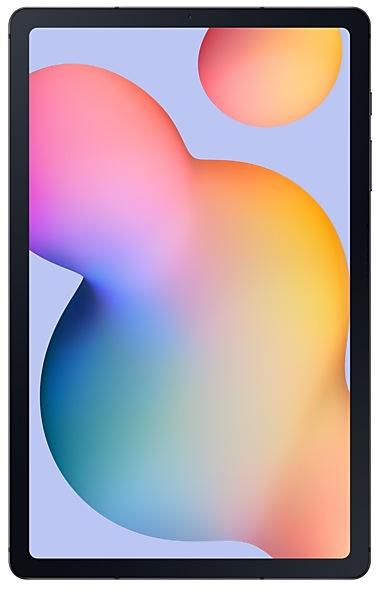
Samsung Galaxy Tab S6 Lite P610XXS2CUG5 Firmware
Samsung Galaxy Tab S6 Lite P610XXS2CUG5 is an Android 11 firmware for 39 countries, 39 CSC codes. It is the same firmware configured per region and carrier (CSC). Find your country below, verify the file and download for free. Compared with the previous build P610ZCS2CUG3 https://samfirm.shop/build/P610ZCS2CUG3, Android and the bootloader binary are unchanged, so you can switch between the two in both directions. A newer build for SM-P610 is available: P610XXS7FYD1 https://samfirm.shop/build/P610XXS7FYD1.
Bootloader binary 2. Flashing firmware with a lower binary is usually blocked by Samsung anti-rollback.
All regional downloads
Pick your region (CSC) to download the matching firmware package.
| Model | Region | CSC Version | Build Date | Release date | Size | File name | Download |
|---|---|---|---|---|---|---|---|
| SM-P610 |
ATO Austria
AUT Switzerland
BGL Bulgaria
BTU United Kingdom +19 more countries
DBT Germany
EUR Greece
ITV Italy
LUX Luxembourg
NEE Nordic Europe
PHE Spain
PHN Netherlands
ROM Romania
SEB Baltic Europe
SEE Serbia
SEK Ukraine
SER Russia
SIO Slovenia
TPH Portugal
XEF France
XEH Hungary
XEO Poland
XEZ Czechia
XSK Slovakia | P610OXM2CUE2 | 2021-08-04 | 2021-07-29 | 4.293 GiB | SM-P610_1_20210720205805_s7bcghq3wr_fac.zip | Download |
| SM-P610 |
BRI Taiwan
TGY Hong Kong SAR China
THL Thailand
XME Malaysia +3 more countries
XNZ New Zealand
XSA Australia
XSP Singapore | P610OLM2CUE1 | 2021-08-02 | 2021-07-29 | 4.044 GiB | SM-P610_1_20210720122004_r2o74v27i6_fac.zip | Download |
| SM-P610 |
DKR Kenya
ILO Israel
MID Iraq
TUR Turkey +3 more countries
XFA South Africa
XSG United Arab Emirates
ILP | P610OJM2CUE1 | 2021-07-30 | 2021-08-02 | 4.08 GiB | SM-P610_1_20210720205404_0eewbu8g3x_fac.zip | Download |
| SM-P610 |
INU India | P610ODM2CUE1 | 2021-08-05 | 2021-08-05 | 4.126 GiB | SM-P610_1_20210728173134_t2q5p4rg4c_fac.zip | Download |
| SM-P610 |
KOO South Korea | P610KOO2CUG5 | 2021-07-27 | 2021-07-27 | 4.192 GiB | SM-P610_1_20210722111334_e58u01qoa8_fac.zip | Download |
No matching downloads
How to flash P610XXS2CUG5
- P610XXS2CUG5 has bootloader binary 2. Your device must run binary 2 or lower: it is the 5th character from the end of your current build number.
- CSC: Use CSC for a clean install, to change the region (CSC code), to downgrade or to repair a device that does not boot.
- HOME_CSC: Use HOME_CSC to update the same model and region while keeping your data. Back up anyway: a failed update can still require a reset.
- The Download Mode key combo depends on the model: see all combos.
What's new in P610XXS2CUG5
• The security of your device has been improved.
Rollout of P610XXS2CUG5 by region
- First release
- July 27, 2021
- Last region
- August 5, 2021
- Duration
- 10 days
- Regions
- 39
- Day 1 · · 1 regionSouth KoreaKOO
- Day 3 · · 6 regionsFranceXEFGermanyDBTItalyITVNew ZealandXNZSpainPHEUnited KingdomBTU
- Day 7 · · 30 regionsAustraliaXSAAustriaATOBaltic EuropeSEBBulgariaBGLCzechiaXEZGreeceEURHong Kong SAR ChinaTGYHungaryXEHIraqMIDIsraelILOKenyaDKRLuxembourgLUX
+18 more countries
MalaysiaXMENetherlandsPHNNordic EuropeNEEPolandXEOPortugalTPHRomaniaROMSerbiaSEESingaporeXSPSlovakiaXSKSloveniaSIOSouth AfricaXFASwitzerlandAUTTaiwanBRIThailandTHLTurkeyTURUkraineSEKUnited Arab EmiratesXSGILP - Day 9 · · 1 regionRussiaSER
- Day 10 · · 1 regionIndiaINU
Device specifications
- Launched withAndroid 10
- Display diagonal26.4 cm (10.4")
- Display resolution2000 x 1200 pixels
- Processor frequency2.3 GHz
- Processor familySamsung Exynos
- Processor model9611
- Rear camera resolution8 MP
- Front camera resolution5 MP
- Wi-Fi standardWi-Fi 5 (802.11ac)
- Weight465 g
Frequently Asked Questions
Other builds and changelog for Samsung Galaxy Tab S6 Lite
• Security
The device is protected with improved security.
- P610XXS7FYD1May 8, 2025
- P610ZCS6FYD1May 13, 2025
- P610XXS6FXJ1Nov 21, 2024
• The latest Android security patch has been applied.
- Device security has been further enhanced.
• Security
The device is protected with improved security.
• The latest Android security patch has been applied.
- Device security has been further enhanced.
• The security of your device has been improved.
- P610XXS4FXA1Feb 7, 2024
- P610XXS4FWK1Nov 13, 2023
Show 12 older builds
• Stability and reliability
Device behavior has been improved.
Better app previews on the Recents screen
The Recents screen now shows apps as they will appear after you open them. You can easily see if an app is opened in split screen, full screen, or as a pop-up.
Easily switch from pop-up view to split screen
Press and hold the handle at the top of the pop-up window, then drag the app to the side of the screen where you want it to be shown.
Restore pop-ups snapped to the edge of the screen
Drag an app in pop-up view t...
• The latest Android security patch has been applied.
- Device security has been further enhanced.
- P610XXS4FWG4Aug 15, 2023
- P610ZCS3FXA1Feb 20, 2024
• Overall stability of your device has been improved.
Better app previews on the Recents screen
The Recents screen now shows apps as they will appear after you open them. You can easily see if an app is opened in split screen, full screen, or as a pop-up.
Easily switch from pop-up view to split screen
Press and hold the handle at the top of the pop-up window, then drag the app to the side of the screen where you want it to be shown.
Restore pop-ups snapped to the edge of the screen
Drag an app in pop-up view t...
• Security
The device is protected with improved security.
· The security of your device has been improved.
One UI 5.1 Update
One UI 5.1 takes your tablet to the next level with new Gallery features as well as productivity and personalization enhancements.
More powerful search
You can now search your Gallery for more than one person or subject at the same time. You can even search for people without tagging their names just by tapping their faces.
Revamped info display
When you swipe up while viewing a picture or video in your Gallery, you can see when and where the picture was...
One UI 5.1 Update
One UI 5.1 takes your tablet to the next level with new Gallery features as well as productivity and personalization enhancements.
More powerful search
You can now search your Gallery for more than one person or subject at the same time. You can even search for people without tagging their names just by tapping their faces.
Revamped info display
When you swipe up while viewing a picture or video in your Gallery, you can see when and where the picture was taken, whic...
One UI 5 brings you more powerful personalization and makes it easier to get things done across your Galaxy devices.
New app icons and illustrations
Icon symbols are larger for a bolder look that's easier to scan. Subtle background gradients and improved contrast give a fresher, more natural feel. New help illustrations have been created to give a consistent look to all apps.
Smoother than ever before
New animations and transition effects make swi...