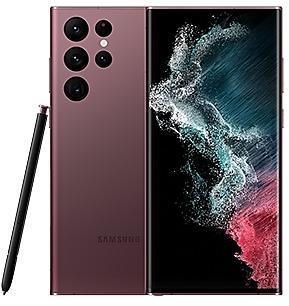
Samsung Galaxy Tab A7 Lite T227USQU7CWI3 Firmware
Samsung Galaxy Tab A7 Lite T227USQU7CWI3 is an Android 13 firmware for APP, CHA, United States (ATT, TMB, TMK, USC, VZW). It is the same firmware configured per region and carrier (CSC). Find your country below, verify the file and download for free. Compared with the previous build T227USQS6CWG7 https://samfirm.shop/build/T227USQS6CWG7: bootloader binary raised from 6 to 7, so after installing it there is no way back to older builds. A newer build for SM-T227U is available: T227UVLSCFYE2 https://samfirm.shop/build/T227UVLSCFYE2.
Bootloader binary 7. Flashing firmware with a lower binary is usually blocked by Samsung anti-rollback.
All regional downloads
Pick your region (CSC) to download the matching firmware package.
No matching downloads
How to flash T227USQU7CWI3
- T227USQU7CWI3 has bootloader binary 7. Your device must run binary 7 or lower: it is the 5th character from the end of your current build number.
- CSC: Use CSC for a clean install, to change the region (CSC code), to downgrade or to repair a device that does not boot.
- HOME_CSC: Use HOME_CSC to update the same model and region while keeping your data. Back up anyway: a failed update can still require a reset.
- The Download Mode key combo depends on the model: see all combos.
What's new in T227USQU7CWI3
Better app previews on the Recents screen
The Recents screen now shows apps as they will appear after you open them. You can easily see if an app is opened in split screen, full screen, or as a pop-up.
Easily switch from pop-up view to split screen
Press and hold the handle at the top of the pop-up window, then drag the app to the side of the screen where you want it to be shown.
Restore pop-ups snapped to the edge of the screen
Drag an app in pop-up view to the edge of the screen to snap it to the edge and keep it out of the way. When you need it again, tap anywhere on the pop-up to bring it back to its previous location.
More recent apps
You can now choose how many recently used apps to show on the taskbar (up to 4).
Share with contacts
You can now send files to your contacts anytime, even if they're not near you.
Share files privately
Protect private content when you share it. You can set expiration dates for the files you send, cancel sharing at any time, and prevent recipients from saving or resharing.
Apply effects more easily
Filter and tone effects in Gallery now use a dial instead of a slider making it easier to make precise adjustments with just one hand.
Copy and paste effects
You can now copy and paste filters and tones from one picture you’ve edited to another.
Drag and drop with two hands
Start dragging files, app icons, or other items with one hand, then use your other hand to navigate to the folder or location where you want to drop them. Supported in My Files and the Home screen.
Keep storage space available
When you’re running low on space in your internal storage, app cache information will be shown when you analyze storage in My Files. Clearing app caches can help you free up space without deleting files or apps.
Change your mode from the Lock screen
Change between Sleep mode, Driving mode, and other modes directly from the Lock screen.
Customize your layout in Samsung Internet
You can now make the taskbar appear at the bottom of the screen. When you do this, the tab bar and bookmark bar will also be shown at the bottom.
Rollout of T227USQU7CWI3 by region
- First release
- October 10, 2023
- Last region
- October 23, 2023
- Duration
- 14 days
- Regions
- 7
- Day 1 · · 4 regionsUnited StatesATTTMBTMKAPP
- Day 2 · · 1 regionCHA
- Day 8 · · 1 regionUnited StatesVZW
- Day 14 · · 1 regionUnited StatesUSC
Frequently Asked Questions
Other builds and changelog for Samsung Galaxy Tab A7 Lite
The device is protected with improved security.
These changes may vary depending on the model, country, or network operator of the customer environment.
- T227UVLSCFYE2Jun 13, 2025
- T227USQSCEYE2May 29, 2025
· The security of your device has been improved.
- T227UVLSBFXK1Jan 13, 2025
- T227USQSBEXK1Dec 17, 2024
New wallpaper editing features
Decorate your wallpaper however you like. When you select an image to use as your wallpaper, you can now apply frames and effects.
Customize alarm alerts
Use an image, video, or AR emoji to create your own custom alert screens for each alarm. You can even change the layout of where the alarm information appears on the screen.
More stickers to personalize your calendar
You can now add up to 2 stickers for each date on y...
- T227UVLUAFXH2Sep 11, 2024
- T227USQUAEXH2Aug 26, 2024
• The security of your device has been improved.
Show 12 older builds
• The security of your device has been improved.
- T227USQS9DXFAJun 26, 2024
- T227USQS9DXF9Jul 1, 2024
New button layout
The quick panel has a new layout that makes it easier to access the features you use most. Wi-Fi and Bluetooth now have their own dedicated buttons at the top of the screen, while visual features, like Dark mode and Eye comfort shield have been moved to the bottom. Other quick settings buttons appear in a customizable area in the middle.
Instantly access the full quick panel
By default, a compact quick panel with notifications ap...
New button layout
The quick panel has a new layout that makes it easier to access the features you use most. Wi-Fi and Bluetooth now have their own dedicated buttons at the top of the screen, while visual features, like Dark mode and Eye comfort shield have been moved to the bottom. Other quick settings buttons appear in a customizable area in the middle.
Instantly access the full quick panel
By default, a compact quick panel with notifications ap...
New button layout
The quick panel has a new layout that makes it easier to access the features you use most. Wi-Fi and Bluetooth now have their own dedicated buttons at the top of the screen, while visual features, like Dark mode and Eye comfort shield have been moved to the bottom. Other quick settings buttons appear in a customizable area in the middle.
Instantly access the full quick panel
By default, a compact quick panel with notifications appears when yo...
• The security of your device has been improved.
- T227USQU8CWK9Jan 25, 2024
- T227USQS8CWK8Dec 5, 2023
· The security of your device has been improved.
Better app previews on the Recents screen
The Recents screen now shows apps as they will appear after you open them. You can easily see if an app is opened in split screen, full screen, or as a pop-up.
Easily switch from pop-up view to split screen
Press and hold the handle at the top of the pop-up window, then drag the app to the side of the screen where you want it to be shown.
Restore pop-ups snapped to the edge of the screen
Drag an app in pop-up v...