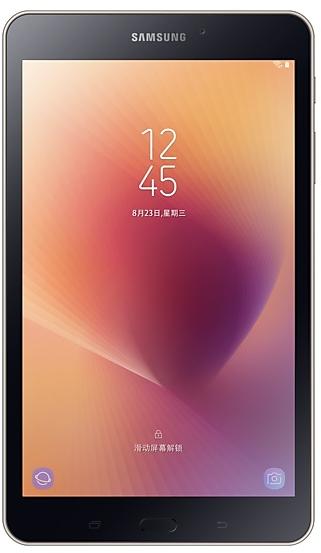
Samsung Galaxy Tab A (2017) T385CZHU2BRI4 Firmware
Samsung Galaxy Tab A (2017) T385CZHU2BRI4 is an Android 8.1.0 (Oreo) firmware for Hong Kong SAR China (TGY). It is the same firmware configured per region and carrier (CSC). Find your country below, verify the file and download for free. Compared with the previous build T385CZCU2BRI3 https://samfirm.shop/build/T385CZCU2BRI3, Android and the bootloader binary are unchanged, so you can switch between the two in both directions. A newer build for SM-T385C is available: T385CZCS5BUD1 https://samfirm.shop/build/T385CZCS5BUD1.
Bootloader binary 2. Flashing firmware with a lower binary is usually blocked by Samsung anti-rollback.
All regional downloads
Pick your region (CSC) to download the matching firmware package.
| Model | Region | CSC Version | Release date | Size | File name | Download |
|---|---|---|---|---|---|---|
| SM-T385C |
TGY Hong Kong SAR China | T385CZZH2BRI4 | 2018-10-11 | 2.271 GiB | SM-T385C_1_20210420155014_pbutacunm3_fac.zip | Download |
No matching downloads
How to flash T385CZHU2BRI4
- T385CZHU2BRI4 has bootloader binary 2. Your device must run binary 2 or lower: it is the 5th character from the end of your current build number.
- CSC: Use CSC for a clean install, to change the region (CSC code), to downgrade or to repair a device that does not boot.
- HOME_CSC: Use HOME_CSC to update the same model and region while keeping your data. Back up anyway: a failed update can still require a reset.
- The Download Mode key combo depends on the model: see all combos.
What's new in T385CZHU2BRI4
Samsung Experience 9.5 brings you Android Oreo, with exciting new features from Samsung and Google based on feedback from users like you.
We recommend that you back up your important data to keep it safe during the upgrade.
Some apps, including Samsung Internet, Samsung Notes, and Email, should be updated individually before you can update your OS.
Here’s what’s new.
Quick Panel
- Manage notifications for each app with notification categories (supported apps only).
- Icons will be shown at the bottom of the notification panel for notifications that aren't currently visible.
Home Screen
- Touch and hold an app to display shortcuts to common or recommended tasks within the app (supported apps only).
- Notification badges on app icons are linked with the notification panel. Clear a notification in one location, and it will also be cleared in the other location.
Samsung Keyboard
- The toolbar gives quick access to useful functions.
- The GIF keyboard lets you send GIFs.
- More high-contrast keyboards are available.
System Performance
- Background services are limited to improve performance and battery life.
- Currently running apps will always be shown in the notification panel.
Smart View
- Let your phone's screen go dark when mirroring to another screen.
Samsung account
- Control your account settings and profile information for multiple apps.
- Tap your profile picture on the main Settings page to access your profile information and account settings.
Samsung Cloud
- View and manage photos and notes stored only in Samsung Cloud.
- Store any type of file in Samsung Cloud Drive.
- Select specific items to delete or restore from your backups.
- See how big each backup is and how many items it contains.
Find My Mobile
- Back up Secure Folder to Samsung Cloud remotely when your phone is lost.
- Lock Samsung Pass using Find My Mobile.
- The following functions have been added : Daily Board, Samsung Connect
Device specifications
- Launched withAndroid 7.1
- Display diagonal20.3 cm (8")
- Display resolution1280 x 800 pixels
- Rear camera resolution8 MP
- Rear camera typeSingle camera
- Front camera resolution5 MP
- Wi-Fi standardWi-Fi 4 (802.11n)
- Weight364 g
Specifications of SM-T385M, a regional variant of the same device. Chipset and SIM lines are left out: they can differ by region.
Frequently Asked Questions
Other builds and changelog for Samsung Galaxy Tab A (2017)
- The latest Android security patch has been applied.
ㆍDevice security has been further enhanced.
- T385CZCS5BUD1May 3, 2021
- T385CZHS5BUD1May 3, 2021
- T385CZCU5BUA1Jan 30, 2021
- T385CZHU5BUA1Jan 30, 2021
- T385CZCU5BTF1Aug 13, 2020
- T385CZHU5BTF1Aug 24, 2020
- T385CZCU4BSL1Mar 17, 2020
- T385CZHU4BSL1Mar 26, 2020
- T385CZCU3BSH1Sep 18, 2019
- T385CZHU3BSH1Sep 18, 2019
- T385CZCU3BSF4Jul 17, 2019
- T385CZHU3BSF4Jul 3, 2019
- T385CZHU2BSA2Apr 9, 2019
- T385CZCU2BSA1Apr 9, 2019
Samsung Experience 9.5 brings you Android Oreo, with exciting new features from Samsung and Google based on feedback from users like you.
We recommend that you back up your important data to keep it safe during the upgrade.
Some apps, including Samsung Internet, Samsung Notes, and Email, should be updated individually before you can update your OS.
Here’s what’s new.
Quick Panel
- Manage notifications for each app with notification categories...
Samsung Experience 9.0 brings you Android Oreo, with exciting new features from Samsung and Google based on feedback from users like you.
We recommend that you back up your important data to keep it safe during the upgrade.
Some apps, including Samsung Internet, Samsung Notes, and Email, should be updated individually before you can update your OS.
Here’s what’s new.
Quick Panel
- Manage notifications for each app with notification categories...
- The latest Android security patch has been applied.
ㆍDevice security has been further enhanced.
- T385CZHU1ARG1Aug 14, 2018
- T385CZCU1ARF1Aug 14, 2018
- T385CZCU1ARB1Mar 23, 2018
- T385CZHU1ARB1Mar 21, 2018