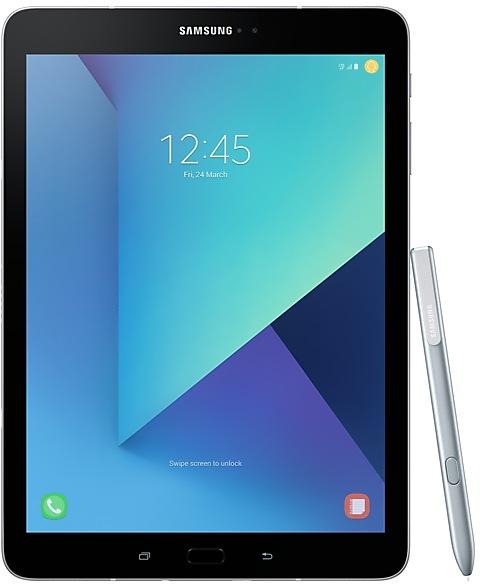
Samsung Galaxy Tab S3 T825UBU3CSL2
SM-T825 1 country Android 9 (Pie)

Samsung Galaxy Tab S3 T825UBU3CSL2 Firmware

Samsung Galaxy Tab S3 T825UBU3CSL2 is an Android 9 (Pie) firmware for Mexico (TCE). It is the same firmware configured per region and carrier (CSC). Find your country below, verify the file and download for free. Compared with the previous build T825XXU3CSL2, Android and the bootloader binary are unchanged, so you can switch between the two in both directions. A newer build for SM-T825 is available: T825UBU3CUF1.

8.7/10 (469)8,599 times
Android 9 (Pie)
OS Version
2019-12-10
First release
other regions until 2019-12-21
n/a
Security patch
1
Countries
1
CSC codes
3
Bootloader binary

Bootloader binary 3. Flashing firmware with a lower binary is usually blocked by Samsung anti-rollback.

All regional downloads

Pick your region (CSC) to download the matching firmware package.

Paste your current build number from Settings > About phone (About tablet) > Software information, or the output of *#1234#.
    ModelRegionCSC VersionMODEM/CP VersionBuild DateRelease dateSizeFile nameDownload
    SM-T825
    TCE Mexico
    T825TCE3CSH7T825UBU3CSL1 2019-12-21 2019-12-28 3.339 GiB
    SM-T825_1_20200312031702_ryxh1hnslt_fac.zip
    SM-T825
    TCE Mexico
    T8253CSH7T825UBU3CSL2 2019-12-10 — — —

    No matching downloads

    Device specifications

    • Launched withAndroid 7.0
    • Display diagonal24.6 cm (9.7")
    • Display resolution2048 x 1536 pixels
    • Display technologySuper AMOLED
    • Processor frequency2.15 GHz
    • Rear camera resolution13 MP
    • Rear camera typeSingle camera
    • Front camera resolution5 MP
    • Weight434 g

    How to flash T825UBU3CSL2

    • T825UBU3CSL2 has bootloader binary 3. Your device must run binary 3 or lower: it is the 5th character from the end of your current build number.
    • CSC: Use CSC for a clean install, to change the region (CSC code), to downgrade or to repair a device that does not boot.
    • HOME_CSC: Use HOME_CSC to update the same model and region while keeping your data. Back up anyway: a failed update can still require a reset.
    • The Download Mode key combo depends on the model: see all combos.
    Full flashing guide
    Beware: Manually flashing firmwares may brick your device. Use it at your own risk and follow our tutorial steps.

    Frequently Asked Questions

    T825UBU3CSL2 is Android 9 (Pie) firmware for Samsung Galaxy Tab S3, released for Mexico (TCE). Samsung built it on 2019-12-10.

    No. A newer build for SM-T825 is available: T825UBU3CUF1. Install it instead of T825UBU3CSL2 unless you need this exact version. The previous build was T825XXU3CSL2.

    Download the package for your region (CSC) and unzip it. In Odin, load each file into the slot with the same name: BL, AP, CP (if the package has one) and CSC, or HOME_CSC to keep your data. Odin checks the built-in checksum of every .tar.md5 file before flashing. The download is 3.339 GiB; keep about twice that free on the computer to unzip it. The Samsung Galaxy Tab S3 must be on bootloader binary 3 or lower.

    This build uses bootloader binary 3. It can be flashed on a Samsung Galaxy Tab S3 running binary 3 or lower; if the device already has a higher binary, Odin stops with "SW REV CHECK FAIL". 23 other builds of this model use the same binary, so you can switch between them in both directions.

    Other builds and changelog for Samsung Galaxy Tab S3

    No changelog details available.

    • The following functions have been added : Call , text on other devices, Flipboard Briefing
    • The security of your device has been improved.

    No changelog details available.
    No changelog details available.
    No changelog details available.
    Show 15 older builds
    No changelog details available.
    No changelog details available.
    No changelog details available.
    No changelog details available.
    No changelog details available.
    No changelog details available.
    No changelog details available.
    Upgraded One UI for Android Pie 9.0

    One UI brings you Android Pie 9.0, with exciting new features and a whole new look and feel based on feedback from users in Samsung and Google.
    We recommend that you back up your important data to keep it safe before the upgrade.
    Some apps, including Calculator, Samsung Internet, Samsung Notes, and Samsung Members, need to be updated individually after you update your OS.
    To use the Remote unlock function in Find My Mobile on an Android Pie 9.0 device, the sc...

    No changelog details available.
    No changelog details available.
    No changelog details available.
    No changelog details available.
    No changelog details available.
    No changelog details available.
    No changelog details available.