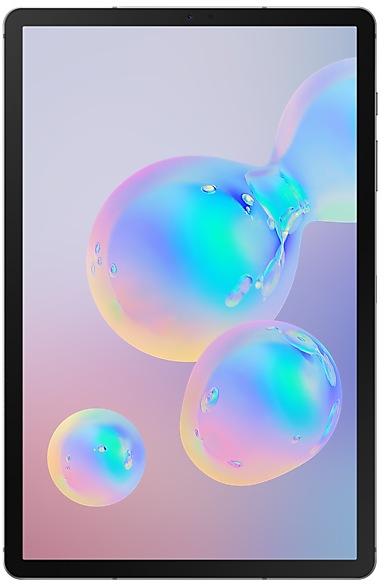
Samsung Galaxy Tab S6 T860ZCU4DVJ3 Firmware
Samsung Galaxy Tab S6 T860ZCU4DVJ3 is an Android 12 firmware for China (CHN). It is the same firmware configured per region and carrier (CSC). Find your country below, verify the file and download for free. Compared with the previous build T860XXU4DVI1 https://samfirm.shop/build/T860XXU4DVI1, Android and the bootloader binary are unchanged, so you can switch between the two in both directions. A newer build for SM-T860 is available: T860XXU5DXJ1 https://samfirm.shop/build/T860XXU5DXJ1.
Bootloader binary 4. Flashing firmware with a lower binary is usually blocked by Samsung anti-rollback.
All regional downloads
Pick your region (CSC) to download the matching firmware package.
| Model | Region | CSC Version | Release date | Size | File name | Download |
|---|---|---|---|---|---|---|
| SM-T860 |
CHN China | T860CHN4DVJ3 | 2022-10-28 | 4.829 GiB | SM-T860_4_20221028135721_o1lxepyarp_fac.zip | Download |
No matching downloads
How to flash T860ZCU4DVJ3
- T860ZCU4DVJ3 has bootloader binary 4. Your device must run binary 4 or lower: it is the 5th character from the end of your current build number.
- CSC: Use CSC for a clean install, to change the region (CSC code), to downgrade or to repair a device that does not boot.
- HOME_CSC: Use HOME_CSC to update the same model and region while keeping your data. Back up anyway: a failed update can still require a reset.
- The Download Mode key combo depends on the model: see all combos.
What's new in T860ZCU4DVJ3
Switch between apps quickly
A taskbar now appears at the bottom of the screen for quicker navigation between apps.
Quickly open apps in split screen or a pop-up window
Drag apps from the taskbar or Recents screen to open them however is most convenient for you. Drag to the top, bottom, left, or right edge of the screen to open in split screen. Drag to the center of the screen to open in a pop-up.
Open app pairs quickly
Pair apps that you often use together, then add them to the Home screen or taskbar so you can open them in split screen with just a single tap.
Easily switch from pop-up view to split screen
When you're using an app in pop-up view, just tap the split screen button inside the window handle. You'll be able to choose a second app to open alongside of it.
Change your view with a gesture
Switch from full screen to split screen view by swiping inward with two fingers from the left side, right side, or bottom of the screen. Switch from full screen to pop-up view by swiping inward with one finger from either corner at the top of the screen. Gestures can be turned on or off in Settings.
Show app names in the Apps edge panel
Turn on Show app names to make app names appear below the app icons.
Extract text from any image or screen
Extract text using Samsung Keyboard, Internet, Gallery, or whenever you take a screenshot. Paste the result into a message, email, or document instead of typing.
Korean, English, French, Italian, German, Portuguese, Spanish, and Chinese text can be extracted.
Get suggestions based on text in images
When text appears in an image in Gallery, Camera, or other apps, actions will be recommended based on the text. For example, if you take a picture of a sign with a phone number or web address on it, you can tap to call the number or visit the site.
Easily see who’s calling
Set a different call background for each contact so you easily see who's calling with just a quick glance.
Rearrange expression buttons
Touch and hold the emoji, sticker, and other buttons to rearrange them.
More powerful search in My Files
Choose whether to search all files or only files in the current folder. You can also choose between searching only file names or searching information inside of files, such as text in documents or location information in images. When your search is complete, you can sort the results by name, date, size, or file type.
Edit your Lock screen wallpaper collection
After selecting a group of images to use for your Lock screen wallpaper, you can easily add or remove images later.
Wechat
Provide intelligent classification, search, and favorite image when choosing pictures to send to friends/channel in WeChat app
Call & text on other devices
If the tablet and phone uses the same WLAN network, you can send or receive a call or a text message on the tablet. Don't miss important calls and messages while enjoying your tablet.
※ In order to use “Call & text on other devices” feature, both the tablet and phone must support this feature.
JD IoT (京东小家)
IoT App to connected to home appliances, etc.
Device specifications
- Launched withAndroid 9.0
- Display diagonal26.7 cm (10.5")
- Display resolution2560 x 1600 pixels
- Display technologySuper AMOLED
- Processor frequency2.8 GHz
- Processor familyQualcomm Snapdragon
- Processor model8150
- Rear camera resolution13 MP
- Front camera resolution8 MP
- Wi-Fi standardWi-Fi 5 (802.11ac)
- Weight420 g
Frequently Asked Questions
Other builds and changelog for Samsung Galaxy Tab S6
- T860XXU5DXJ1Oct 3, 2024
- T860ZCU5DXJ1Oct 4, 2024
• The latest Android security patch has been applied.
- Device security has been further enhanced.
• Security
The device is protected with improved security.
• Stability and reliability
Device behavior has been improved.
• Security
The device is protected with improved security.
• Overall stability of your device has been improved.
• The latest Android security patch has been applied.
- Device security has been further enhanced.
- T860ZCU4DWC4Apr 13, 2023
- T860ZCU4DWA2Jan 18, 2023
Show 13 older builds
• Overall stability of your device has been improved.
• The security of your device has been improved.
- T860XXU4DVJ4Oct 25, 2022
- T860XXU4DVJ3Oct 20, 2022
Switch between apps quickly
A taskbar now appears at the bottom of the screen for quicker navigation between apps.
Quickly open apps in split screen or a pop-up window
Drag apps from the taskbar or Recents screen to open them however is most convenient for you. Drag to the top, bottom, left, or right edge of the screen to open in split screen. Drag to the center of the screen to open in a pop-up.
Open app pairs quickly
Pair apps that you often use together,...
Switch between apps quickly
A taskbar now appears at the bottom of the screen for quicker navigation between apps.
Quickly open apps in split screen or a pop-up window
Drag apps from the taskbar or Recents screen to open them however is most convenient for you. Drag to the top, bottom, left, or right edge of the screen to open in split screen. Drag to the center of the screen to open in a pop-up.
Open app pairs quickly
Pair apps that you often use together,...
• Overall stability of your device has been improved.
• The security of your device has been improved.
• Overall stability of your device has been improved.
One UI 4.1 brings you a wide array of new features and enhancements for your Galaxy devices. More intuitive, more fun, more secure, and easier than ever.
Check out the changes below.
Customize your tablet with unique colors based on your wallpaper. Your colors will be applied to menus, buttons, backgrounds, and apps throughout your tablet.
One UI 4.1 offers strong privacy protection to make sure your personal information doesn’t fall...
- T860ZCU4DVE1May 20, 2022
- T860XXU4DVD6Apr 25, 2022
- T860XXU4DVD1Apr 15, 2022
- T860XXU4DVC3Mar 24, 2022
• The security of your device has been improved.
- The latest Android security patch has been applied.
ㆍDevice security has been further enhanced.