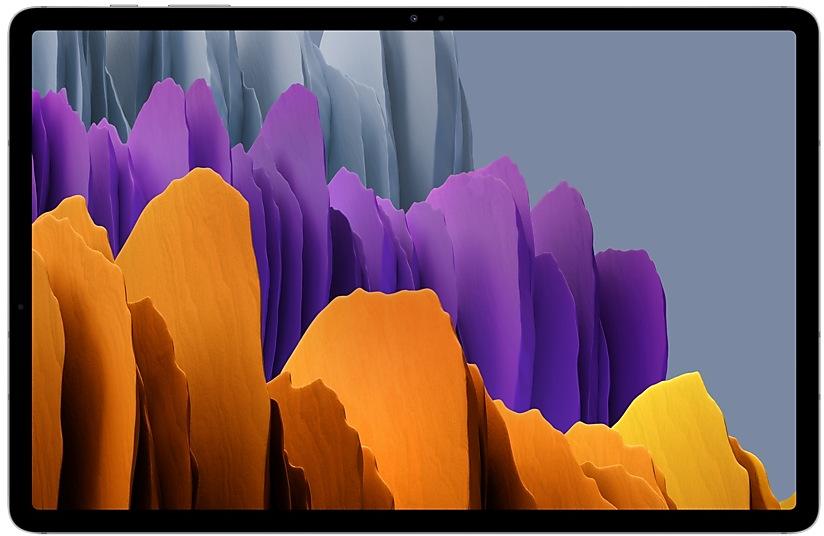
Samsung Galaxy Tab S7+ T970XXU4DWH3 Firmware
Samsung Galaxy Tab S7+ T970XXU4DWH3 is an Android 13 firmware for 29 countries, 31 CSC codes. It is the same firmware configured per region and carrier (CSC). Find your country below, verify the file and download for free. Compared with the previous build T970ZCU4DWH3 https://samfirm.shop/build/T970ZCU4DWH3, Android and the bootloader binary are unchanged, so you can switch between the two in both directions. A newer build for SM-T970 is available: T970XXS7DXH1 https://samfirm.shop/build/T970XXS7DXH1.
Bootloader binary 4. Flashing firmware with a lower binary is usually blocked by Samsung anti-rollback.
All regional downloads
Pick your region (CSC) to download the matching firmware package.
| Model | Region | CSC Version | Release date | Size | File name | Download |
|---|---|---|---|---|---|---|
| SM-T970 |
AFR Kenya
ARO Argentina
BRI Taiwan
BVO Bolivia +25 more countries
CHO Chile
COO Colombia
EUX, EUY Europe
GTO Guatemala
ILO Israel
INU India
KOO South Korea
KSA Saudi Arabia
MID Iraq
MXO Mexico
PEO Peru
SER Russia
TGY Hong Kong SAR China
THL Thailand
TUR Turkey
UPO, UYO Uruguay
XAC Canada
XAR United States
XFA South Africa
XME Malaysia
XNZ New Zealand
XSA Australia
XSG United Arab Emirates
XSP Singapore
XXV Vietnam | T970OXM4DWH3 | 2023-08-24 | 7.555 GiB | SM-T970_4_20230811183350_75psusu8xx_fac.zip | Download |
No matching downloads
How to flash T970XXU4DWH3
- T970XXU4DWH3 has bootloader binary 4. Your device must run binary 4 or lower: it is the 5th character from the end of your current build number.
- CSC: Use CSC for a clean install, to change the region (CSC code), to downgrade or to repair a device that does not boot.
- HOME_CSC: Use HOME_CSC to update the same model and region while keeping your data. Back up anyway: a failed update can still require a reset.
- The Download Mode key combo depends on the model: see all combos.
What's new in T970XXU4DWH3
Better app previews on the Recents screen
The Recents screen now shows apps as they will appear after you open them. You can easily see if an app is opened in split screen, full screen, or as a pop-up.
Easily switch from pop-up view to split screen
Press and hold the handle at the top of the pop-up window, then drag the app to the side of the screen where you want it to be shown.
Restore pop-ups snapped to the edge of the screen
Drag an app in pop-up view to the edge of the screen to snap it to the edge and keep it out of the way. When you need it again, tap anywhere on the pop-up to bring it back to its previous location.
Check minimized apps with the S Pen
Hover your S Pen above a floating app icon to see a preview of how the app will appear when you open it.
More recent apps
You can now choose how many recently used apps to show on the taskbar (up to 4).
Share with contacts
You can now send files to your contacts anytime, even if they're not near you.
Share files privately
Protect private content when you share it. You can set expiration dates for the files you send, cancel sharing at any time, and prevent recipients from saving or resharing.
More date and time styles for watermarks
Customize the date and time separately with more style options to get the perfect look for your watermark.
Enhanced remaster previews
Thumbnail images are now shown below the image you're remastering. Tap a thumbnail to compare the remastered image to the original with a larger view.
Apply effects more easily
Filter and tone effects in Gallery now use a dial instead of a slider making it easier to make precise adjustments with just one hand.
Copy and paste effects
You can now copy and paste filters and tones from one picture you’ve edited to another.
Drag and drop with two hands
Start dragging files, app icons, or other items with one hand, then use your other hand to navigate to the folder or location where you want to drop them. Supported in My Files and the Home screen.
Keep storage space available
When you’re running low on space in your internal storage, app cache information will be shown when you analyze storage in My Files. Clearing app caches can help you free up space without deleting files or apps.
Enhanced memory management in Device care
More information is provided about apps using memory on your tablet, giving you the option to put apps to sleep if too much memory is being used.
Change your mode from the Lock screen
Change between Sleep mode, Driving mode, and other modes directly from the Lock screen.
Customize your layout in Samsung Internet
You can now make the taskbar appear at the bottom of the screen. When you do this, the tab bar and bookmark bar will also be shown at the bottom.
Rollout of T970XXU4DWH3 by region
- First release
- August 24, 2023
- Last region
- September 29, 2023
- Duration
- 37 days
- Regions
- 31
- Day 1 · · 6 regionsCanadaXACEuropeEUXEUYIndiaINUSouth KoreaKOOUnited StatesXAR
- Day 9 · · 4 regionsArgentinaAROBoliviaBVOMexicoMXOPeruPEO
- Day 14 · · 11 regionsAustraliaXSAIraqMIDIsraelILOMalaysiaXMENew ZealandXNZRussiaSERSingaporeXSPThailandTHLTurkeyTURUnited Arab EmiratesXSGVietnamXXV
- Day 15 · · 2 regionsGuatemalaGTOUruguayUPO
- Day 17 · · 2 regionsChileCHOUruguayUYO
- Day 23 · · 3 regionsKenyaAFRSaudi ArabiaKSASouth AfricaXFA
- Day 27 · · 2 regionsHong Kong SAR ChinaTGYTaiwanBRI
- Day 37 · · 1 regionColombiaCOO
Device specifications
- Display diagonal31.5 cm (12.4")
- Display resolution2800 x 1752 pixels
- Display technologySuper AMOLED
- Processor frequency2.4 GHz
- Processor familyQualcomm Snapdragon
- Processor model865+
- Rear camera resolution13 MP
- Front camera resolution8 MP
- Wi-Fi standardWi-Fi 6 (802.11ax)
- Weight575 g
Frequently Asked Questions
Other builds and changelog for Samsung Galaxy Tab S7+
• The security of your device has been improved.
• The latest Android security patch has been applied.
- Device security has been further enhanced.
• Overall stability of functions improved.
• The latest Android security patch has been applied.
- Device security has been further enhanced.
• Security
The device is protected with improved security.
Show 15 older builds
• The latest Android security patch has been applied.
- Device security has been further enhanced.
Better app previews on the Recents screen
The Recents screen now shows apps as they will appear after you open them. You can easily see if an app is opened in split screen, full screen, or as a pop-up.
Easily switch from pop-up view to split screen
Press and hold the handle at the top of the pop-up window, then drag the app to the side of the screen where you want it to be shown.
Restore pop-ups snapped to the edge of the screen
Drag an app in pop-up view t...
- T970XXU4DWH3Aug 24, 2023
- T970ZCU4DWH3Sep 19, 2023
• Overall stability of your device has been improved.
• The latest Android security patch has been applied.
- Device security has been further enhanced.
- T970XXU3DWD3May 15, 2023
- T970ZCU3DWD3May 18, 2023
One UI 5.1 Update
One UI 5.1 takes your tablet to the next level with new Gallery features as well as productivity and personalization enhancements.
Quickly change the color tone for selfies
It's easier to change the color tone of your selfies using the Effects button on the side of the screen.
More powerful search
You can now search your Gallery for more than one person or subject at the same time. You can even search for people without tagging their names just by tapping...
• The security of your device has been improved.
One UI 5.1 Update
One UI 5.1 takes your tablet to the next level with new Gallery features as well as productivity and personalization enhancements.
Quickly change the color tone for selfies
It's easier to change the color tone of your selfies using the Effects button on the side of the screen.
More powerful search
You can now search your Gallery for more than one person or subject at the same time. You can even search for people without tagging their names just by tapping...
- T970XXU2DWB2Feb 28, 2023
- T970ZCU2DWB2Mar 20, 2023
• The security of your device has been improved.
• Overall stability of your device has been improved.
• The latest Android security patch has been applied.
- Device security has been further enhanced.
- T970ZCU2DVL3Jan 3, 2023
- T970XXU2DVL1Dec 27, 2022
One UI 5 brings you more powerful personalization and makes it easier to get things done across your Galaxy devices.
New app icons and illustrations
Icon symbols are larger for a bolder look that's easier to scan. Subtle background gradients and improved contrast give a fresher, more natural feel. New help illustrations have been created to give a consistent look to all apps.
Smoother than ever before
New animations and transition effects make swi...
- T970ZCU2DVK5Nov 25, 2022
- T970XXU2DVK3Nov 22, 2022
• Overall stability of your device has been improved.
• The latest Android security patch has been applied.
- Device security has been further enhanced.