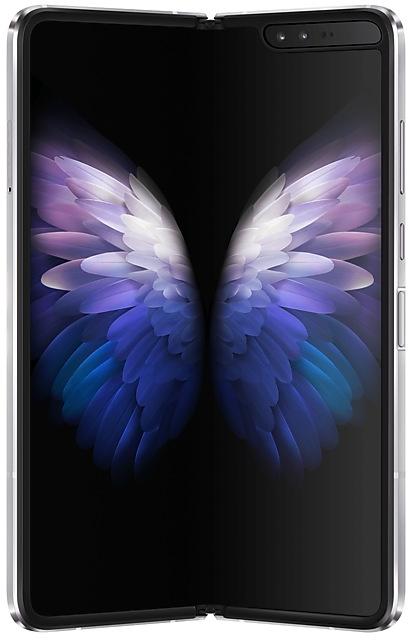
Samsung 三星W20 5G W2020ZCU3EUJ1 Firmware
Samsung 三星W20 5G W2020ZCU3EUJ1 is an Android 11 firmware for China (CHC). It is the same firmware configured per region and carrier (CSC). Find your country below, verify the file and download for free. Compared with the previous build W2020ZCS2DUG1 https://samfirm.shop/build/W2020ZCS2DUG1: bootloader binary raised from 2 to 3, so after installing it there is no way back to older builds; security patch 2021-09-01 instead of 2021-07-01. A newer build for SM-W2020 is available: W2020ZCU3FZE1 https://samfirm.shop/build/W2020ZCU3FZE1.
Bootloader binary 3. Flashing firmware with a lower binary is usually blocked by Samsung anti-rollback.
All regional downloads
Pick your region (CSC) to download the matching firmware package.
How to flash W2020ZCU3EUJ1
- Install Samsung USB Drivers:Download Official Drivers
- Download Odin Flash Tool:
- W2020ZCU3EUJ1 has bootloader binary 3. Your device must run binary 3 or lower: it is the 5th character from the end of your current build number.
- CSC: Use CSC for a clean install, to change the region (CSC code), to downgrade or to repair a device that does not boot.
- HOME_CSC: Use HOME_CSC to update the same model and region while keeping your data. Back up anyway: a failed update can still require a reset.
- The Download Mode key combo depends on the model: see all combos.
What's new in W2020ZCU3EUJ1
One UI 3.1.1 for Galaxy Fold takes your productivity to the next level. Multitasking is easier than ever with enhanced multi-window and task-switching features. We've also optimized more apps to take advantage of the large screen, helping get more done. Explore these exciting new additions that make your Galaxy Fold easier and more fun to use.
Scroll down for a full list of changes.
Multi window
• Touch and hold text, a link, or a file in Notes, My Files, Messages, or Samsung Internet, then drag it to the edge of the screen to open it in split screen or a pop-up window.
• Arrange your open apps into multi window configurations so you can see more at once.
Edge panels
• The background screen is no longer blurred when you open edge panels.
Camera
• Use Capture View to review up to 3 pictures or videos on the screen at once and scroll through up to 100 recent shots. You can compare, zoom in on, delete, and share shots without ever leaving Camera.
• Preview filters and face effects on the main screen and cover screen when using Dual Preview. That way, both the photographer and the subject can see exactly how every shot’s going to look.
• Use Dual preview to preview AR Emoji Camera and AR Doodle videos on both the main screen and cover screen.
• Record AR Doodle videos in 9:16, 1:1, and full screen to show them off in a variety of different places.
Settings
• Split-screen view is now supported on the main screen.
Samsung keyboard
• Better preloaded stickers.
Digital Wellbeing
• Turn on Bedtime mode whenever you want. Going to sleep at a different time than usual? No problem.
Labs
Try experimental features to get more out of the large screen.
• Open all apps in split screen or pop-up view and customize app aspect ratios in full screen.
• Rotate any app to portrait or landscape, even if it’s not normally supported.
• Pin the Apps edge panel to the screen as a taskbar for quick app switching.
Additional large screen improvements
• When you leave the Clock app while a timer is running, a mini timer will appear on top of other apps so you can keep track of how much time is remaining.
• Navigation rail has been added to several apps to give you more space for primary content. (Reminder, Calendar, My files, Weather)
• Secondary apps can be opened in small overlay windows to keep you focused on your main task. (Phone, Contacts, Gallery)
Some apps will need to be updated separately after the One UI 3.1.1 update.
After updating, you will not be able to downgrade to the old software because of updates to the security policy.
Frequently Asked Questions
Other builds and changelog for Samsung 三星W20 5G
• Stability and reliability
Device behavior has been improved.
These changes may vary depending on the model, country, or network operator of the customer environment.
• Network
- New network operator(CBN) is supported.
• The latest Android security patch has been applied.
- Device security has been further enhanced.
• Overall stability of your device has been improved.
• The latest Android security patch has been applied.
- Device security has been further enhanced.
- W2020ZCU3FWA1Jan 18, 2023
- W2020ZCU3FVJ7Nov 16, 2022
Switch between apps quickly
A taskbar now appears at the bottom of the main screen for quicker navigation between apps.
Quickly open apps in split screen or a pop-up window
Drag apps from the taskbar or Recents screen to open them however is most convenient for you. Drag to the top, bottom, left, or right edge of the screen to open in split screen. Drag to the center of the screen to open in a pop-up.
Open app pairs quickly
Pair apps that you often use toge...
Show 14 older builds
• Following applications or features added: 芒果TV三星版
• Overall stability of your device has been improved.
• The latest Android security patch has been applied.
- Device security has been further enhanced.
- The latest Android security patch has been applied.
ㆍDevice security has been further enhanced.
One UI 4.1 Update
One UI 4.1 brings you the latest features for your Galaxy devices. More intuitive, more fun, more secure, and easier than ever.
Check out the changes below.
Gallery
Do more with your memories. Gallery brings enhanced features for remastering and organizing your pictures and videos, and sharing is now easier than ever.
Add portrait effects
You can now add background blur to any picture with a person in view.
Convert unnecessary motion photos to still images
Save storage space...
- The latest Android security patch has been applied.
ㆍDevice security has been further enhanced.
• Overall stability of your device has been improved.
• The latest Android security patch has been applied.
- Device security has been further enhanced.
※ After the updating, it is needed to agree to the terms and conditions due to the enforcement of the Personal Information Protection act.
One UI 3.1.1 for Galaxy Fold takes your productivity to the next level. Multitasking is easier than ever with enhanced multi-window and task-switching features. We've also optimized more apps to take advantage of the large screen, helping get more done. Explore these exciting new additions that make your Galaxy Fold easier and more fun to use.
Scroll down for a full list of changes.
Multi window
• Touch and hold text, a link, or a file in Notes, My Files, Messages, or Sams...
- The latest Android security patch has been applied.
ㆍDevice security has been further enhanced.
One UI 3.1 Upgrade (Android 11)
Below items will be included on software update, detail changes maybe different due to your device, country/region and operator providing service.
One UI 3.1 is designed to help you focus on what matters. Our visual redesign has improved the places you visit the most, like the Home screen and quick panel, to reduce distractions, highlight important information, and make your experience more consistent. Performance improvements will help apps run quicker while usi...
- The latest Android security patch has been applied.
ㆍDevice security has been further enhanced.
The exact changes may differ depending on your device model, country/Region, and service provider.
• Other bug fixes
- Overall stability of functions improved.
Samsung DeX
- Wireless DeX connection support.
. Wireless connection with TVs through WLAN Direct (compatible with Miracast).
* Quick panel - DeX
. Usage of Samsung Smart TVs released after 2019 is recommended.
- Screen Zoom and Font Size options are supported to allow customization in various display sizes.
WLAN
- If quality information on nearby WLAN routers can be measured, this information will appear as Very Fast, Fast, Normal, or Slow.
* This feature can be turned on or off in...
- The latest Android security patch has been applied.
ㆍDevice security has been further enhanced.
• Other bug fixes
- The stability of contacts APP is improved.
• The latest Android security patch has been applied.
- Device security has been further enhanced.
One UI 2 brings you Android 10, with exciting new features from Samsung and Google based on feedback from users like you.
We recommend that you back up your important data to keep it safe during the upgrade.
Some apps, including Calculator, Game Launcher, Voice Recorder, Samsung Internet, Samsung Health and Samsung Notes, need to be updated individually after you update your OS.
Here's what's new.
Dark mode
- Enhanced image, text, and color adjustments for day...