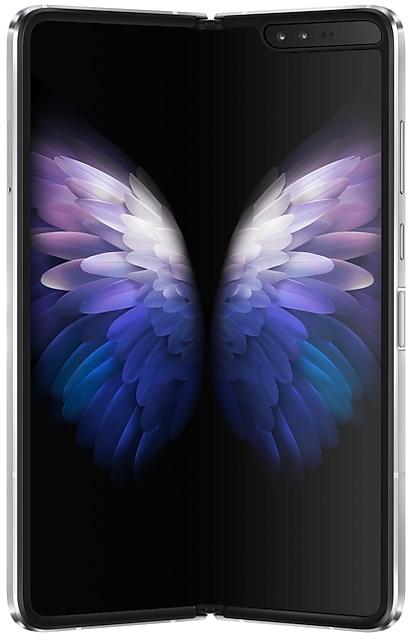
Samsung 三星 W22 5G W2022ZCU2CVC5 Firmware
Samsung 三星 W22 5G W2022ZCU2CVC5 is an Android 12 firmware for China (CHC). It is the same firmware configured per region and carrier (CSC). Find your country below, verify the file and download for free. Compared with the previous build W2022ZCU2BVA9 https://samfirm.shop/build/W2022ZCU2BVA9: security patch 2022-03-01 instead of 2022-01-01. A newer build for SM-W2022 is available: W2022ZCUEKZE1 https://samfirm.shop/build/W2022ZCUEKZE1.
Bootloader binary 2. Flashing firmware with a lower binary is usually blocked by Samsung anti-rollback.
All regional downloads
Pick your region (CSC) to download the matching firmware package.
What's new in W2022ZCU2CVC5
One UI 4.1 Update
One UI 4.1 brings you the latest features for your Galaxy devices. More intuitive, more fun, more secure, and easier than ever.
Check out the changes below.
Camera
It's easier than ever to capture great photos and videos.
More options for portrait videos
Capture great portrait videos even when your subject is far away. You can now record portrait videos with the 2x lens on the rear camera in addition to the 1x lens.
Get the full director’s view
You can save your director’s view videos with separate front and rear videos so you can edit them later, even after you’re done recording. When you play them back in the Video player, you can switch between different views such as split-screen or picture-in-picture.
Gallery
Do more with your memories. Gallery brings enhanced features for remastering and organizing your pictures and videos, and sharing is now easier than ever.
Powerful remastering
Make your photos look better than ever. Sharpen blurry faces, fix distortion on TVs or computer screens, and increase brightness and resolution.
More suggestions
Get help creating artistic portraits and exciting highlight reels. Gallery will suggest the best effects for your pictures.
Add portrait effects
You can now add background blur to any picture with a person in view.
Portrait relighting
Adjust the lighting for portraits, even after you've taken them, to make sure you always get the perfect shot.
Convert unnecessary motion photos to still images
Save storage space by converting motion photos to still images. Gallery will suggest pictures where motion isn't necessary, such as documents.
Share albums as links
No need to invite people to shared albums individually anymore. Just create a link that can be shared with anyone, even if they don't have a Samsung account or Galaxy device.
All your invitations together
Easily accept invitations to shared albums, even if you miss the notifications. Invitations that you haven't responded to yet will appear at the top of your shared album list.
Create time lapse videos
Turn a picture into a vivid 24-hour time-lapse video. A button will appear for pictures of scenery including the sky, bodies of water, mountains, or cities. Your video will appear as if an entire day has passed.
AR Zone
Express yourself like never before in augmented reality. Create your own emojis, stickers, doodles, and more.
Background colors in mask mode
Keep the focus on your AR emoji while wearing it as a mask. Choose from a variety of colors to use as your background.
Samsung Health
Get deeper insights into your health and enhanced exercise tracking in the latest version of Samsung Health.
Get insights about your body composition
Set targets for your weight, body fat percentage, and skeletal muscle mass. You'll get tips for reaching your goals.
Build better sleep habits
Track your sleep and get coaching based on your sleep patterns.
Enhanced exercise tracking
On your Galaxy Watch4, you can set interval training targets before you start running or cycling. You'll get a report on your phone when you're finished. Your watch can also give information about sweat loss when you run and heart rate recovery for aerobic workouts.
Samsung Notes
Write, draw, or jot down quick notes. Samsung Notes is now more connected to your other apps and devices.
Take quick notes while you browse
Keep track of your sources with new clipping options for Samsung Notes. You can include content from Samsung Internet or Gallery when you create a note using the quick panel or the Tasks edge panel.
Smart Switch
Transfer contacts, photos, messages, and settings from an old phone or tablet to your new Galaxy. One UI 4.1 lets you transfer more than ever.
More transfer options
You’ll get 3 options when transferring content to your new Galaxy. You can choose to transfer everything, transfer just your accounts, contacts, calls, and messages, or go Custom to choose exactly what you want to transfer.
One UI 4.1 gives you even more ways to share with others.
Share your WLAN network
Use S Share to share your current WLAN network with someone else. The person you share with will be able to connect automatically without entering the password.
Include editing history when you share pictures and videos
When you share pictures and videos with S Share, you can include the complete editing history so the receiver can see what's changed or revert back to the original.
Share tips with others
Find something useful in the Tips app? Tap the Share icon to send it to a friend.
More features and improvements
Color palette
Customize your phone with unique colors based on your wallpaper. Your custom color palette now appears in more apps.
Clean up shadows and reflections in Photo Editor
Shadows and reflections will be removed automatically whenever you use the Object eraser.
Add emojis to your calendar
In addition to stickers, you can now add emojis to a date on your calendar to express your feelings.
Customize your sound balance
In Accessibility settings, you can adjust the left/right sound balance for connected devices, such as speakers or headphones, separately from the sound balance for your phone speakers. This allows you to get the perfect balance out of your headphones without affecting how your ringtone and speakers sound.
New actions for Bixby Routines
You can now create routines that change your watch face or turn on advanced settings like Protect battery.
Customize your virtual memory
Choose the size of your phone's virtual memory with RAM Plus in Smart Manager. Go with more to boost performance or less to save storage space.
Support N28 band for 5G.
Game optimizing service
CPU/GPU performance during early stages of gameplay will not be limited. (A performance management feature based on device temperature will be maintained.) The “Alternate game performance management mode” in Game Booster will be provided. 3rd party apps to bypass the Game Optimizing Service will be allowed.
Some apps will need to be updated separately after the One UI 4.1 update.
How to flash W2022ZCU2CVC5
- Install Samsung USB Drivers:Download Official Drivers
- Download Odin Flash Tool:
- W2022ZCU2CVC5 has bootloader binary 2. Your device must run binary 2 or lower: it is the 5th character from the end of your current build number.
- CSC: Use CSC for a clean install, to change the region (CSC code), to downgrade or to repair a device that does not boot.
- HOME_CSC: Use HOME_CSC to update the same model and region while keeping your data. Back up anyway: a failed update can still require a reset.
- The Download Mode key combo depends on the model: see all combos.
Frequently Asked Questions
Other builds and changelog for Samsung 三星 W22 5G
• Stability and reliability
Device behavior has been improved.
These changes may vary depending on the model, country, or network operator of the customer environment.
• Security
The device is protected with improved security.
These changes may vary depending on the model, country, or network operator of the customer environment.
• Security
The device is protected with improved security.
These changes may vary depending on the model, country, or network operator of the customer environment.
• Security
The device is protected with improved security.
These changes may vary depending on the model, country, or network operator of the customer environment.
The device is protected with improved security.
These changes may vary depending on the model, country, or network operator of the customer environment.
Show 15 older builds
Visual enhancements
Enjoy a more sophisticated and unique look. One UI 7 introduces a stunning redesign to key components including buttons, menus, notifications and control bars, providing a more consistent visual experience with curves and circles. Beautiful new colors, soft animations, and an innovative blur effect that's unique to One UI make information hierarchy clearer and help you focus on important information.
Reimagined Home screen
Fr...
• The latest Android security patch has been applied.
- Device security has been further enhanced.
• The latest Android security patch has been applied.
- Device security has been further enhanced.
• The latest Android security patch has been applied.
- Device security has been further enhanced.
• The latest Android security patch has been applied.
- Device security has been further enhanced.
New button layout
The quick panel has a new layout that makes it easier to access the features you use most. WLAN and Bluetooth now have their own dedicated buttons at the top of the screen, while visual features, like Dark mode and Eye comfort shield have been moved to the bottom. Other quick settings buttons appear in a customizable area in the middle.
Instantly access the full quick panel
By default, a compact quick panel with notifications app...
Better app previews on the Recents screen
The Recents screen now shows apps as they will appear after you open them. You can easily see if an app is opened in split screen, full screen, or as a pop-up.
Easily switch from pop-up view to split screen
Press and hold the handle at the top of the pop-up window, then drag the app to the side of the screen where you want it to be shown.
Restore pop-ups snapped to the edge of the screen
Drag an app in pop-up view t...
• Overall stability of your device has been improved.
• The latest Android security patch has been applied.
- Device security has been further enhanced.
• The Camera and Gallery functions have been improved.
• Overall stability of your device has been improved.
The 天翼云VR app will be removed after the update followed by a factory data reset. To keep using the application, please download the app from an app store such as the Galaxy Store.
• The latest Android security patch has been applied.
- Device security has been further enhanced.
One UI 5.1 takes your phone to the next level with new Gallery features as well as productivity and personalization enhancements.
Quickly change the color tone for selfies
It's easier to change the color tone of your selfies using the Effects button at the top of the screen.
More powerful search
You can now search your Gallery for more than one person or subject at the same time. You can even search for people without tagging their names just by tapping...
• Overall stability of your device has been improved.
One UI 5 brings you more powerful personalization and makes it easier to get things done across your Galaxy devices.
New app icons and illustrations
Icon symbols are larger for a bolder look that's easier to scan. Subtle background gradients and improved contrast give a fresher, more natural feel. New help illustrations have been created to give a consistent look to all apps.
Smoother than ever before
New animations and transition effects make swi...
Switch between apps quickly
A taskbar now appears at the bottom of the main screen for quicker navigation between apps.
Quickly open apps in split screen or a pop-up window
Drag apps from the taskbar or Recents screen to open them however is most convenient for you. Drag to the top, bottom, left, or right edge of the screen to open in split screen. Drag to the center of the screen to open in a pop-up.
Open app pairs quickly
Pair apps that you often use toge...
- The latest Android security patch has been applied.
ㆍDevice security has been further enhanced.
• Overall stability of your device has been improved.
• The latest Android security patch has been applied.
- Device security has been further enhanced.