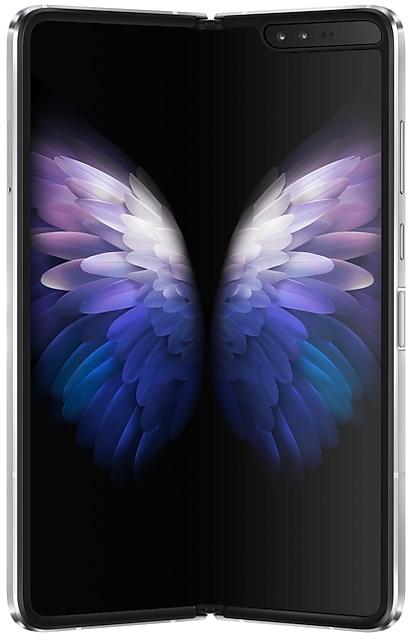
Download Samsung Firmware SM-W2022
Samsung 三星 W22 5G
The latest firmware for Samsung 三星 W22 5G (SM-W2022) is W2022ZCUEKZE1 with Android 15, released on June 1, 2026 for 1 region (CSC). Every official firmware build for SM-W2022, newest first: one row per build with all regions (CSC) that received it.
- Builds
- 28 builds
- Regions (CSC)
- 1 region
Firmware builds for SM-W2022
- CHC
- CHC
- CHC
- CHC
- CHC
- CHC
- CHC
- CHC
- CHC
- CHC
- CHC
- CHC
- CHC
- CHC
- CHC
- CHC
- CHC
- CHC
- CHC
- CHC
- CHC
- CHC
- CHC
- CHC
- CHC
- CHC
- CHC
- CHC
Each firmware build has its own page at https://samfirm.shop/build/{PDA}, where {PDA} is the build number from the list above. Example: https://samfirm.shop/build/W2022ZCUEKZE1
SM-W2022 update history
SM-W2022 started on Android 11 and has received 4 major Android upgrades; it now runs Android 15. The newest build, W2022ZCUEKZE1, was released on June 1, 2026 with the November 2025 security patch. That patch (SMR Nov-2025) fixes 33 vulnerabilities, 2 of them critical. Updates have become rare: SM-W2022 received 2 builds over the last 12 months, in 2 different months.
Changelog for SM-W2022
• Stability and reliability
Device behavior has been improved.
These changes may vary depending on the model, country, or network operator of the customer environment.
• Security
The device is protected with improved security.
These changes may vary depending on the model, country, or network operator of the customer environment.
- W2022ZCSEKYK1Dec 2, 2025
- W2022ZCSDKYG1Jul 28, 2025
- W2022ZCSCKYF3Jun 30, 2025
The device is protected with improved security.
These changes may vary depending on the model, country, or network operator of the customer environment.
Visual enhancements
Enjoy a more sophisticated and unique look. One UI 7 introduces a stunning redesign to key components including buttons, menus, notifications and control bars, providing a more consistent visual experience with curves and circles. Beautiful new colors, soft animations, and an innovative blur effect that's unique to One UI make information hierarchy clearer and help you focus on important information.
Reimagined Home screen
Fr...
• The latest Android security patch has been applied.
- Device security has been further enhanced.
- W2022ZCSAJYB3Mar 20, 2025
- W2022ZCS9JYB1Feb 27, 2025
- W2022ZCS9JXK5Nov 21, 2024
- W2022ZCS8JXJ1Oct 21, 2024
Show 20 older builds
Clip just what you need
Touch and hold a person or object in any photo to clip it. You can now clip multiple items at once. After clipping, you can easily turn your selection into a sticker or copy and paste it somewhere else.
Discover new insights and stay motivated
Stay inspired throughout your health experience with new wellness tips in Samsung Health. Wellness tips offer valuable insights and encouragement to help you achi...
• The latest Android security patch has been applied.
- Device security has been further enhanced.
Instantly search for anything on your screen
Touch to Search lets you easily learn more about anything shown on your screen without switching apps. Just touch and hold the Home button or navigation handle, then circle or touch anything on the screen to start a search.
Effortlessly enhance your photos
Get special recommendations for enhancing your photos and videos. Suggestions appear when you tap the i button in Gallery. You'll find o...
• The latest Android security patch has been applied.
- Device security has been further enhanced.
- W2022ZCS5HXD1 Apr 15, 2024
- W2022ZCS5HXA4 Feb 19, 2024
New button layout
The quick panel has a new layout that makes it easier to access the features you use most. WLAN and Bluetooth now have their own dedicated buttons at the top of the screen, while visual features, like Dark mode and Eye comfort shield have been moved to the bottom. Other quick settings buttons appear in a customizable area in the middle.
Instantly access the full quick panel
By default, a compact quick panel with notifications app...
Better app previews on the Recents screen
The Recents screen now shows apps as they will appear after you open them. You can easily see if an app is opened in split screen, full screen, or as a pop-up.
Easily switch from pop-up view to split screen
Press and hold the handle at the top of the pop-up window, then drag the app to the side of the screen where you want it to be shown.
Restore pop-ups snapped to the edge of the screen
Drag an app in pop-up view t...
• Overall stability of your device has been improved.
• The latest Android security patch has been applied.
- Device security has been further enhanced.
• The Camera and Gallery functions have been improved.
• Overall stability of your device has been improved.
The 天翼云VR app will be removed after the update followed by a factory data reset. To keep using the application, please download the app from an app store such as the Galaxy Store.
• The latest Android security patch has been applied.
- Device security has been further enhanced.
One UI 5.1 takes your phone to the next level with new Gallery features as well as productivity and personalization enhancements.
Quickly change the color tone for selfies
It's easier to change the color tone of your selfies using the Effects button at the top of the screen.
More powerful search
You can now search your Gallery for more than one person or subject at the same time. You can even search for people without tagging their names just by tapping...
• Overall stability of your device has been improved.
One UI 5 brings you more powerful personalization and makes it easier to get things done across your Galaxy devices.
New app icons and illustrations
Icon symbols are larger for a bolder look that's easier to scan. Subtle background gradients and improved contrast give a fresher, more natural feel. New help illustrations have been created to give a consistent look to all apps.
Smoother than ever before
New animations and transition effects make swi...
Switch between apps quickly
A taskbar now appears at the bottom of the main screen for quicker navigation between apps.
Quickly open apps in split screen or a pop-up window
Drag apps from the taskbar or Recents screen to open them however is most convenient for you. Drag to the top, bottom, left, or right edge of the screen to open in split screen. Drag to the center of the screen to open in a pop-up.
Open app pairs quickly
Pair apps that you often use toge...
- The latest Android security patch has been applied.
ㆍDevice security has been further enhanced.
• Overall stability of your device has been improved.
• The latest Android security patch has been applied.
- Device security has been further enhanced.
• Overall stability of your device has been improved.
• Following applications or features added: 芒果TV三星版
• The camera’s functions have been improved.
- The Night portrait feature has been enhanced.
- The telephoto lens is supported in Pro mode.
- The 'Auto framing' feature is supported in video mode and some video call apps.
- The quality of pictures taken with social or camera apps downloaded from the application store has been improved.
- The latest Android security patch has been applied.
ㆍDevice security has been further enhanced.
One UI 4.1 Update
One UI 4.1 brings you the latest features for your Galaxy devices. More intuitive, more fun, more secure, and easier than ever.
Check out the changes below.
Camera
It's easier than ever to capture great photos and videos.
More options for portrait videos
Capture great portrait videos even when your subject is far away. You can now record portrait videos with the 2x lens on the rear camera in addition to the 1x lens.
Get the full director’s view
You can save your director’s v...
• Overall stability of your device has been improved.
• The latest Android security patch has been applied.
- Device security has been further enhanced.
One UI 4 brings you a wide array of new features and enhancements for your Galaxy devices. More intuitive, more fun, more secure, and easier than ever.
Check out the changes below.
Customize your phone with unique colors based on your wallpaper. Your colors will be applied to menus, buttons, backgrounds, and apps throughout your phone.
One UI 4 offers strong privacy protection to make sure your personal information doesn’t fall into the...
Similar Models
- https://samfirm.shop/model/SM-W2021
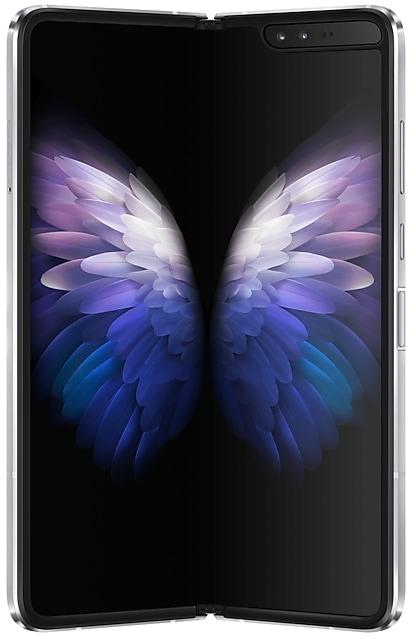
Samsung 三星W21 5G
SM-W2021
- https://samfirm.shop/model/SM-W2018X

Samsung SM-W2018
SM-W2018X
- https://samfirm.shop/model/SM-W7025

Samsung W25 Flip
SM-W7025
- https://samfirm.shop/model/SM-W9025

Samsung W25
SM-W9025


Frequently Asked Questions
What is the latest Android version for SM-W2022?
The newest firmware for SM-W2022 runs Android 15: build W2022ZCUEKZE1, released on June 1, 2026.
When did SM-W2022 get its last update?
The latest build for SM-W2022, W2022ZCUEKZE1, was released on June 1, 2026 (4 months ago).
How often does SM-W2022 get updates?
Over the last 12 months SM-W2022 received 2 builds, with at least one new build in 2 different months.
Is the firmware for SM-W2022 official?
Yes, all firmware files for SM-W2022 are 100% official, original, and obtained directly from Samsung servers.
How to flash Samsung SM-W2022 using Odin?
To flash SM-W2022, you need to download the appropriate firmware, put your device into Download Mode, and use the Odin tool to load the BL, AP, CP, and CSC files.
Can I downgrade the Android version on SM-W2022?
Downgrading is only possible if the bootloader version (binary bit) of the old firmware matches the current one. Always check the binary version before flashing SM-W2022.