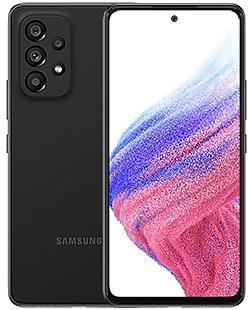
Samsung Galaxy Tab S8 X700XXU2AVH4 Firmware
Samsung Galaxy Tab S8 X700XXU2AVH4 is an Android 12 firmware for 14 countries, 15 CSC codes. It is the same firmware configured per region and carrier (CSC). Find your country below, verify the file and download for free. Compared with the previous build X700XXU2AVG9 https://samfirm.shop/build/X700XXU2AVG9: security patch 2022-08-01 instead of 2022-05-01. A newer build for SM-X700 is available: X700XXUBEZJ3 https://samfirm.shop/build/X700XXUBEZJ3.
Bootloader binary 2. Flashing firmware with a lower binary is usually blocked by Samsung anti-rollback.
All regional downloads
Pick your region (CSC) to download the matching firmware package.
| Model | Region | CSC Version | Build Date | Release date | Size | File name | Download |
|---|---|---|---|---|---|---|---|
| SM-X700 |
CAU Kazakhstan
EUX, EUY Europe
ILO Israel
INU India +8 more countries
KOO South Korea
MXO Mexico
SEK Ukraine
SER Russia
TUR Turkey
XAC Canada
XAR United States
XSG United Arab Emirates | X700OXM2AVH4 | 2022-09-30 | 2022-08-29 | 7.856 GiB | SM-X700_1_20220812091850_g5ev49zvds_fac.zip | Download |
| SM-X700 |
XID Indonesia | X700OLE2AVH4 | 2022-09-10 | 2022-09-19 | 6.969 GiB | SM-X700_1_20220823101600_vuwrk09mqy_fac.zip | Download |
| SM-X700 |
XSP Singapore | X700OXM2AVH5 | 2022-09-10 | 2022-09-19 | 7.853 GiB | SM-X700_1_20220822183641_go2obu50rn_fac.zip | Download |
No matching downloads
How to flash X700XXU2AVH4
- X700XXU2AVH4 has bootloader binary 2. Your device must run binary 2 or lower: it is the 5th character from the end of your current build number.
- CSC: Use CSC for a clean install, to change the region (CSC code), to downgrade or to repair a device that does not boot.
- HOME_CSC: Use HOME_CSC to update the same model and region while keeping your data. Back up anyway: a failed update can still require a reset.
- The Download Mode key combo depends on the model: see all combos.
What's new in X700XXU2AVH4
Switch between apps quickly
A taskbar now appears at the bottom of the screen for quicker navigation between apps.
Quickly open apps in split screen or a pop-up window
Drag apps from the taskbar or Recents screen to open them however is most convenient for you. Drag to the top, bottom, left, or right edge of the screen to open in split screen. Drag to the center of the screen to open in a pop-up.
Open app pairs quickly
Pair apps that you often use together, then add them to the Home screen or taskbar so you can open them in split screen with just a single tap.
Easily switch from pop-up view to split screen
When you're using an app in pop-up view, just tap the split screen button inside the window handle. You'll be able to choose a second app to open alongside of it.
Change your view with a gesture
Switch from full screen to split screen view by swiping inward with two fingers from the left side, right side, or bottom of the screen. Switch from full screen to pop-up view by swiping inward with one finger from either corner at the top of the screen. Gestures can be turned on or off in Settings.
Show app names in the Apps edge panel
Turn on Show app names to make app names appear below the app icons.
Extract text from any image or screen
Extract text using Samsung Keyboard, Internet, Gallery, or whenever you take a screenshot. Paste the result into a message, email, or document instead of typing.
Korean, English, French, Italian, German, Portuguese, Spanish, and Chinese text can be extracted.
Get suggestions based on text in images
When text appears in an image in Gallery, Camera, or other apps, actions will be recommended based on the text. For example, if you take a picture of a sign with a phone number or web address on it, you can tap to call the number or visit the site.
Easily see who’s calling
Set a different call background for each contact so you easily see who's calling with just a quick glance.
Video calls with Google Meet
Google Duo has been merged with Google Meet. You can now join 1:1 video calls as well as group video conferences all in one place with Google Meet.
Rearrange expression buttons
Touch and hold the emoji, sticker, and other buttons to rearrange them.
Enter kaomoji directly from the keyboard
Spice up your chats and texts with preset Japanese-style facial expressions created using keyboard symbols. (*^.^*)
More powerful search in My Files
Choose whether to search all files or only files in the current folder. You can also choose between searching only file names or searching information inside of files, such as text in documents or location information in images. When your search is complete, you can sort the results by name, date, size, or file type.
Drag and drop bookmarks between folders
Keep your Samsung Internet bookmarks organized by dragging and dropping them between folders.
Edit your Lock screen wallpaper collection
After selecting a group of images to use for your Lock screen wallpaper, you can easily add or remove images later.
Rollout of X700XXU2AVH4 by region
- First release
- August 29, 2022
- Last region
- October 5, 2022
- Duration
- 38 days
- Regions
- 15
- Day 1 · · 3 regionsEuropeEUXEUYSouth KoreaKOO
- Day 2 · · 2 regionsCanadaXACUnited StatesXAR
- Day 10 · · 1 regionIndiaINU
- Day 22 · · 2 regionsIndonesiaXIDSingaporeXSP
- Day 24 · · 3 regionsIsraelILOTurkeyTURUnited Arab EmiratesXSG
- Day 26 · · 1 regionMexicoMXO
- Day 38 · · 3 regionsKazakhstanCAURussiaSERUkraineSEK
Device specifications
- Launched withAndroid 12
- Display diagonal27.9 cm (11")
- Display resolution2560 x 1600 pixels
- Processor frequency2.99 GHz
- Processor familySnapdragon
- Processor modelSM8450
- Rear camera resolution13 MP
- Front camera resolution12 MP
- Wi-Fi standardWi-Fi 6E (802.11ax)
- Weight503 g
Frequently Asked Questions
Other builds and changelog for Samsung Galaxy Tab S8
• Security
The device is protected with improved security.
These changes may vary depending on the model, country, or network operator of the customer environment.
- X700XXSBEZH3Sep 7, 2026
- X700ZCSBEZH3Sep 14, 2026
- X700XXSBEZE1Jun 1, 2026
- X700ZCSBEZE1Jun 8, 2026
- X700XXSAEZB6Mar 9, 2026
- X700ZCSAEZB6Mar 12, 2026
- X700XXS9EZA3Feb 3, 2026
- X700ZCS9EZA3Feb 9, 2026
- X700XXS9EYK1Dec 15, 2025
- X700ZCS9EYK1Dec 23, 2025
Enhanced Lock screen widgets
Do more on your Lock screen with brief widgets. 2 x 2 size widgets are now available, and the widget area is now larger so you can add even more widgets. You can choose either a horizontal or vertical widget layout.
Check stock prices without unlocking
Stocks you follow on Google Finance with big price changes will appear on your Now bar at the end of the trading day.
Easier file sharing with Quick Share
I...
Easier file sharing with Quick Share
It's never been easier to send and receive files. Tap the Quick Share button in quick settings to get started. You can receive files while the Quick Share screen is open and send files to others directly from Quick Share.
Sticky notes
Add quick annotations on top of documents in Samsung Notes. There's no limit to the number of sticky notes you can add, and it's easy to remove them later without disturbing the original...
• Security
The device is protected with improved security.
These changes may vary depending on the model, country, or network operator of the customer environment.
Show 6 older builds
• Stability and reliability
Device behavior has been improved.
• Security
The device is protected with improved security.
These changes may vary depending on the model, country, or network operator of the customer environment.
• Security
The device is protected with improved security.
These changes may vary depending on the model, country, or network operator of the customer environment.
- X700XXS9DYF4Jul 14, 2025
- X700ZCS9DYF4Jul 24, 2025
Effortlessly create images
Drawing assist makes it easier than ever to create fun images. Start with a simple sketch, add an image, or type in what you want to create. You can generate images in a variety of different styles.
Get useful suggestions in AI select
When you select part of the screen with AI select, useful actions will be suggested based on what you selected. If event details are part of your selection, you’ll have an option to add it to...
Write like a pro
Let Galaxy AI help you with writing tasks by tapping the 4-star icon that appears whenever you select text. You can correct spelling and grammar, change tone, summarize, or apply formatting. You can even start with a short snippet and let the AI do the writing for you.
Effortlessly create images
Drawing assist makes it easier than ever to create fun images. Start with a simple sketch, add an image, or type in what you want to create...
• Security
The device is protected with improved security.